English
Table of Contents
Precautions ................................................................................................................. 42
Warning ...................................................................................................................... 42
Legal use of a scanner ............................................................................................... 42
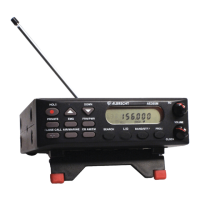
About your new AE355M Scanner ............................................................................. 45
Feature Summary ....................................................................................................... 45
23 Search Bands - German Band Plan 2 ............................................................... 47
Included in your Scanner Package ............................................................................. 50
Optional Accessories ............................................................................................. 50
Installing the AE355M Scanner .................................................................................. 51
Home Use (Desktop Installation) ........................................................................... 51
Mobile Use ............................................................................................................. 51
Temporary Mobile Installation............................................................................ 51
Permanent Installation ....................................................................................... 52
Permanently Mounting the AE355M scanner .................................................... 52
Permanently Connecting the Mobile Power Supply ............................................... 52
Scanner Operation Overview ..................................................................................... 54
AE355M Front Panel .............................................................................................. 54
AE355M Rear Panel .............................................................................................. 57
Using your AE355M Scanner ..................................................................................... 58
Set up ..................................................................................................................... 58
Adjusting Squelch .............................................................................................. 58
Operating Modes .................................................................................................... 59
Scan ....................................................................................................................... 59
Search .................................................................................................................... 59
Special Notes for Scanning Banks ......................................................................... 59
Scanning Service Bank Tips .................................................................................. 61
Searching Band Tips .............................................................................................. 62
Scanning Banks ..................................................................................................... 63
Special features .......................................................................................................... 64
Lock Out Channels / Frequencies .......................................................................... 64
Types of Lock Out .............................................................................................. 64
Temporary Lock Out .............................................................................................. 64
Lock Out Limits .................................................................................................. 64
Lock Out Tips ..................................................................................................... 65
Close Call ® ........................................................................................................... 67
Close Call Priority .............................................................................................. 67
Close Call Do Not Disturb .................................................................................. 67
Close Call Only .................................................................................................. 67
Setting Up Close Call Modes ............................................................................. 67
Setting Close Call (C-C) band Options .............................................................. 68
Setting Close Call (C-C) alert - Options ................................................................. 68
Close Call Tips ................................................................................................... 69
Private Bank ........................................................................................................... 69
Programming Frequencies and Channels ......................................................... 69
Programming a Channel ........................................................................................ 70


 To Next Page