English
Volume/Clock
Volume
Control/Clock
Switch
Turn this control clockwise to turn the AE355M unit
on. Continue turning this control clockwise to adjust
the volume.
Adjust
SQ
to set the scan threshold.
When you are monitoring a single channel in Scan
Hold Mode, adjust
SQ
to eliminate the background
noise heard in the absence of an incoming signal.
The Liquid Crystal Display (LCD) shows the current
channel or its frequency. It also displays mode,
status, and bank indicators. It utilizes a 7-segment
LCD pattern for character display. (Go to
“SCREENS” on page 23 for more details.)
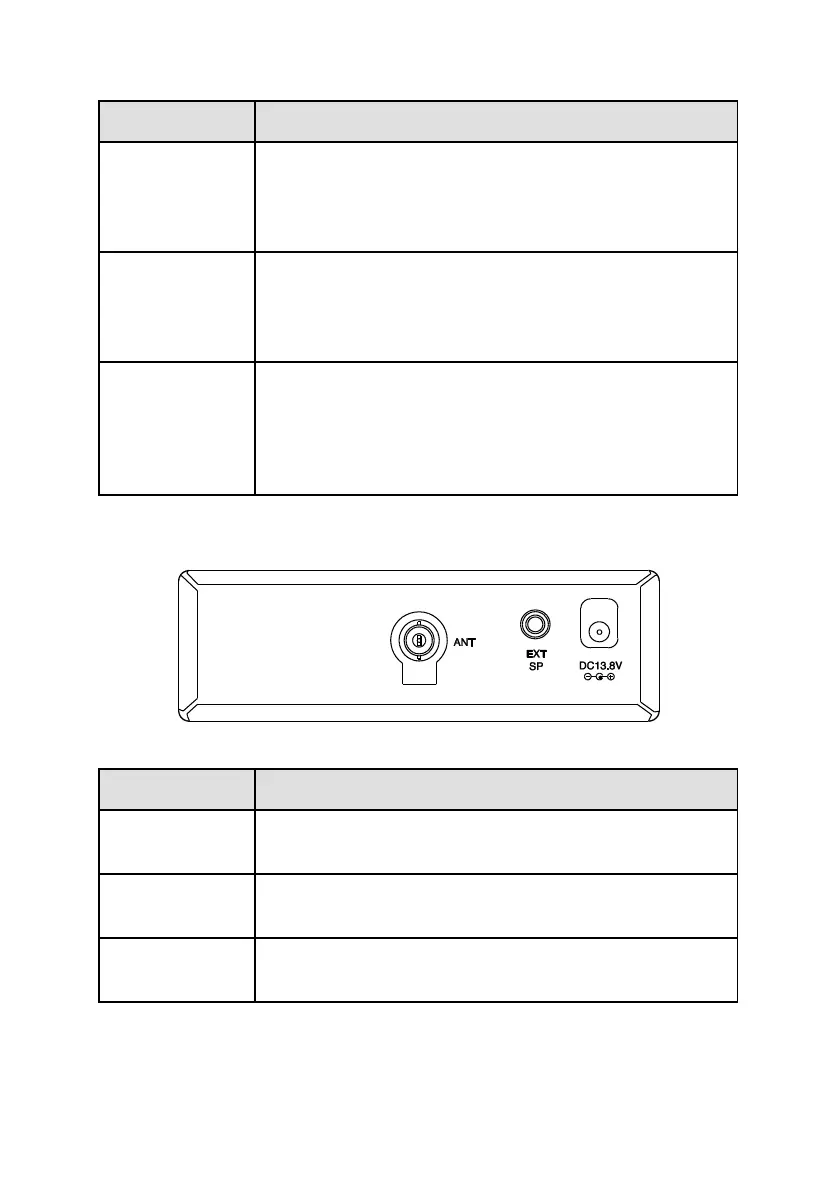
AE355M Rear Panel
BNC Antenna Connector. Insert the antenna plug
here.
External Speaker. Insert optional external speaker
plug here (3.5 mm mono plug).
Power Connection. Connect the specified AC
Adapter or DC power cord here (center pin is +).


 To Next Page