English
Program Lock Feature
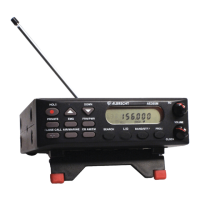
The AE355M has a Program Lock feature to prevent accidentally programming
entries or unauthorized programming. Press and hold the
PROG
key for longer than
2.5 seconds to toggle Program Lock on and off. Program Lock is available in the
following modes:
• Scan/Scan Hold
• Band Search/Band Search Hold
• Programming
• Close Call
When Program Lock is turned on the scanner displays “
ON Prg.Loc
” and then returns
to previous mode. Attempts to program on a bank with Program Lock activated will
display “
Prg.Loc
“ as a reminder. When Program Lock is turned off (press and hold
PROG
for longer than 2.5 seconds) the scanner displays “
OF Prg.Loc
” and returns
to the previous mode.


 To Next Page