English
Special features
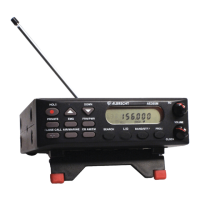
The AE355M scanner boasts of several special features:
• Lock Out Channels/Frequencies
• Close Call
• Private Bank
• Program Frequencies into Programmable Banks
• Program Lock
• Select Step Frequency
• Clock Mode
Lock Out Channels / Frequencies
Sometimes the scanner may stop on a particular channel or frequency because of
noise or other unwanted transmissions. This feature lets you lock out channels and
frequencies you don’t want to scan. The Lock Out feature skips these channels and
frequencies during scanning.
Types of Lock Out
Temporary Lock Out
Pressing
L/O
once temporarily locks out the current frequency or channel. The
scanner displays “T L/O” for that frequency or channel and continues scanning. All “T
L/O” frequencies/channels are restored when the scanner is powered off and later
switched on again.
Permanent Lock Out
Pressing
L/O
twice permanently locks out the current frequency or channel. The
scanner displays “L/O” for that frequency or channel and continues scanning. “L/O”
frequencies/channels can be manually restored; the procedure is provided in this
section.
Lock Out Limits
Any of the 300 user-programmed channels can be locked out; however there is a
limit to the number of frequencies that can be locked out of a preprogrammed bank
or band search. Up to 100 frequencies can be
permanently
locked out and up to
100 frequencies can be
temporarily
locked out.
If you try to permanently or temporarily lock out 101 frequencies the scanner
releases the first locked out frequency when you lock out the 101st frequency.
Locking out a frequency in any service bank or search band locks it out in all other
service banks or search bands.
However it will not affect the frequency if you have saved it in a channel.
You can only lock out all the channels or frequencies in the
Private
,
EMG
,
Freenet
(FRN)
,
PMR
and
Marine banks
.
If you lock out all the channels or frequencies in one
of these banks pressing that bank key will make the scanner emit an error tone and
the scanner will not scan.


 To Next Page