English
Setting Close Call (C-C) band Options
Use this menu to select which bands get
Close Call
checks:
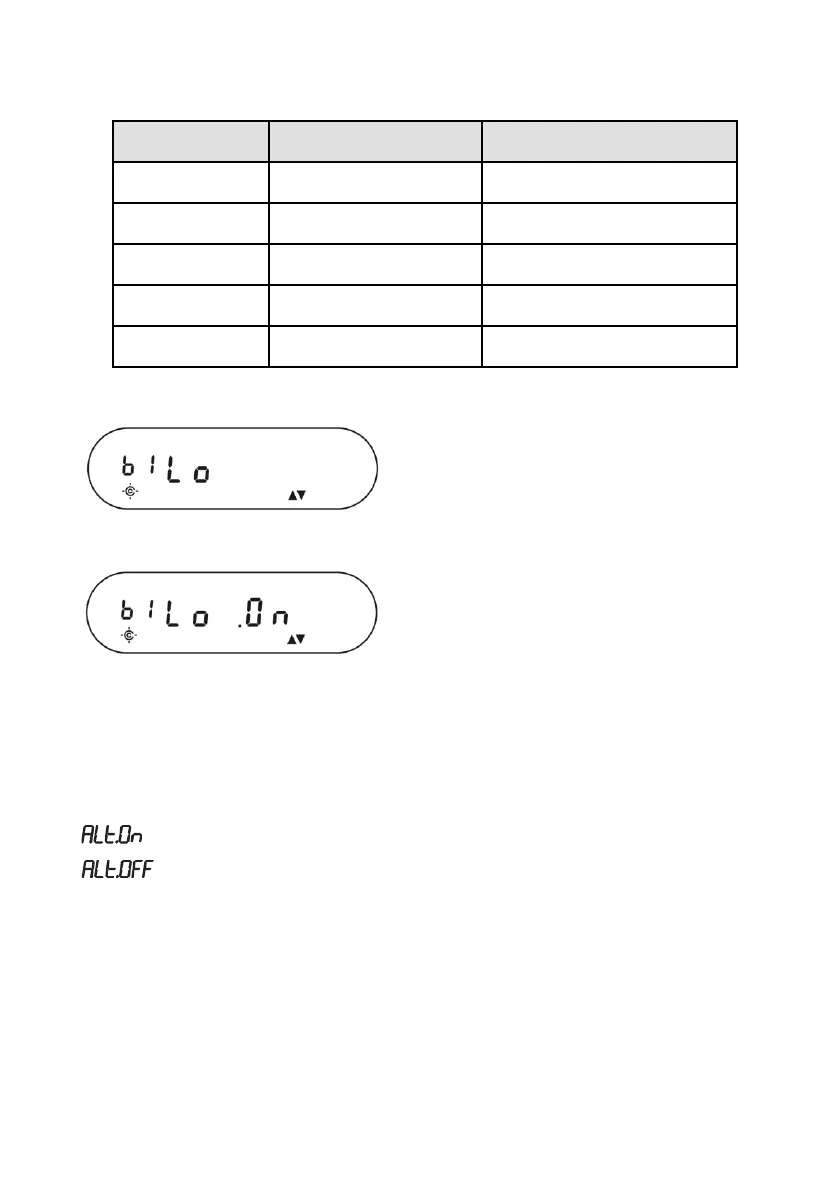
1. From Step 4 previously select
C-C band
. The first band selection displays:
2. Scroll up or down to select bands for
Close Call
to monitor. Press
PROG
. The
screen displays that selection and “
On
”.
You cannot turn off all bands. If you turn off all bands b1 Lo (VHF Low Band) is
automatically set to ON.
Setting Close Call (C-C) alert - Options
This menu controls whether the scanner will send an alert tone when a Close Call
signal is detected. The options are:
• - Scanner beeps when a
Close Call
signal is found.
• - Scanner does not beep when a Close Call signal is found


 To Next Page