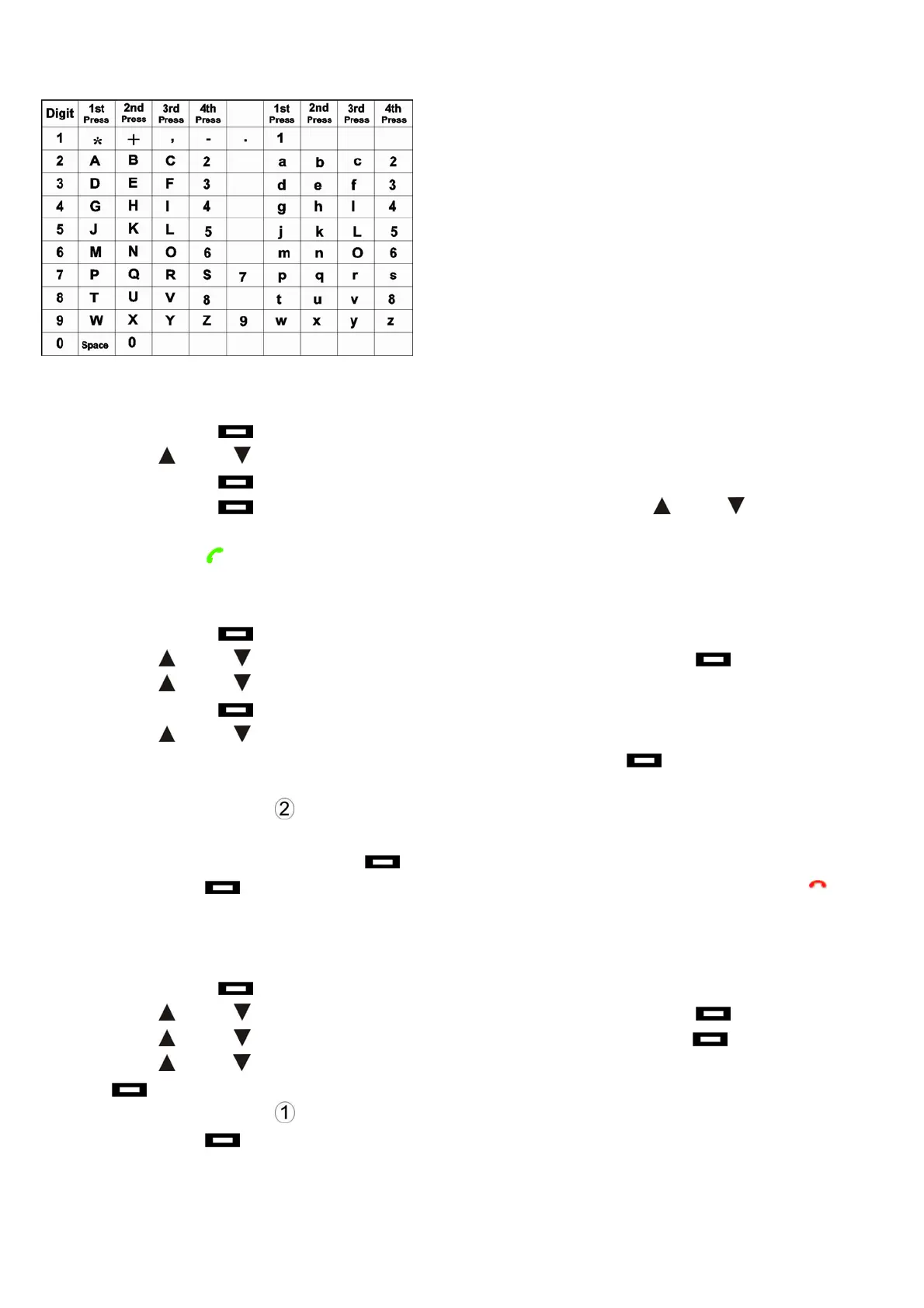
Alphanumeric Keys (press * to switch between upper case and lower case)
Calling from the Phonebook
1. Press right key to enter the main menu.
2. Press up /down key to select Phonebook.
3. Press right key to confirm. View Entry is displayed.
4. Press right key to view contact information, and press up /down key to select
the desired contact.
5. Press call key to make a call to the phone number displayed.
Editing the Phonebook
1. Press right key to enter the menu.
2. Press up /down key to select Phonebook, and press right key to confirm.
3. Press up /down key to select View Entry.
4. Press right key to confirm.
5. Press up /down key to select the phone book you wish to edit.
6. When the contact information is displayed, press right key . 1: Del 2: Edit is
displayed.
7. Press key number 2
to edit the name and number.
8. Handset will request to Enter Name: and Enter No.: respectively.
9. When finished, press right key
to confirm.
10. Press left key repeatedly to return to the standby mode, or press end key to
exit.
Deleting the Phonebook
1. Press right key to enter the menu.
2. Press up /down key to select Phonebook, and press right key to confirm.
3. Press up /down key to select View Entry, and press right key to confirm.
4. Press up /down key to select the contact you wish to delete, and press right
key to confirm.
5. Press key number 1
to delete the contact.
6. Press left key
repeatedly to return to the standby.
30



 To Next Page