PODD – Installation, Operation and Maintenance Manual
A l e n c o n S y s t e m s L L C - P a g e | 21
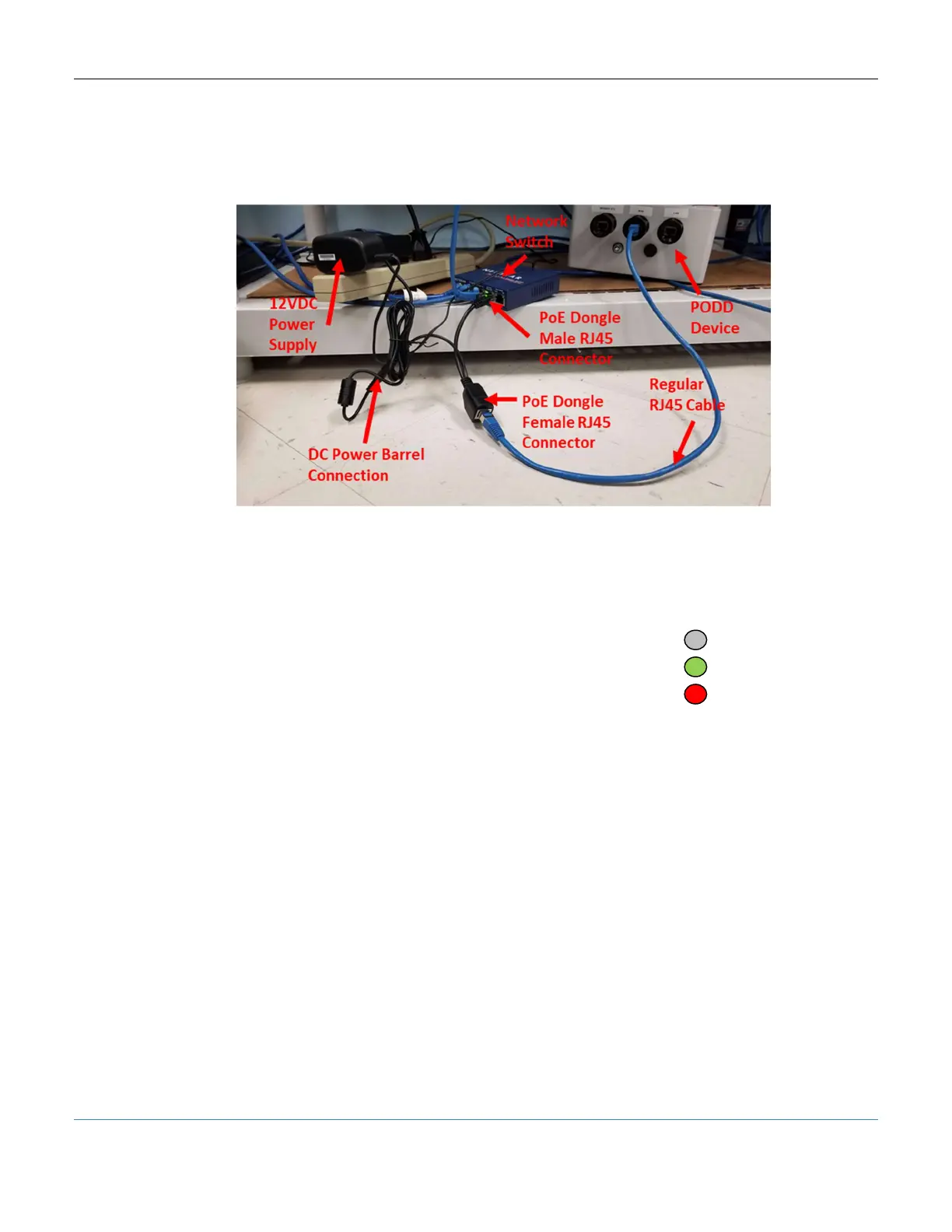
When using a POE injector to power the PODD, the male end of the POE injector should
be connected to a network switch and the female end should be connected (via a Cat5e
or better cable) to the WAN port of the PODD. The PODD will take a couple minutes to
boot up and the LED indicator will turn green when ready.
Figure 17: Example of POE Injector with PODD Lab Setup
7.5.3 Indicator LED
The large LED on the PODD front face is used to indicate the status of the PODD:
OFF – PODD has not turned on or has no input power
GREEN – Normal Operation (PODD is on and UI is available)
RED – Error (low input power, UI not frozen, etc.)



 To Next Page