PODD – Installation, Operation and Maintenance Manual
A l e n c o n S y s t e m s L L C - P a g e | 29
10.5 Alencon Devices Tab
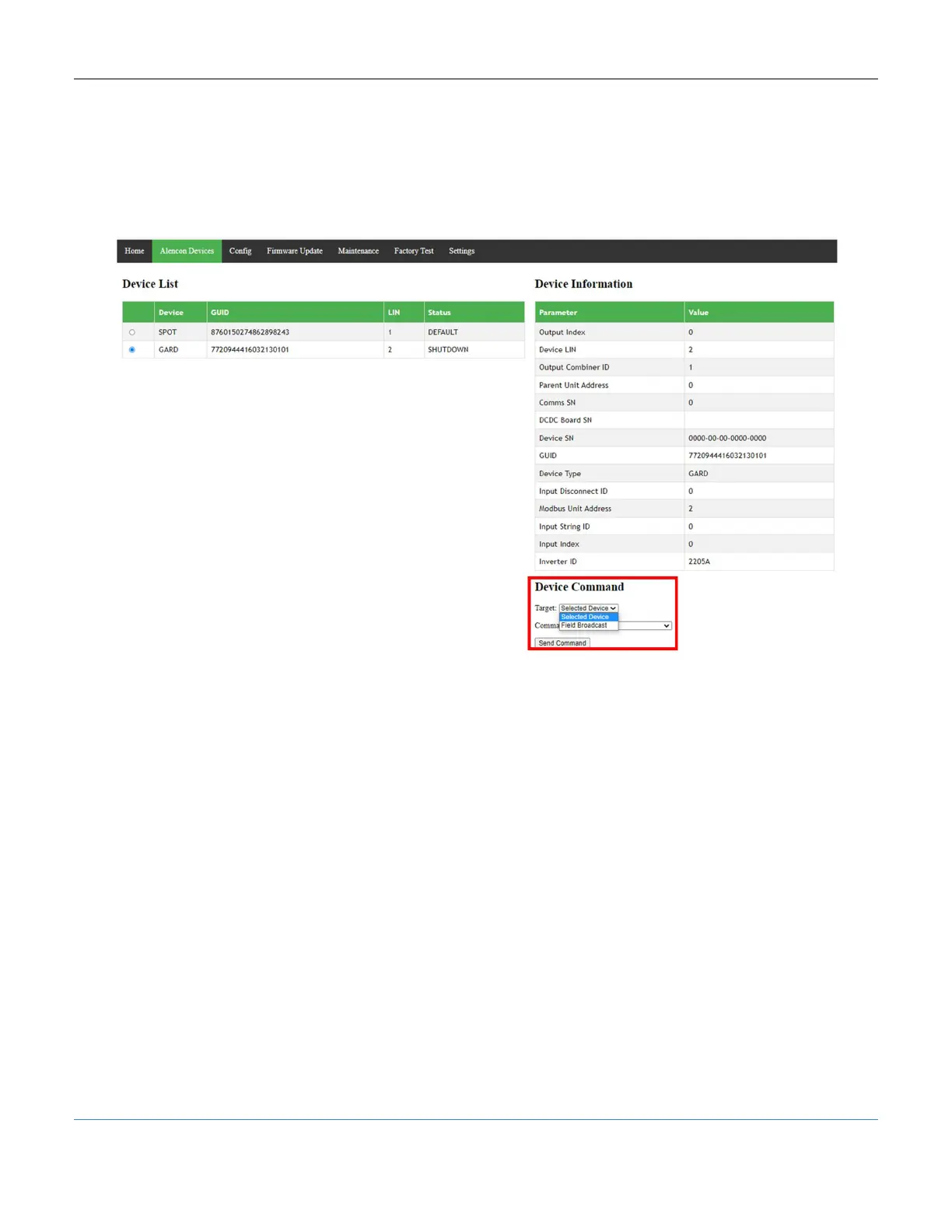
The Alencon Devices tab provides a list view of the Alencon Devices connected to the
PODD in the field and their individual DCDC data. The Alencon Devices can be
controlled as a field set (Field Broadcast) or independently using commands from the
Device Command drop-down menu in the Alencon Devices tab.
Figure 27: PODD Site, Device Command Section Highlighted
10.5.1 Target Selection
Select the Device to command. The targets available are:
1. Selected Device: Send a command to the individual selected from the device list
2. Field Broadcast: Broadcast the command to all the devices in the list
10.5.2 Command Selection
The PODD Site provides a broad set of operational and diagnostic commands. Do not
use unlisted commands unless instructed to do so by Alencon personnel. Failure to do
so may damage the Alencon device and void the warranty.



 To Next Page