PODD – Installation, Operation and Maintenance Manual
A l e n c o n S y s t e m s L L C - P a g e | 30
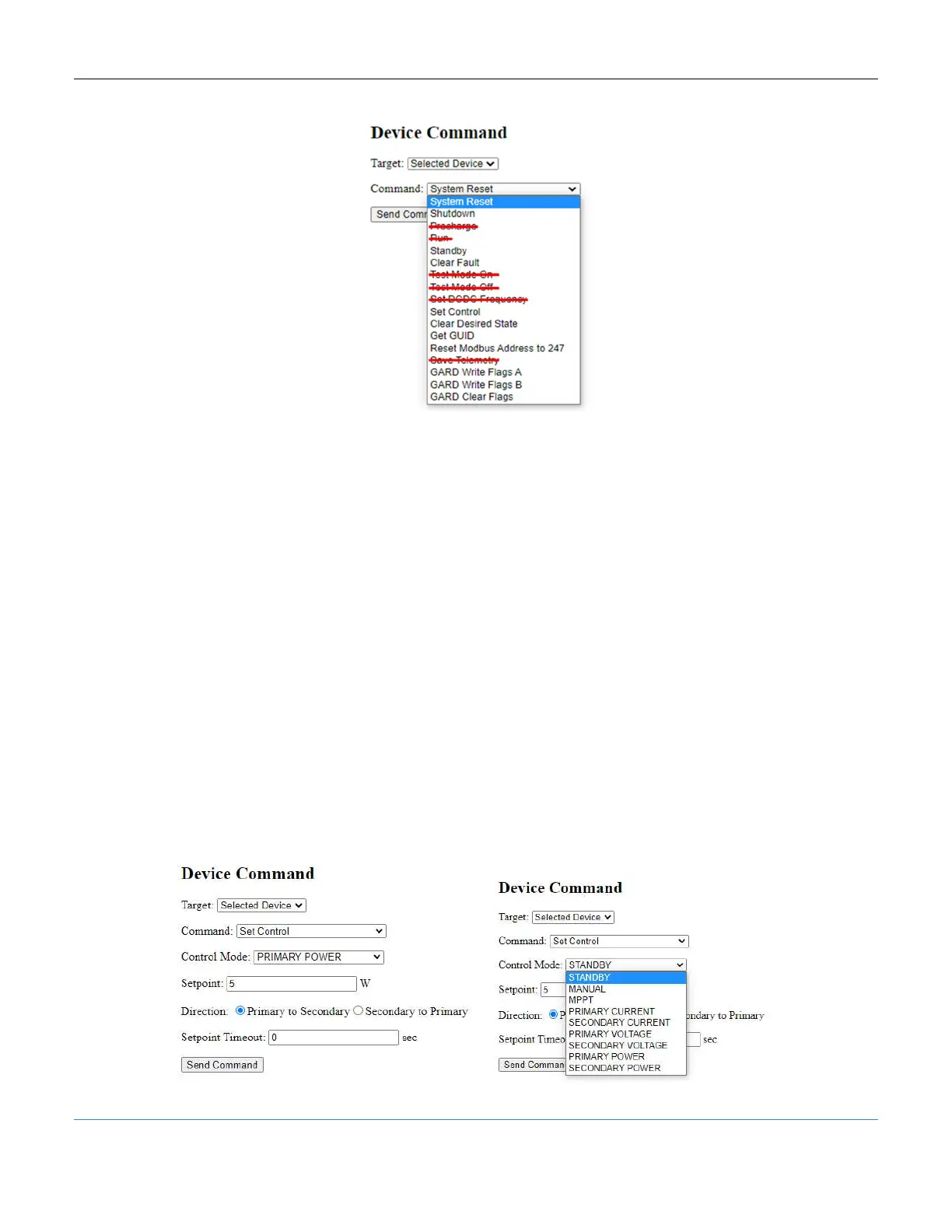
Figure 28: PODD Site, Device Command Options
1. System Reset – Restarts the Alencon Device and enables Run if in the Shutdown
state.
2. Shutdown – Disables power production. The Alencon Device or DCDC must receive
a System Reset command to enable Run.
3. Precharge – DO NOT USE
4. Run – DO NOT USE
5. Standby – DO NOT USE. Puts the Alencon Device into STANDBY mode, Run is
enabled without a System Reset command.
6. Clear Fault - This command clears all error flags on the target selected. Note: It is
not necessary to clear faults for the Alencon Device to run.
7. Test Mode On – DO NOT USE
8. Test Mode Off – DO NOT USE
9. Set DCDC Frequency – DO NOT USE
10. Set Control – Main control operations for BOSS (and SPOT in some cases). A sub-
menu of commands are used to choose the Control Mode, Setpoint, Direction (for
BOSS only) and Setpoint Timeout.
Figure 29: PODD Site, Device Command – Set Control



 To Next Page