PODD – Installation, Operation and Maintenance Manual
A l e n c o n S y s t e m s L L C - P a g e | 35
10.7.4 PODD Update
The PODD Site itself may have newer firmware versions that fix bugs or add new features. To
update the PODD Site firmware:
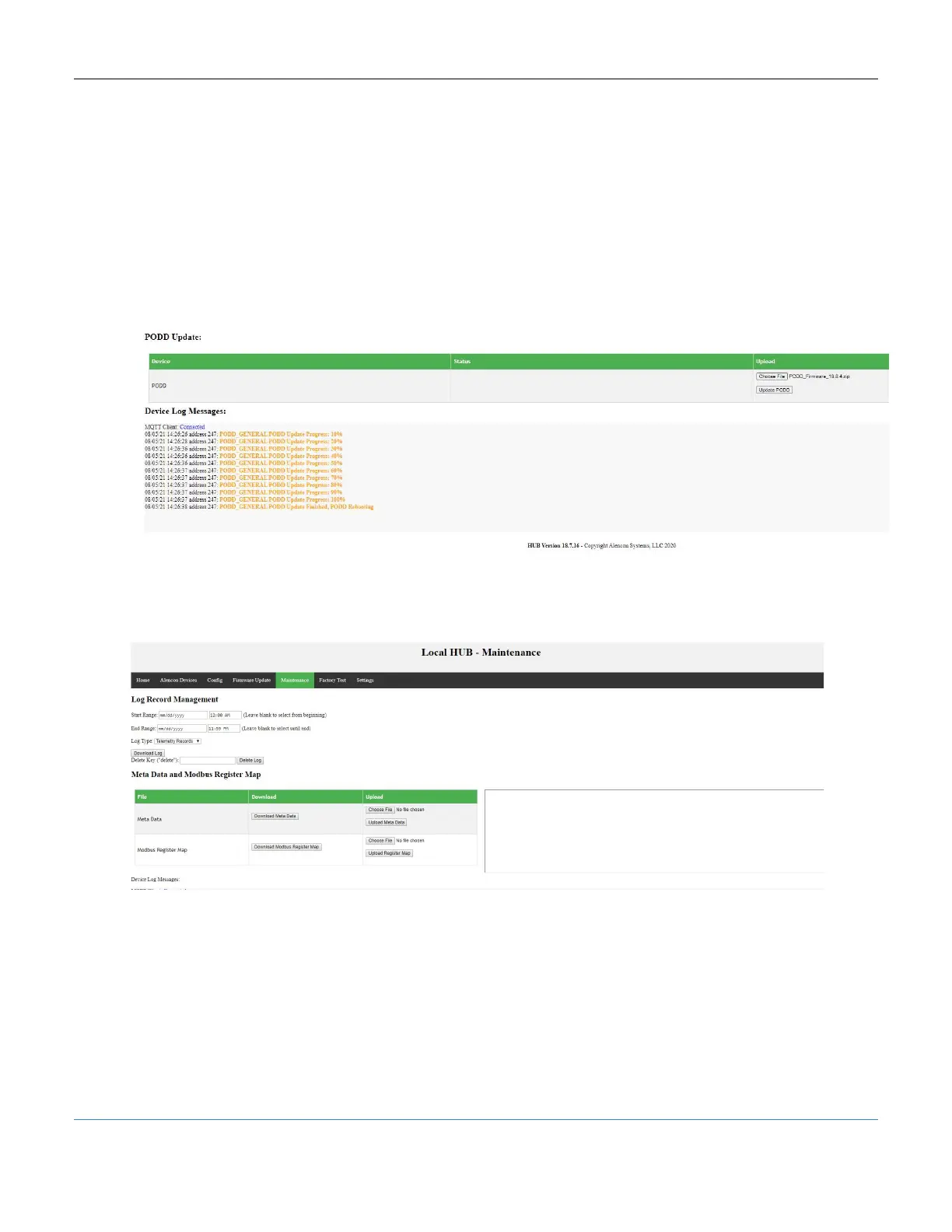
1. Click <Choose File> and find the .zip file containing the proper PODD firmware
2. Click <Update PODD> and watch for the progress messages in the device log
3. After the update completes 100%, wait for the PODD to reboot fully
4. Refresh the PODD Site and see the new firmware version verified at the bottom
of the webpage
Figure 38: PODD Site – PODD Firmware Update
10.8 Maintenance Tab
Figure 39: PODD Site, Maintenance Tab
The Maintenace Tab allows for a variety of house-keeping functios:
Log message and telemetry record retrieval
Log message and telemetry record deletion
Metadata update and retrieval
Modbus Register Map update and retrieval



 To Next Page