PODD – Installation, Operation and Maintenance Manual
A l e n c o n S y s t e m s L L C - P a g e | 32
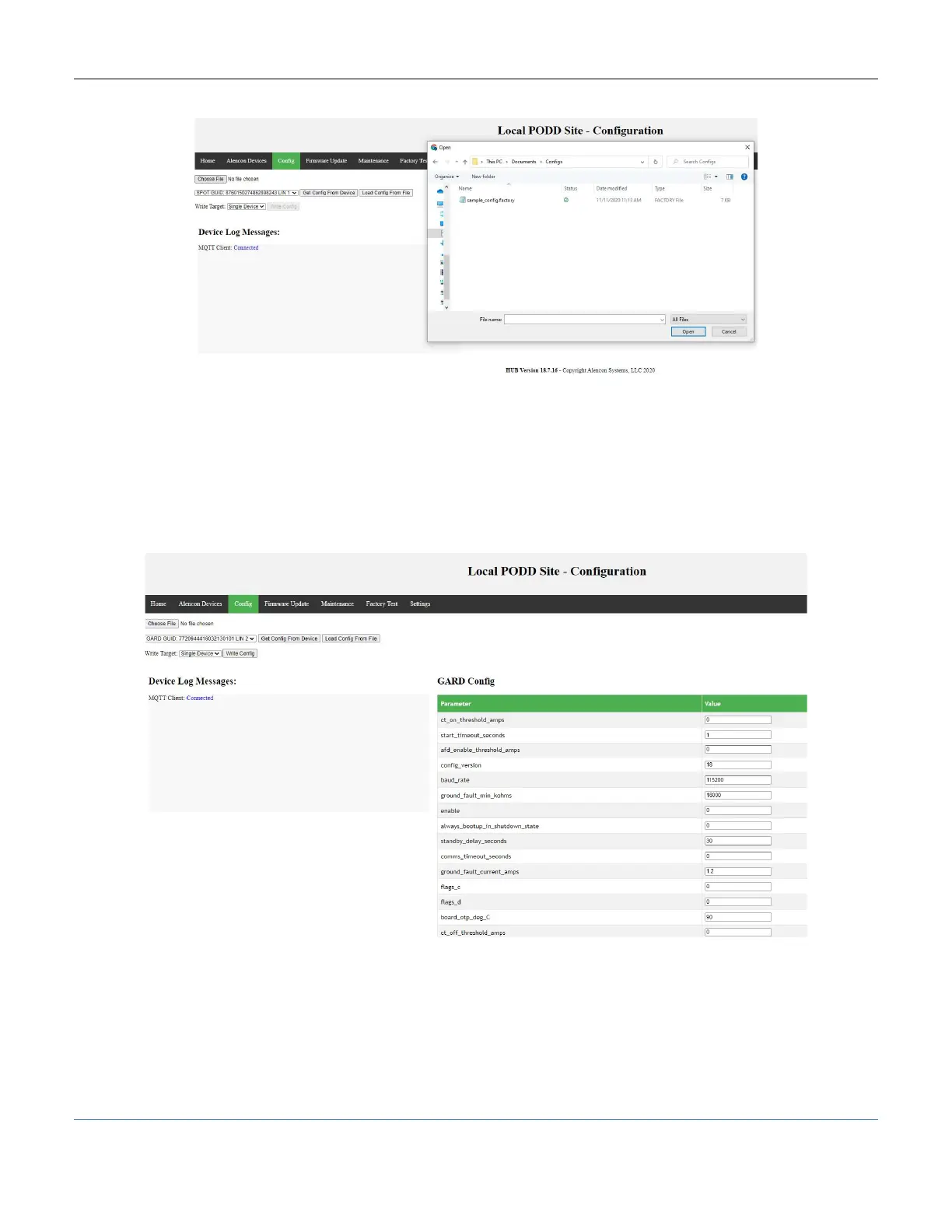
Figure 31: PODD Site, Configuration Tab – Choose File
2. Select the GUID of the target Alencon Device. The LIN to GUID mapping can be
found on the Alencon Devices tab.
3. Once you load the config file click <Load From Config File> to see the configuration
parameters. You will have the option to modify the parameters without editing the file
if necessary (only do this if instructed to do so by Alencon).
Figure 32: PODD Site, Configuration Tab – Config Data
4. The final step is to send the loaded configuration to the Alencon Device. To do so,
click <Write Config>.



 To Next Page