14
(3.0) Basic Functions
(3.1) Editing and Saving Drum Kits
I
mportant:
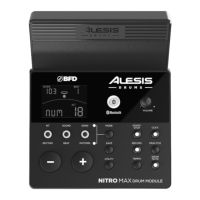
• To edit and save your kits, you must be in Normal Mode, with either the Kit or
Voice button lit.
• Remember to save your kits after you have entered the settings you want!
First, press K
it until NUM appears on the display. Then use the – / + buttons to select
your desired kit. Once you've selected your kit, you can edit its settings.
T
o adjust the kit settings:
1. Press the K
it button to cycle between these other editable kit parameters:
• V
OL: Kit volume
• R
EV*: Kit reverb
• E
QH*: Equalization, high frequencies
• E
QM*: Equalization, mid frequencies
• E
QL*: Equalization, low frequencies
2. Use the –
and + buttons to adjust the value.
* The reverb and equalization aect the sound of the kit and song.


 To Next Page