13
Setup Scenarios
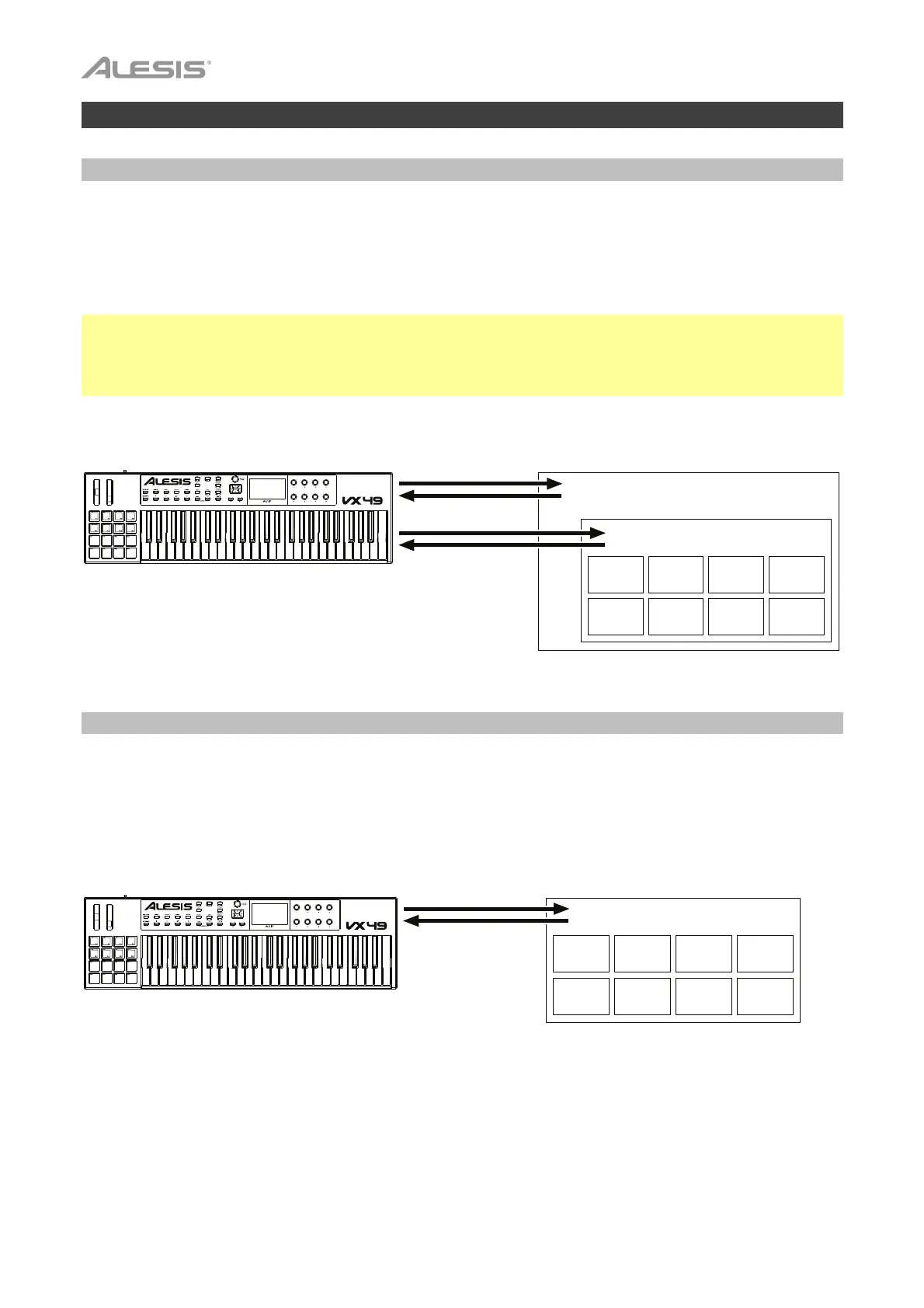
With VIP in Your DAW
The included VIP software lets you get the most control and function out of your VX49. VIP is essentially a
host for your plugins, a hub where you can create, edit, and manage your patches (presets) for your various
plugins. When VIP is used as a plugin, as in this scenario, all audio from VIP will be sent into your DAW on its
track. You can switch between VX49’s Control Mode to control VIP or MIDI Mode to control your DAW (see
the Modes section for more information).
Tip: You can use Control Edit Mode to assign some knobs to MIDI CC messages instead of VST parameters.
This lets you control your plugin and your DAW while in Control Mode. See Modes > Control Edit Mode for
more information.
Tip: As with other plugins, you can use multiple instances of VIP in your DAW, each on its own track.
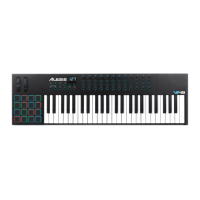
With VIP in Standalone Mode (Without a DAW)
You can use VIP in Standalone Mode without a DAW. This works the same way as when used as a plugin
(described earlier) except the audio is routed to your computer’s sound card instead of to your DAW. You
can use VX49’s Control Mode to control VIP (see the Modes section for more information).
Digital Audio Workstation (DAW)
VIP
Plugin Plugin Plugin Plugin
MIDI Mode
Control Mode
Plugin Plugin Plugin Plugin
VIP
Control Mode
Plugin Plugin Plugin Plugin
Plugin Plugin Plugin Plugin


 To Next Page