21
Editing Various Global Settings
Whether or not you are using VIP, you can change some of VX49’s global setings in Main Mode.
To adjust global settings in Main Mode:
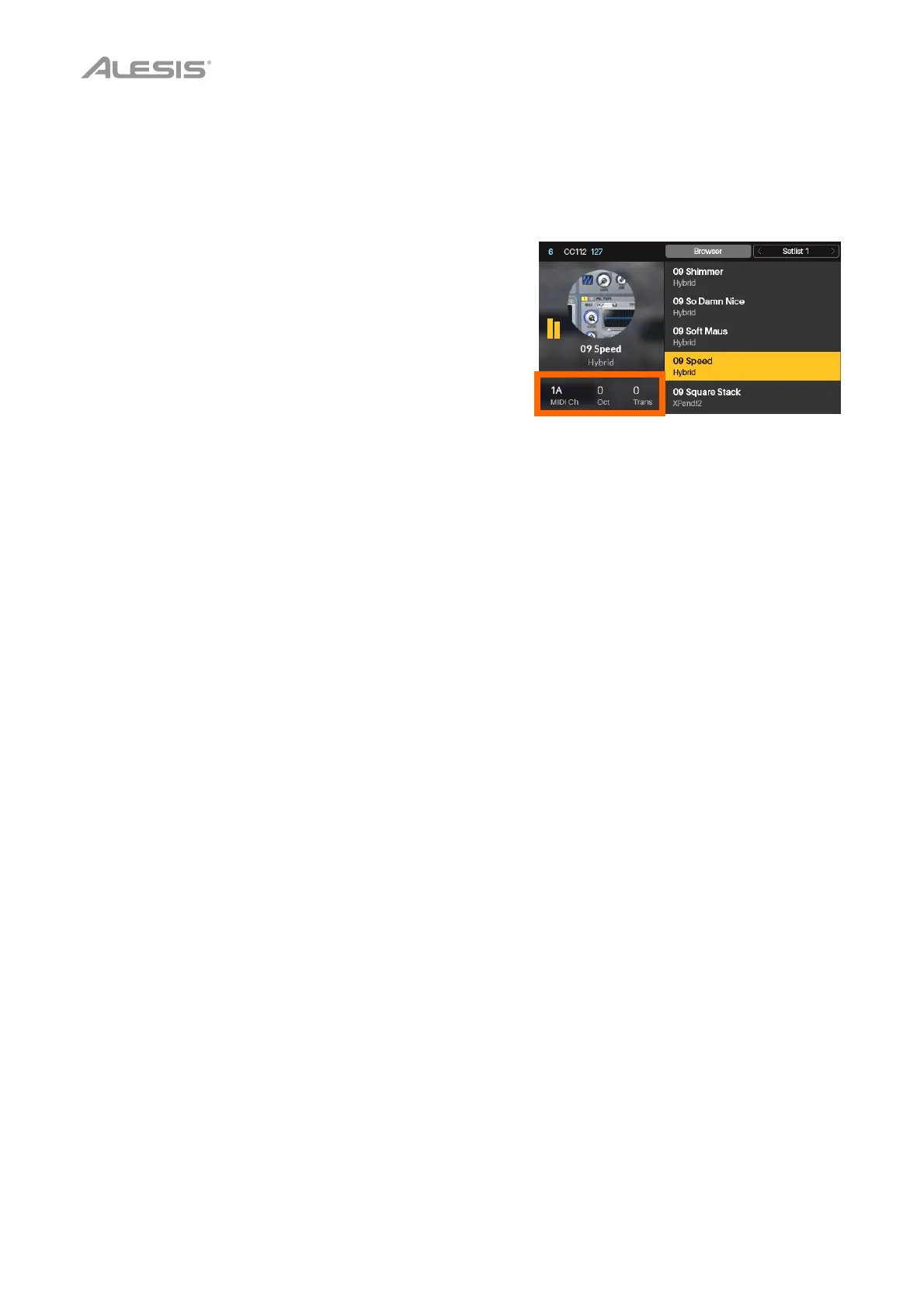
1. Use the Cursor Buttons to select any of the three fields in
the lower-left corner of the display:
• MIDI Ch: VX49 will send its messages over this MIDI
channel. This is the same as the Common Channel
setting in Global Mode.
• Oct: VX49’s keyboard will be offset by this many
octaves. This is the same as the Octave setting in
Global Mode or using the Octave Down/Up buttons.
• Trans: VX49’s keyboard will be transposed by this many
semitones. This is the same as the Transpose setting in
Global Mode.
2. Turn the Data Dial to change the setting. The setting will
be updated immediately.
Press the Data Dial to return the setting to its default.


 To Next Page