6
Initial Setup
1. Software/Driver Download and Installation
To download and install the required drivers, VIP software application, and virtual instruments:
1. Go to alesis.com and register your product. If you don’t have an Akai Professional account yet, you will
be prompted to create one.
2. Download the VX Software Package.
3. Open the file and double-click the installer application: .exe (Windows) or .dmg (Mac OS X).
4. Follow the on-screen instructions to complete the installation.
Note: By default, VIP will be installed in [your hard drive] \ Program Files \ VstPlugins (Windows) or
Applications (Mac OS X). A shortcut will be created on your Desktop, as well.
To download additional plugins and audio content:
1. Open VIP.
2. In VIP, click VX Content.
3. In the VX Content panel, select and download the plugins and audio content you want to use with VIP.
Follow the on-screen instructions for each selection.
Important: When installing these plugins, we recommend installing them on your computer’s internal
hard drive rather than on an external hard drive.
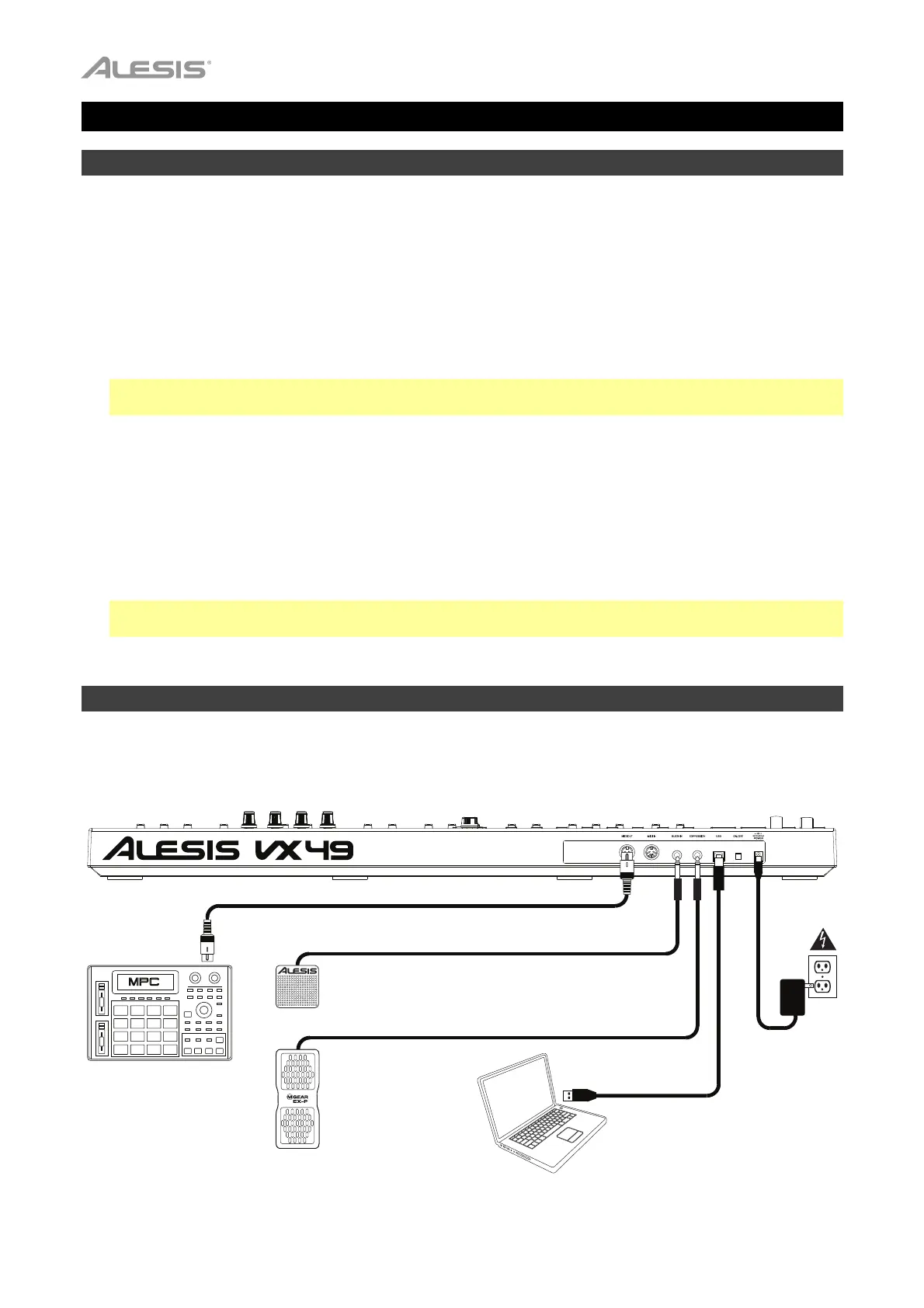
2. Controller Setup
Here is just an example of how to use VX49 to your setup. Items not listed under Introduction > Box
Contents are sold separately.
Powe
(optional)
Computer
Expression Pedal
(optional)
Sustain Pedal
(optional)
External MIDI
Sound Module
(optional)



 To Next Page