6Setupdiagram
6.2ThinkTopsetup-utilisingIRkeypad
General General
General
FlashingLEDmeansnovalueset.SteadyLEDmeansvaluesetasshown.
Default:
Step2,factory-settoleranceband+/-5mm
Step3-8,disabled
DLED:Activeduringsetup:Flashinginstep1
Steadyinallothersteps
Orduringoperations,errorcondition:Steadyindicateshardwarefault,indicationpinoutofrange
Flashingindicatessoftwarefault
Timeout:
A60sec.timeoutisstartedassoonasanybutton/sisreleased
Ontimeoutthesetupisexitedwithnochangessaved
IRKeypad:Remotedistance0-300mmtoThinkTop
®
Symbols Symbols
Symbols
PushkeyonIRkeypadwiththesamenumber
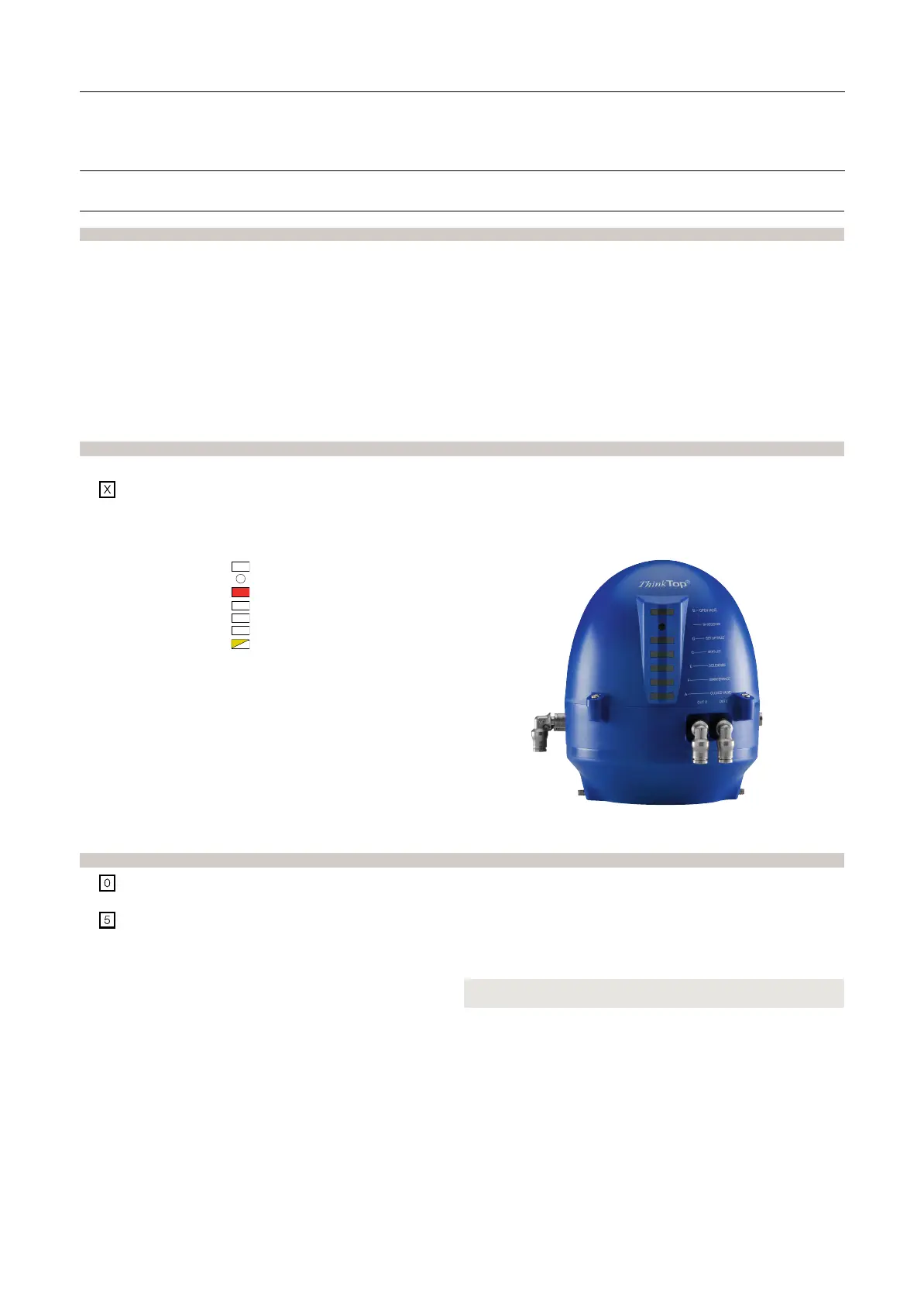
SimplerepresentationofLEDindication:
Yellow
B
IR-Reciver
Red
D
SteadyLED
Yellow
C
Green
E
Orange
F
Yellow
A
FlashingLED
General General
General
commands commands
commands
in in
in
each each
each
step step
step
(exceptstep1):
Nextstep/skipstep(Instep3-6theprogramautomaticallymovestothenextstep
whenapositionisstored)
Clear/disablestep(Instep2thisresetstheunitandsetsthestep2-8todefault)
(ThecommandisacceptedwhenallunitLEDsflashbriefly)
W W
W
e e
e
r r
r
ecommend ecommend
ecommend
r r
r
esetting esetting
esetting
the the
the
unit unit
unit
befor befor
befor
e e
e
performing performing
performing
a a
a
setup. setup.
setup.
Always Always
Always
check check
check
for for
for
corr corr
corr
ect ect
ect
signals signals
signals
after after
after
the the
the
setup. setup.
setup.
28



 To Next Page