About your monitor | 29
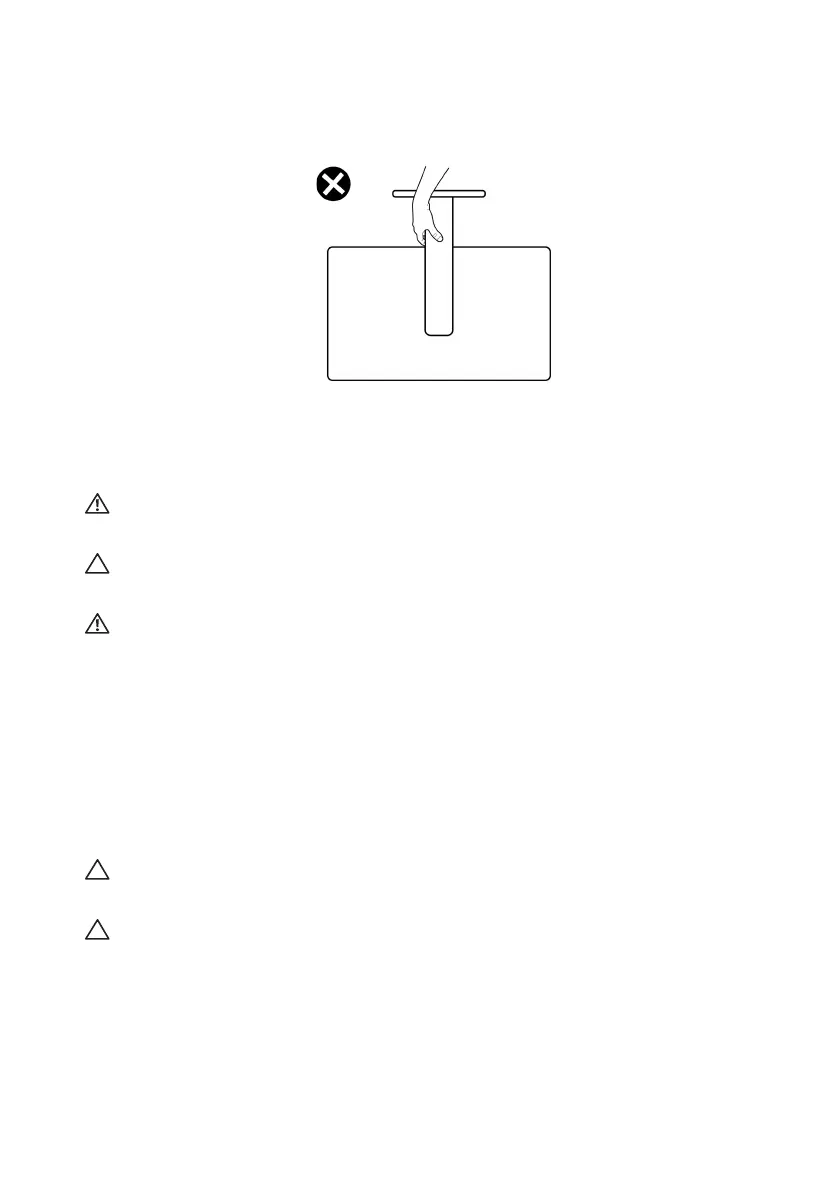
• When lifting or moving the monitor, do not turn the monitor upside down
while holding the stand base or stand riser. This may result in accidental
damage to the monitor or cause personal injury.
Maintenance guidelines
Cleaning your monitor
WARNING: Using improper methods when cleaning the
monitor can
result in a physical damage to the screen or the body of your Dell monitor.
CAUTION: Read and follow the Safety instructions before cleaning the
monitor.
WARNING: Before cleaning the monitor, unplug the monitor power
cable from the electrical outlet.
For best practices, follow the instructions
in the list below when unpacking,
cleaning, or handling your monitor:
• To clean the Dell monitor screen, lightl
y dampen a soft, clean cloth with
water. If possible, use a special screen-cleaning tissue or solution suitable
for the Dell Monitor screen.
• Using available dry cloth, gently wipe the
film surface in one direction at a
time to remove stain and dust.
CAUTION: Do not use detergents or othe
r chemicals such as benzene,
thinner, ammonia, abrasive cleaners, or compressed air.
CAUTION: Using chemicals for cleaning may cause changes in the
appearance of the monitor, such as color fading, milky film on the monitor,
deformation, uneven dark shade, and peeling of screen area.















 To Next Page