50 | Operating the monitor
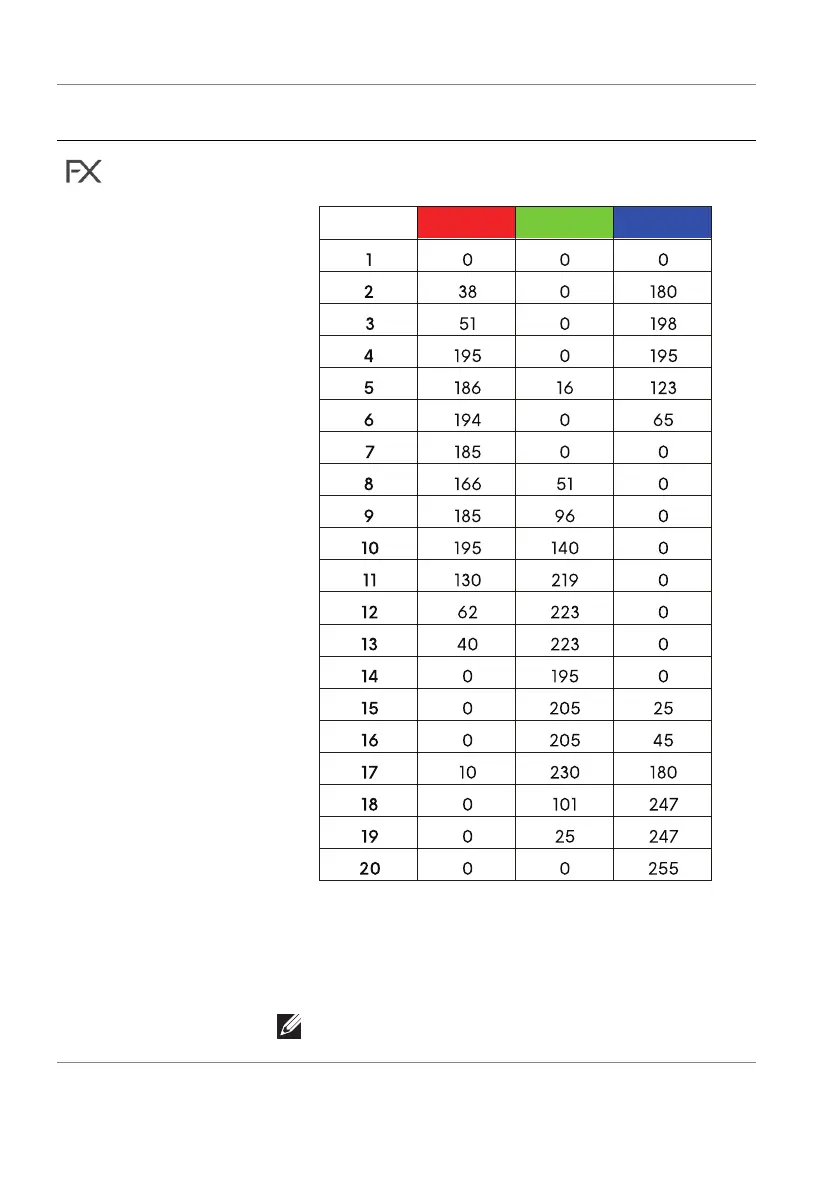
The following table depicts the color number and the
RGB codes used for the 20 LED colors.
To turn off the light for All Zones/Zone 1/Zone 2,
select Off.
For Zone 3, you may specify to turn off the light when
the monitor is in On or Standby mode.
NOTE: These features are available when
Spectrum is disabled.
Icon Menu and
submenu
Description















 To Next Page