Operating the monitor | 53
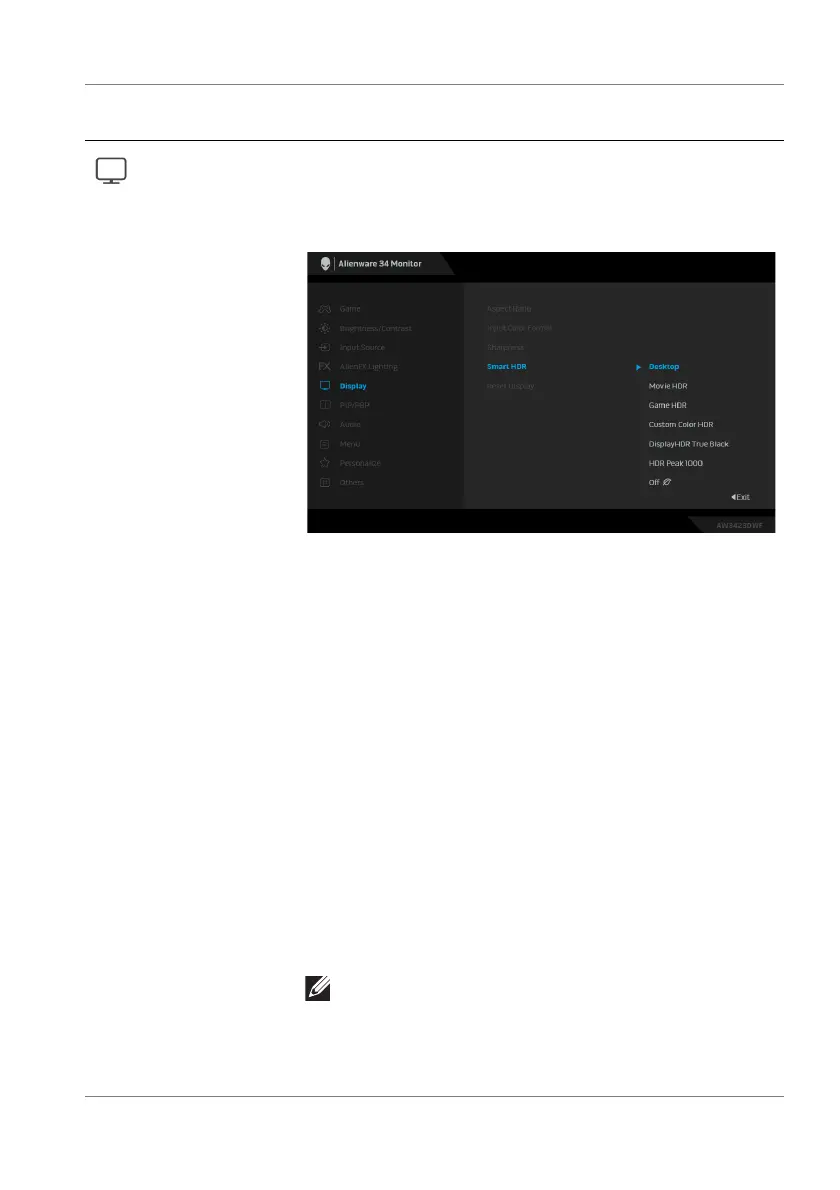
Smart HDR The Smart HDR (High Dynamic Range) feature
enhances the display output by optimally adjusting
contrast and the ranges of color and luminosity to
resemble true-to-life visuals.
• Desktop: Suitable for using the monitor with a
desktop computer.
• Movie HDR: Suitable for the playback of HDR
video content.
• Game HDR: Suitable for playing HDR-compatible
games. It displays more realistic scenes and makes
the gaming experience immersive and entertaining.
• Custom Color HDR: Enables you to create your
own HDR mode by adjusting the settings of
Contrast, Hue, and Saturation.
• DisplayHDR True Black: Compliant with the
DisplayHDR True Black standard, supporting a peak
brightness of 400 cd/m
2
.
• HDR Peak 1000: Suitable for playing the HDR
content with a peak brightness of 1000 cd/m
2
.
You can disable this function by selecting Off.
NOTE: When activating and deactivating Smart
HDR, a blank screen is expected (about 5
seconds). This is a normal behavior as the
monitor changes the display mode. Do not power
cycle the monitor.
Icon Menu and
submenu
Description















 To Next Page