Setting up your gaming mouse | 15
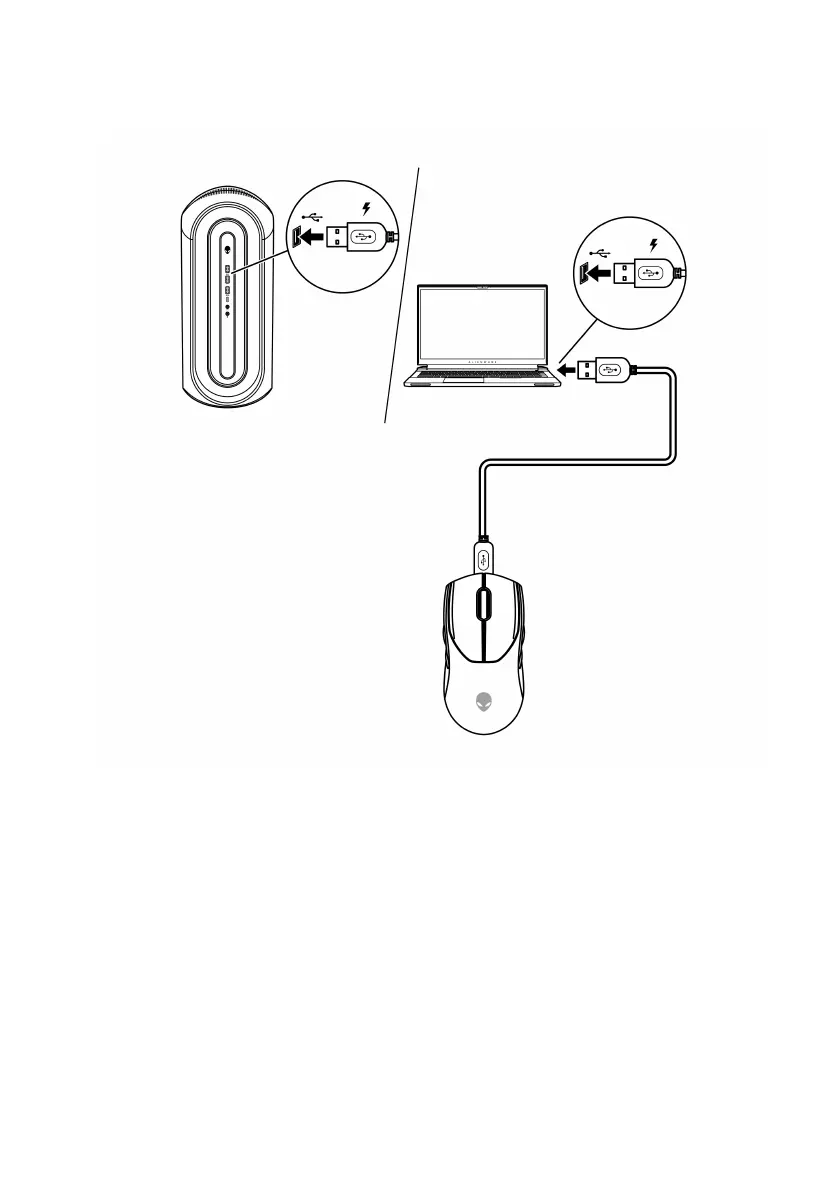
2. Connect the other end of the USB charging cable to an available USB
port on your desktop or laptop.
Desktop
Laptop
3. When the battery is fully charged, the battery indicator blinks in green for
2 seconds and then stays static green for 10 seconds. After 12 seconds, it
reverts to the user default lighting.


 To Next Page