16 | Setting up your gaming mouse
Wireless mode
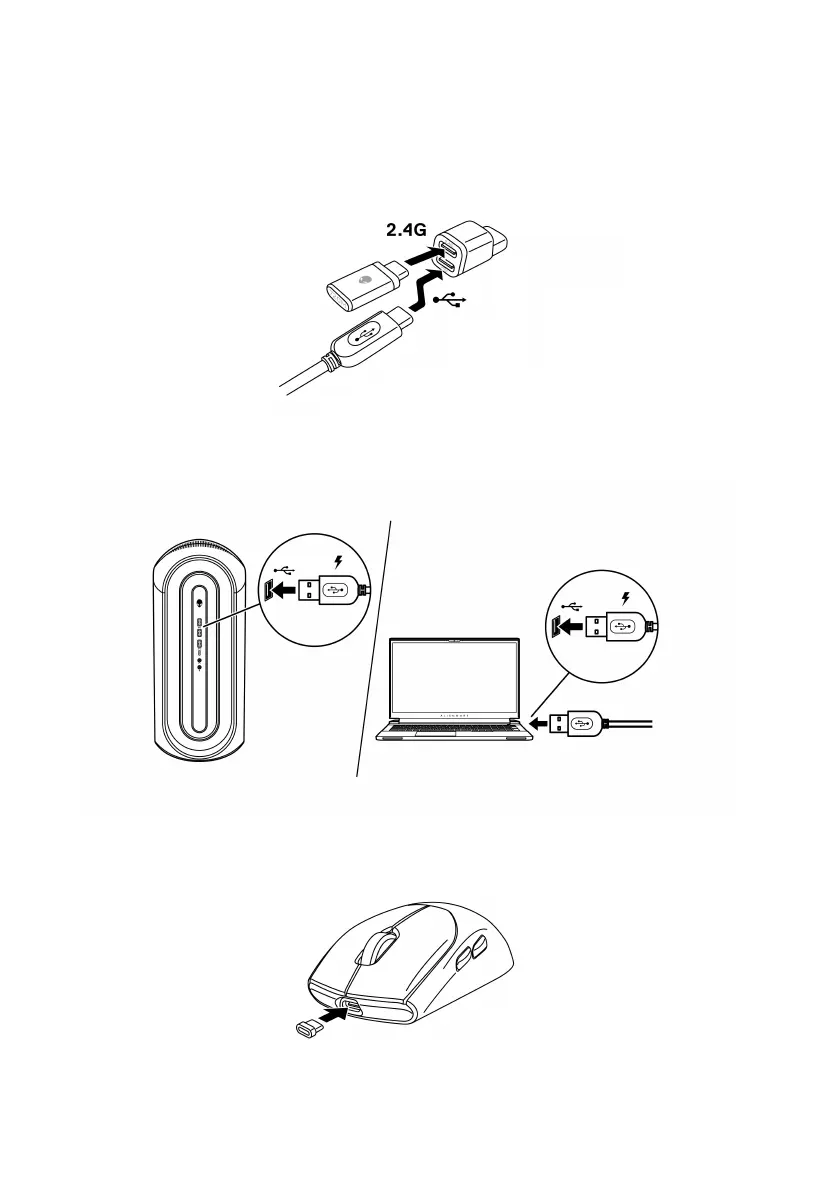
1. Connect the USB-C end of the USB charging cable to the bottom port of
the dongle extender. Insert the USB wireless dongle to the top port of the
dongle extender.
2. Connect the other end of the USB charging cable to an available USB
port on your desktop or laptop.
Desktop
Laptop
3. Connect the USB-C magnetic dongle to the USB-C port of the mouse.


 To Next Page