Features | 7
Magnetic Snap Charging Function
The magnetic snap head supports fast charging (5V 900mA).
Adjustable Dots Per Inch (DPI)
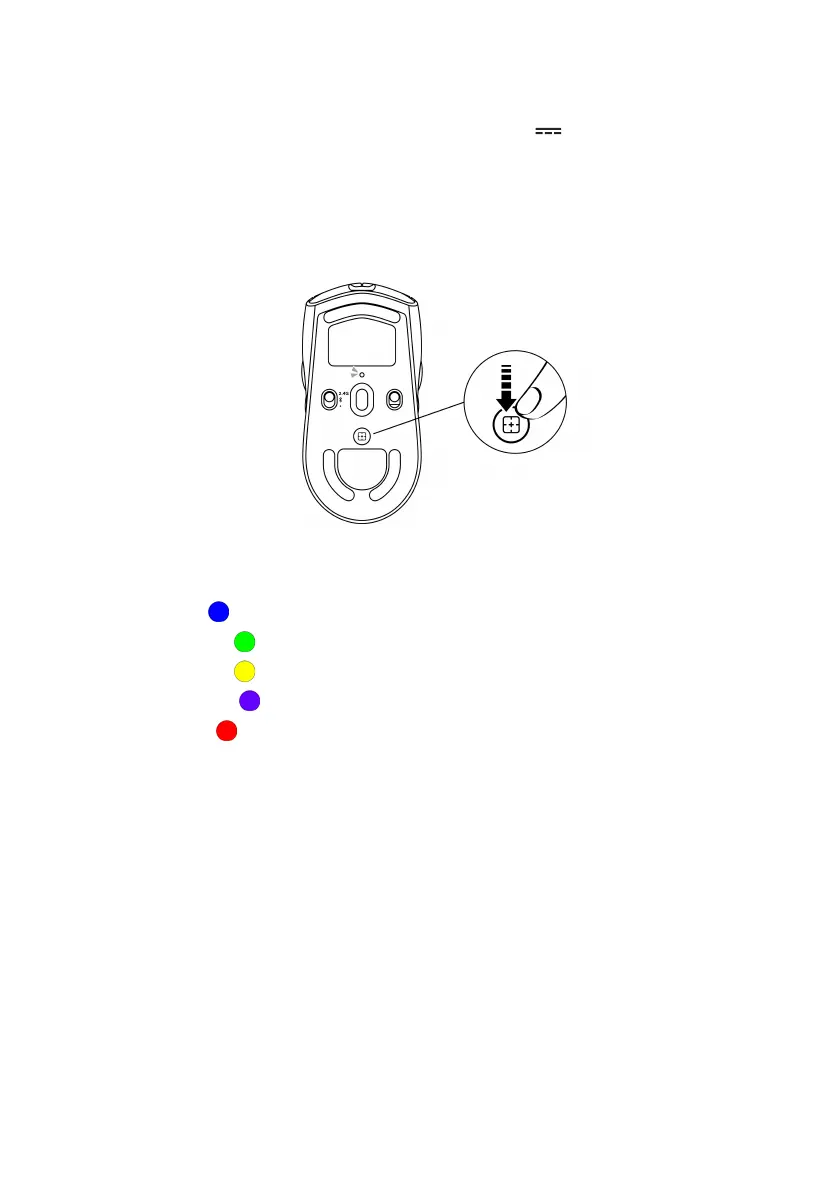
Press the DPI adjustment button to instantly change the mouse tracking
resolution.
DPI setting is indicated by the DPI indicator color. The default five DPI settings
available are as follows:
• 800: Blue ( )
• 1200: Green ( ) (default)
• 1600: Yellow ( )
• 2400: Purple ( )
• 3200: Red ( )
You can change the default DPI settings and customize the DPI stages with the
Alienware Command Center (AWCC) application.


 To Next Page