8 | Setting up your gaming mouse
Setting up your gaming mouse
Connecting the mouse
NOTE:
- The mouse supports both wired mode and wireless mode.
- Your mouse has a rechargeable battery. For best results, ensure that the
battery is fully charged before using it for the first time.
- To improve battery life, turn off the power switch when the mouse is not
used.
- When using magnetic charging, turn on the power switch to ensure
seamless connectivity.
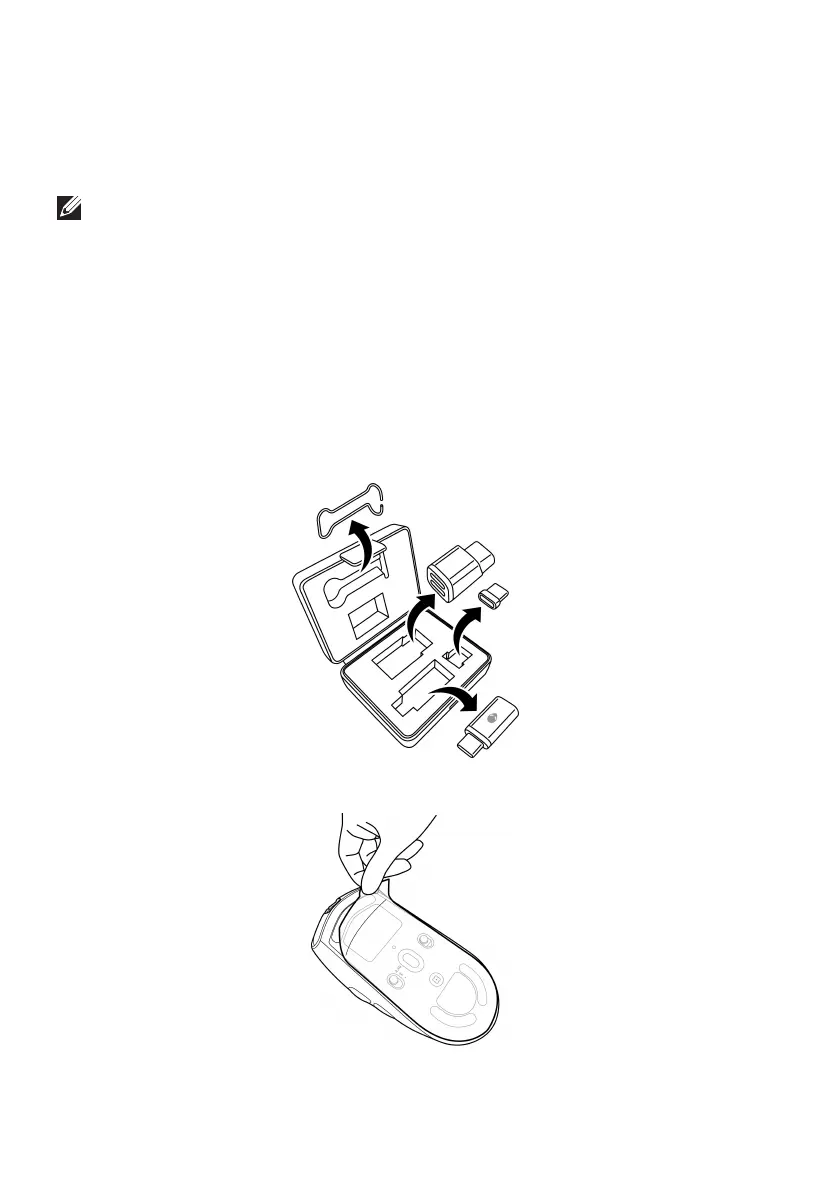
1. Remove the clip, dongle extender, USB wireless dongle, and USB-C
magnetic dongle from the accessory box.
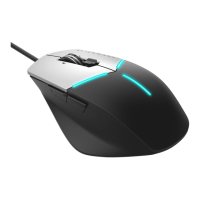
2. Remove the protective sheet from the mouse.


 To Next Page