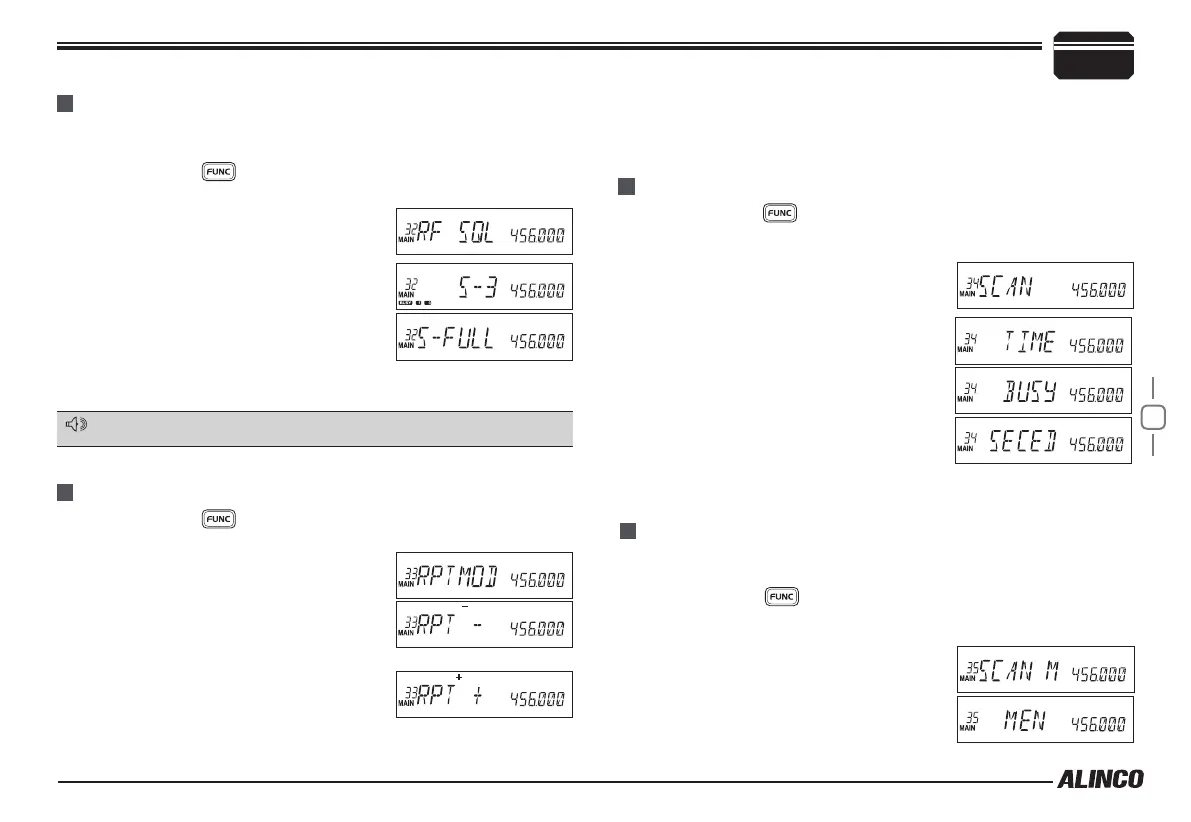
The squelch opens only when the signal strength reaches to the selected
S-meter reading.
Press and hold
1.
key until activating the function menu. Rotate
the dial or use [UP/DOWN] keys to select the menu 32 RF SQL and
press the dial.
Rotate the dial or use
2.
[UP/DOWN] keys to
select the value:
S-3: Squelch opens at 3 bar.
S-5: Squelch opens at 5 bars.
S-9: Squelch opens at 9 bars.
S-FULL: Squelch opens at FULL-scale
reading only.
Press [
3.
PTT] to set and exit or press the dial to set and continue.
Press and hold
1.
key until activating the function menu. Rotate
the dial or use [UP/DOWN] keys to select the menu 33 RPT MOD
and press the dial.
Rotate the dial or use
2.
[UP/DOWN] keys to
select the value:
-: Minus offset, means transmitting
frequency is lower than receiving
frequency.
+: Plus offset, means transmitting
frequency is higher than receiving
frequency.
Press and hold
1.
key until activating the function menu. Rotate
the dial or use [UP/DOWN] keys to select the menu 34 SCAN and
press the dial.
Rotate the dial or use
2.
[UP/DOWN] keys to
select the value:
TIME: Pauses 5 seconds to receive the
signal and resume scanning.
BUSY: Remains on the frequency until
the signal is gone, then resume scanning
after pausing 2 seconds.
SECEDE: Cancels scanning when a
signal is received and stopped scanning.
Press [
3.
PTT] to set and exit or press the
dial to set and continue.
MENU 32: RF SQUELCH
MENU 33: OFFSET DIRECTION
MENU 34: SCAN RESUME CONDITION
6
Parameter Setting Mode (SET MODE)
when open, SQL ring adjustment is inefciency.
NOTE
OFF: OFFSET is turn off. Transmitting frequency is the same as
receiving frequency.
Press [
3.
PTT] to set and exit or press the dial to set and continue.
Priority channels must be pre-programmed in P SCAN to set this
parameter.
Press and hold
1.
key until activating the function menu. Rotate
the dial or use [UP/DOWN] keys to select the menu 35 SCAN M and
press the dial.
Rotate the dial or use
2.
[UP/DOWN] keys to
select the value:
MEN: Scans all memory channels in the
channel scanning mode.
MENU 35: PRIORITY CHANNEL SCAN



 To Next Page