EasyManua.ls Logo

Alinco DR-620T - User Manual

Alinco DR-620T
64 pages
Print Icon
To Next Page IconTo Next Page
Loading...
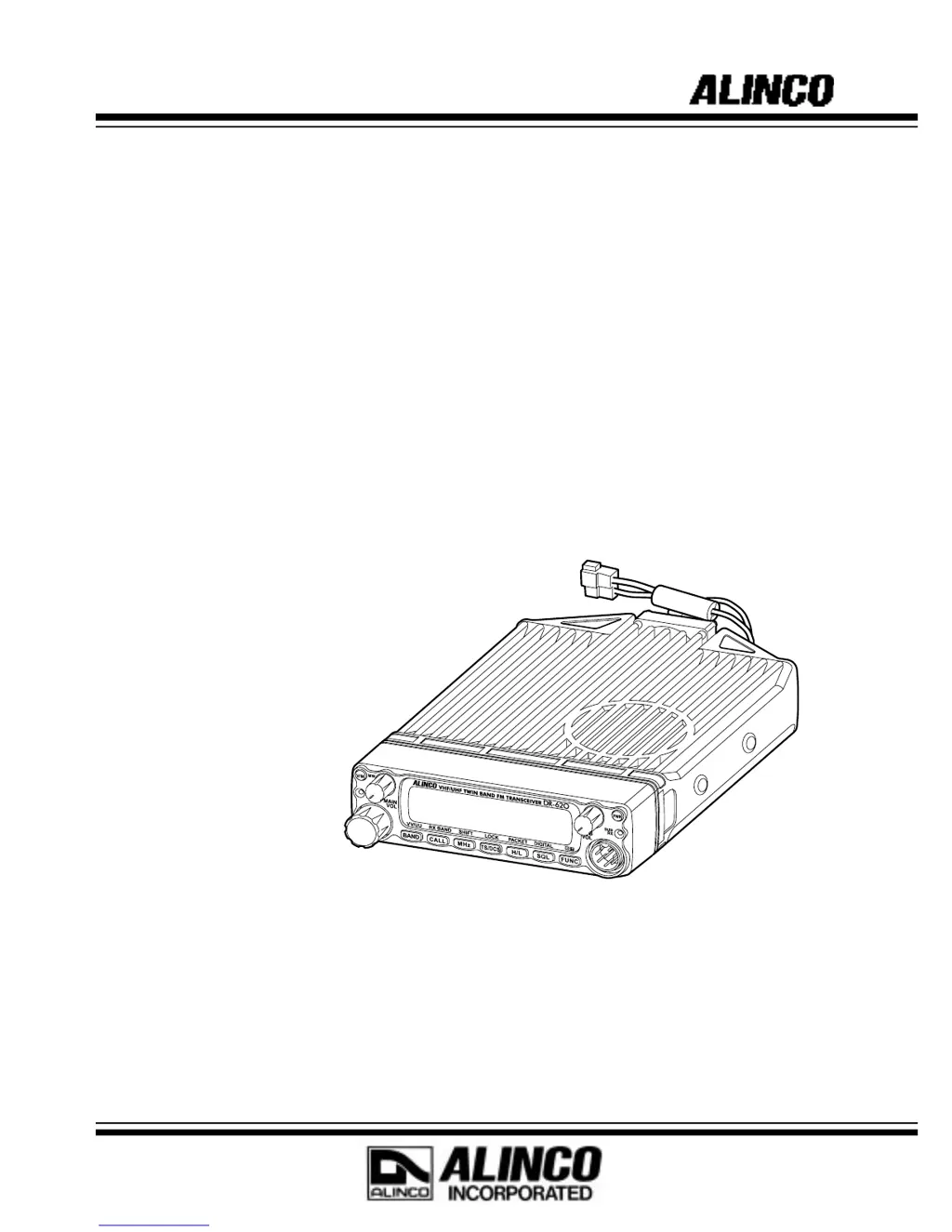
VHF/UHF FM TRANSCEIVER
DR-620T/E
Instruction Manual
Thank you for purchasing your new Alinco transceiver.
This instruction manual contains important safety and operating instructions. Please read this
manual carefully before using the product and keep it for future reference.
Printed in Japan
Copyright Alinco,Inc. 2002 PS0410
ALINCO,INC.
Head Office: Shin-Dai building 9th Floor
2-6, 1-Chome, Dojimahama, Kita-ku,
Osaka 530-0004, JAPAN
Phone:+81-6-4797-2136 Fax:+81-6-4797-2157
E-mail:export@alinco.co.jp0

Table of Contents

Questions and Answers

  • R
    Richard CollinsAug 16, 2025
    What to do if the PTT key is pressed, but the Alinco Transceiver does not transmit?
    • E
      Edward HendersonAug 16, 2025
      If the PTT key is pressed but transmission does not occur on your Alinco Transceiver, first ensure the microphone connection is properly inserted. Next, check that the antenna is correctly connected. Also, verify that SHIFT is not set for OFF band transmission, or if it is, set it within the band. Finally, confirm that the unit is not in SUB band reception mode; switch to the MAIN band if necessary.
  • M
    Michael MccormickAug 19, 2025
    Why does my Alinco DR-620T Transceiver have no sound from the speaker and isn't receiving anything?
    • R
      Regina RussoAug 20, 2025
      If no sound comes from the speaker and your Alinco Transceiver isn't receiving, try the following: * Adjust the volume knob to a proper level. * Decrease the squelch level. * Turn off tone or DCS squelch. * Release the PTT key if it's pressed for transmission. * Remove any connected external speaker.
  • M
    Monique KnoxAug 22, 2025
    How to troubleshoot an Alinco DR-620T Transceiver when power is on, but the display is blank?
    • K
      Kim JohnsonAug 23, 2025
      If your Alinco Transceiver's power is on, but nothing appears on the display, check the following: 1. Ensure the + and - polarities of the power connection are correctly connected. 2. Check the fuse and replace it if blown, after resolving the issue that caused it to blow. 3. Make sure the ACC power supply is turned on.
  • S
    sergioballAug 26, 2025
    What to do if packet communication is not working on my Alinco DR-620T?
    • C
      Christopher RogersAug 26, 2025
      If packet communication does not function on your Alinco Transceiver, ensure that the TNC is properly connected and configured. Also, verify that the unit is in packet mode. Adjust the squelch level so that it opens upon receiving a signal. Configure the data transmission speed using a PC, and ensure you are using a straight-type PC cable.
  • K
    Katherine RiceAug 28, 2025
    Why are the keys and dial not working on my Alinco DR-620T?
    • H
      Hayley Phillips MDAug 28, 2025
      If the keys and dial on your Alinco Transceiver do not function, the key-lock function may be activated. Cancel the key-lock function to restore functionality.
  • A
    aaronsmithAug 31, 2025
    Why is APRS not functioning on my Alinco DR-620T Transceiver?
    • L
      Laura AvilaAug 31, 2025
      If APRS does not function on your Alinco Transceiver, ensure that the unit is in packet mode. Use a PC to set the transmission time separation, configuring the unit for automatic transmission. Adjust the squelch level so it opens upon receiving a signal. Also, ensure the GPS receiver is properly geolocating; wait until it does so.
  • R
    Rebecca GriffinSep 3, 2025
    What to do if rotating the dial on my Alinco Transceiver doesn't change the memory channel?
    • S
      schultzanthonySep 3, 2025
      If rotating the dial does not change the memory channel on your Alinco Transceiver, first, ensure that memory is programmed. If memory is programmed and it still doesn't work, press the V/M key for memory mode because the unit may be in CALL mode.
  • J
    James PerezSep 6, 2025
    Why won't the UP/DOWN key change frequencies or memory channels on my Alinco DR-620T Transceiver?
    • L
      Lisa OsborneSep 6, 2025
      If pressing the UP/DOWN key does not change frequencies or memory channels on your Alinco Transceiver, it could be due to the unit being in CALL mode. Switch to VFO mode or memory mode. Alternatively, the Lock switch may be ON; turn it off.
  • M
    Melinda HansonSep 9, 2025
    How to fix a dim display on an Alinco DR-620T Transceiver?
    • S
      Sarah NelsonSep 9, 2025
      If your Alinco Transceiver display is too dim, it might be because the dimmer setting is set to "LAMP 1 - 3." Change the dimmer setting to "LAMP 4."
  • L
    Lee HartSep 12, 2025
    Why doesn't my Alinco DR-620T Transceiver enter V-V/U-U mode?
    • S
      Susan EvansSep 12, 2025
      To enable V-V/U-U mode on your Alinco Transceiver, ensure that both the MAIN and SUB sides are switched to VFO mode. This mode is not available if either side is in memory mode.

Summary

Before Operating the Transceiver

Attention

Safety and handling precautions for the transceiver.

Initial Installation

For a Base Station Set Up

Guide to setting up the transceiver as a base station.

For a Mobile Station Set Up

Guide to installing the transceiver in a vehicle.

Part Names and Functions

Front Panel Controls

Identification and function of front panel controls and indicators.

Display Indicators

Explanation of display icons and indicators.

Basic Operations

Turning the Unit On and Off

Procedure for powering the transceiver on and off.

Switching the Main Band

How to select the primary operating band (VHF/UHF).

Audio Volume Level Setting

Adjusting audio volume for MAIN and SUB bands.

Squelch Level Setting (Main Band)

Setting the squelch threshold for the MAIN band.

VFO Mode Operation

Explanation of Variable Frequency Oscillator mode for tuning.

Setting the Channel Step

How to select the frequency tuning step size.

Shift Direction and Offset Frequency

Setting repeater offset and shift direction.

Memory Mode Overview

Overview of storing and recalling frequencies and settings.

Recalling a Memory Channel

Procedure for retrieving stored memory channels.

Programming Memory Channels

Step-by-step guide to storing frequencies and settings.

Memory Channel Deleting

How to remove stored memory channels.

CALL Mode

Quick access mode for a pre-selected channel.

Receiving Signals

Basic steps for receiving signals and checking reception status.

How to Transmit

Procedure for transmitting, including authorization and etiquette.

Parameter Setting Mode

Useful Functions

V-V;U-U Simultaneous Reception

Receiving signals on both MAIN and SUB bands simultaneously.

Scanning Function Overview

Automatically searching for signals across frequencies.

Selective Communication

Tone-Squelch (CTCSS) and DCS

Setting CTCSS tones and DCS codes for selective calling.

Special Functions

Theft Alarm

Alerting when the unit is tampered with or removed.

Packet Communication

Introduction to data communication via computer and TNC.

APRS Operation

Introduction to Automatic Packet/Position Reporting System.

APRS Operation Procedures

Procedures and commands for operating APRS.

Maintenance and Reference

Resetting the Unit

Restoring the transceiver to factory default settings.

Troubleshooting Common Issues

Guide to diagnosing and resolving common problems.

Specifications

Alinco DR-620T Specifications

General IconGeneral
BrandAlinco
ModelDR-620T
CategoryTransceiver
LanguageEnglish

Related product manuals