6
Parameter Setting Mode (SET MODE)
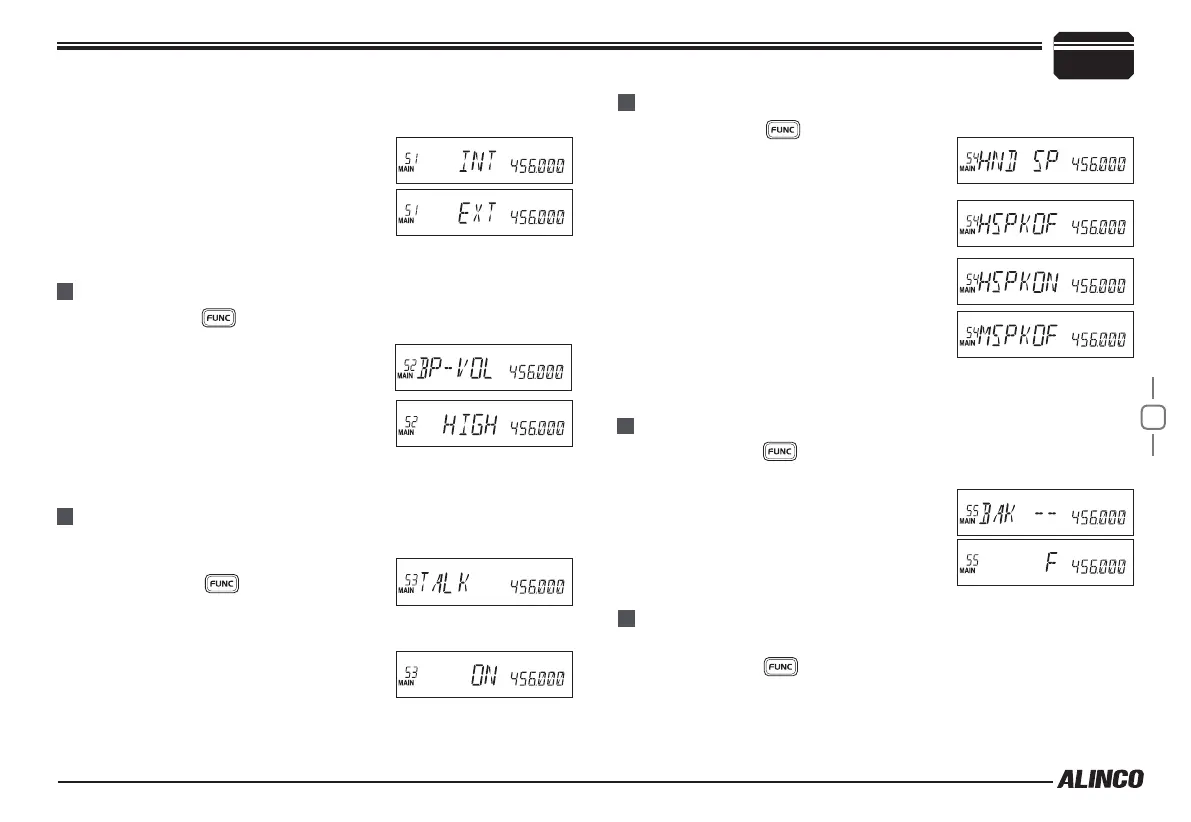
MENU 53: TALK AROUND
MENU 52: BEEP VOLUME CONTROL
Press and hold
1.
key until activating the function menu. Rotate
the dial or use [UP/DOWN] keys to select
the menu 52 BP-VOL and press the dial.
Rotate the dial or use
2.
[UP/DOWN] keys
to select the value:
LOW: BEEP volume is low.
HIGH: BEEP volume is high.
Press [
3.
PTT] to set and exit or press the dial to set and continue.
With this function on, the transceiver will not able to communicate with
another transceiver through a repeater.
Press and hold
1.
key until activating
the function menu.Rotate the dial or use
[UP/DOWN] keys to select the menu 53 TALK and press the dial.
Rotate the dial or use
2.
[UP/DOWN] keys to
select the value:
ON: Turn on Talk Around.
OFF: Turn off Talk Around.
Press [
3.
PTT] to set and exit or press the dial to set and continue.
MENU 54: MICROPHONE SPEAKER
Press and hold
1.
key until activating
the function menu. Rotate the dial or use
[UP/DOWN] keys to select the menu 54
HND SPK. and press the dial.
Rotate the dial or use
2.
[UP/DOWN] keys to
select the value:
HSPKOFF: Turn off microphone speaker.
HSPK ON: Turn on microphone speaker.
MSPKOFF: Turn off Main speaker.
Press [
3.
PTT] to set and exit or press the
dial to set and continue.
Press and hold
1.
key until activating the function menu. Rotate
the dial or use [UP/DOWN] keys to select the menu 55 BAK -- and
press the dial.
The memory bank is shown on the display.
2.
Press
3.
[PTT] to set and exit or press the
dial to set and continue.
MENU 55: MEMORY BANKS ENQUIRY
Memory banks can be linked together for expanded scanning or viewing.
Press and hold
1.
key until activating the function menu. Rotate
the dial or use [UP/DOWN] keys to select the menu 56 BALK and
press the dial.
MENU 56: MEMORY BANKS LINKING
VSPCONT and press the dial.
Rotate the dial or use
2.
[UP/DOWN] keys to select the value:
INT: Internal speaker, VHF and UHF band
share one speaker
EXT: External speaker, the calling on VHF
is only audible through the external Dual
Track speaker.
Press
3.
[PTT] to set and exit or press the dial to set and continue.



 To Next Page