NOTE
6
Parameter Setting Mode (SET MODE)
Press and hold
1.
key until activating the function menu. Rotate
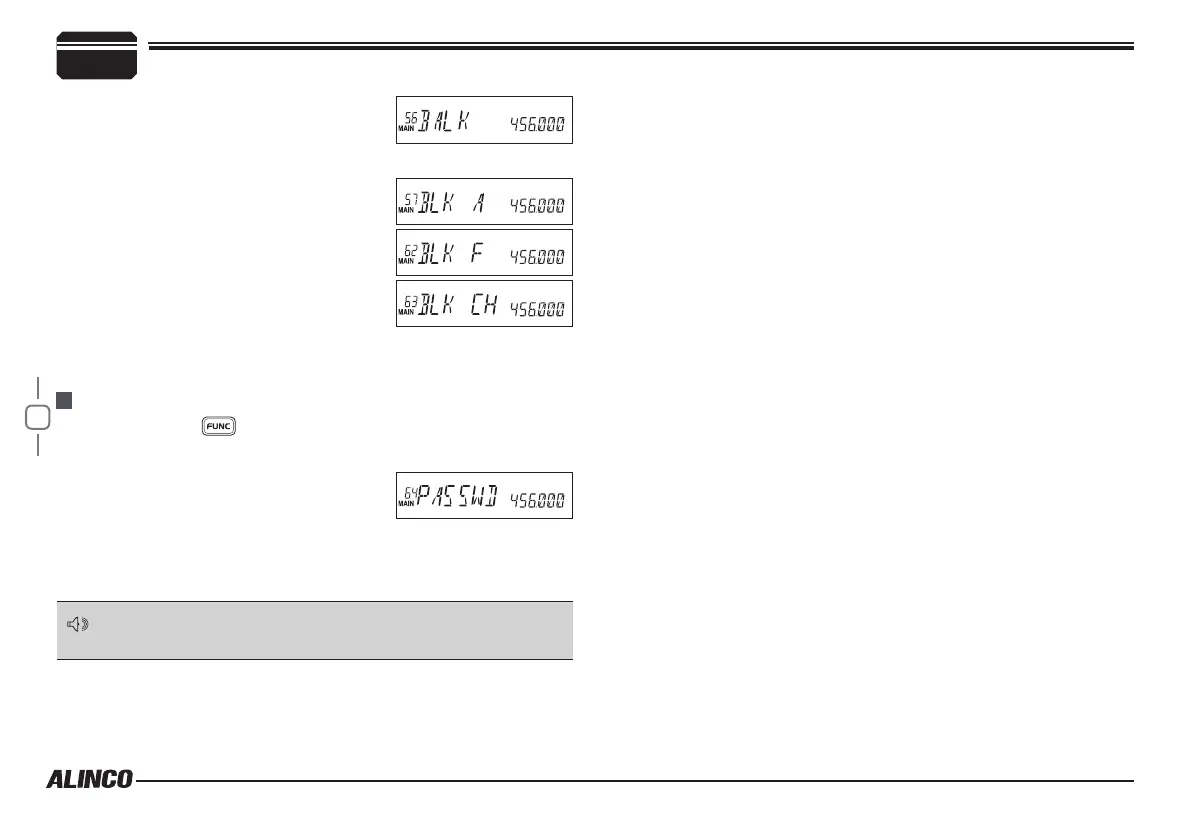
the dial or use [UP/DOWN] keys to select the menu 64 PASSWD.
and press the dial.
Rotate the dial or use
2.
[UP/DOWN] keys to
select the value:
ON: Turn on password function.
OFF: Turn off password function.
Press
3.
[PTT] to set and exit or press the dial to set and continue.
MENU 64: PASSWORD FUNCTION
When password function is on, correct password shall be input after
power on. The password shall be programmed before using this
function.
Rotate the dial or use
2.
[UP/DOWN]
keys to
select the value:
ON/OFF: Select ON to turn on Bank
Linking, Off to turn off Bank Linking
Menu 57 Bank A Link ON /OFF
Menu 58 Bank B Link ON /OFF
Menu 59 Bank C Link ON /OFF
Menu 60 Bank D Link ON /OFF
Menu 61 Bank E Link ON /OFF
Menu 62 Bank F Link ON /OFF
Menu 63 Bank CH Link ON /OFF
Press
3.
[PTT]
to set and exit or press the dial to set and continue.



 To Next Page