ALLEN&HEATH 20 AP10733_1_XONE:PX5 User Guide
XONE:FX CONTROL SECTION continued
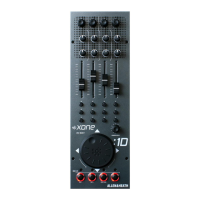
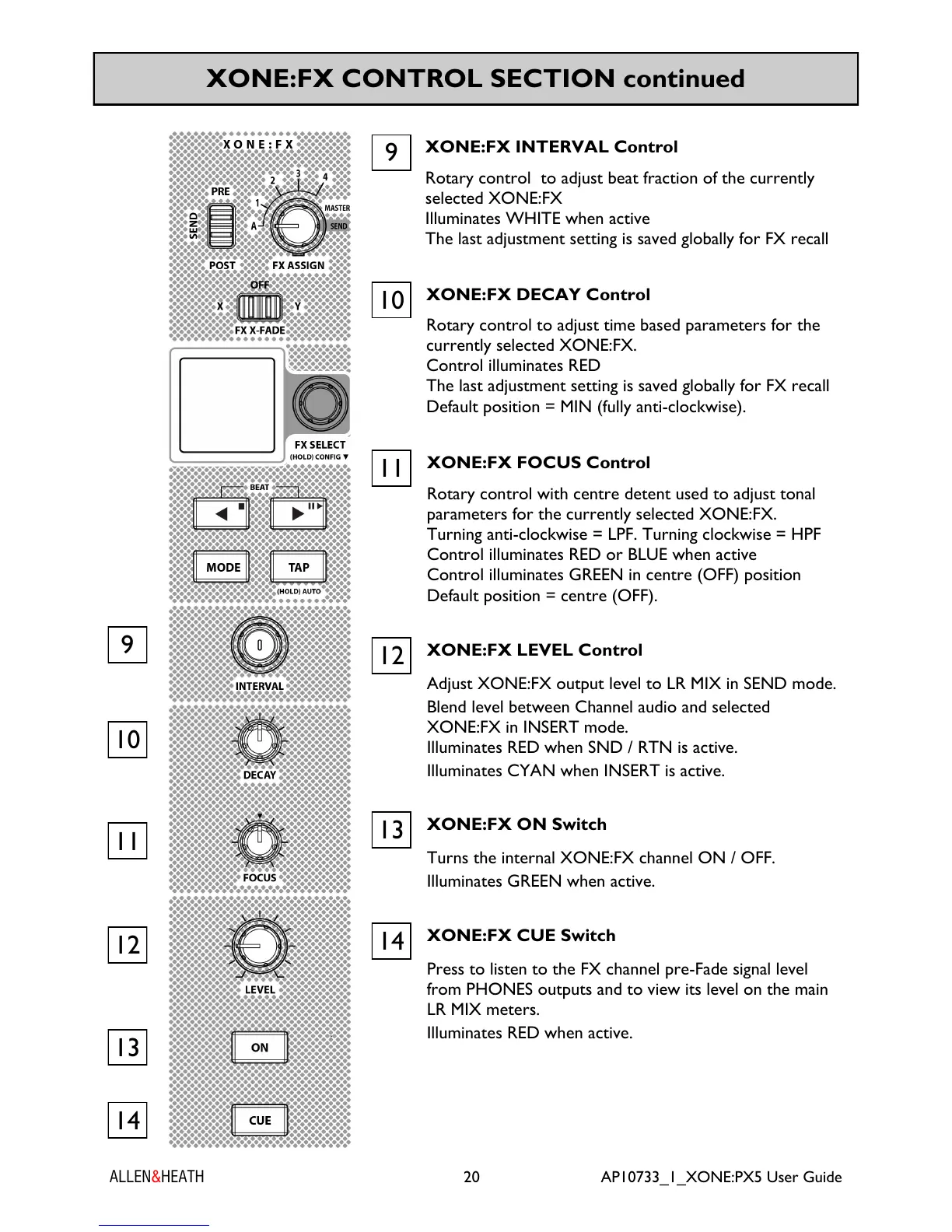
XONE:FX DECAY Control
Rotary control to adjust time based parameters for the
currently selected XONE:FX.
Control illuminates RED
The last adjustment setting is saved globally for FX recall
Default position = MIN (fully anti-clockwise).
10
XONE:FX FOCUS Control
Rotary control with centre detent used to adjust tonal
parameters for the currently selected XONE:FX.
Turning anti-clockwise = LPF. Turning clockwise = HPF
Control illuminates RED or BLUE when active
Control illuminates GREEN in centre (OFF) position
Default position = centre (OFF).
11
XONE:FX LEVEL Control
Adjust XONE:FX output level to LR MIX in SEND mode.
Blend level between Channel audio and selected
XONE:FX in INSERT mode.
Illuminates RED when SND / RTN is active.
Illuminates CYAN when INSERT is active.
12
XONE:FX ON Switch
Turns the internal XONE:FX channel ON / OFF.
Illuminates GREEN when active.
13
XONE:FX CUE Switch
Press to listen to the FX channel pre-Fade signal level
from PHONES outputs and to view its level on the main
LR MIX meters.
Illuminates RED when active.
14
XONE:FX INTERVAL Control
Rotary control to adjust beat fraction of the currently
selected XONE:FX
Illuminates WHITE when active
The last adjustment setting is saved globally for FX recall
9
9
10
13
11
12
14


 To Next Page
 Loading...