Publication 1769-UM009B-EN-P - May 2002
4-14 Configuring the DeviceNet Network
Slave Mode
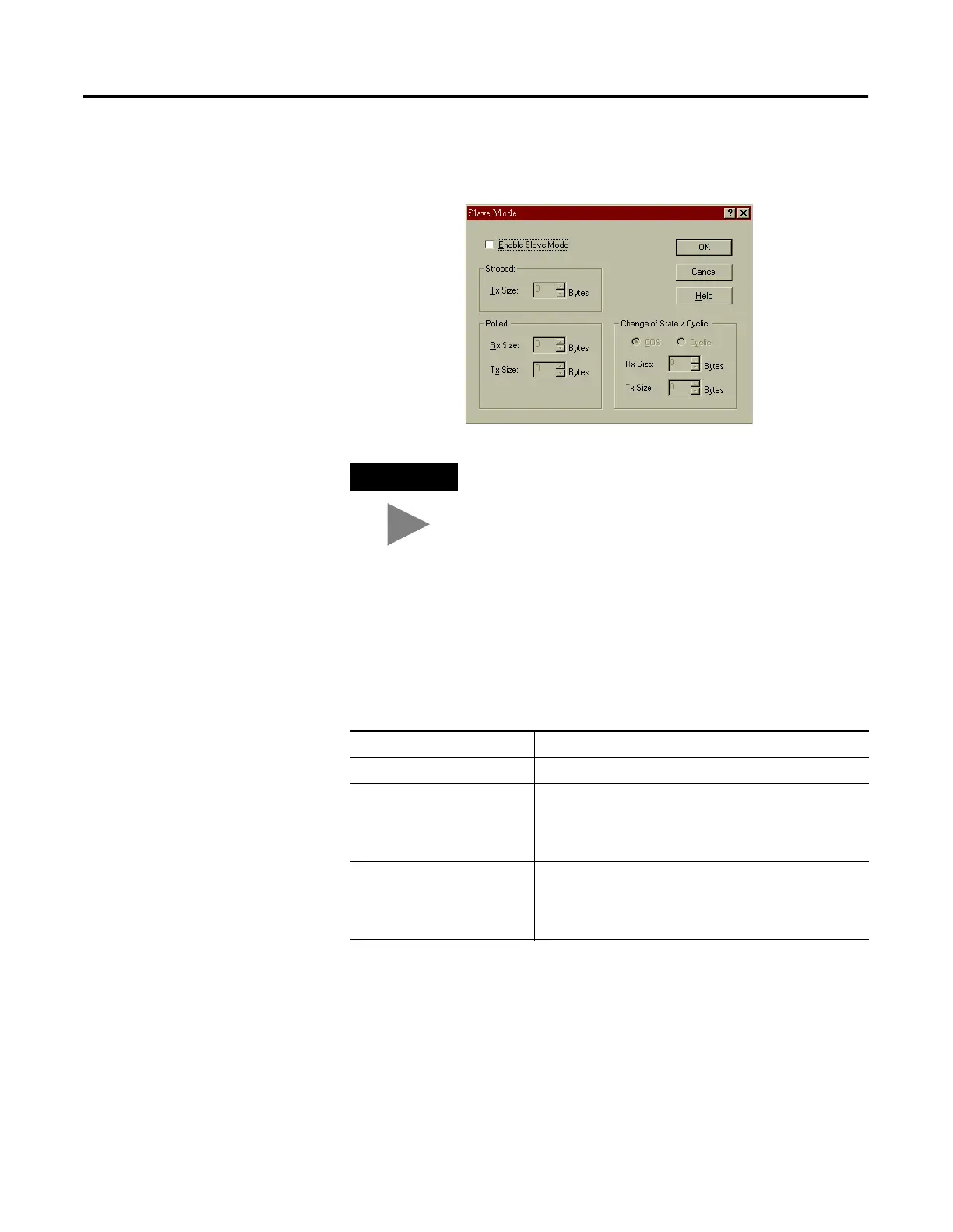
Clicking on the Slave Mode button opens the following screen:
This parameter enables the slave functionality of the scanner, and
allows you to set the I/O behavior, with the amount of data to be
exchanged. The Slave Mode settings are described in the following
table:
TIP
Enable slave mode only if you want to use this
scanner as a slave.
Table 4.2 Slave Mode Settings
Connection Format Description
Strobed Not supported by the 1769-SDN scanner module.
Polled Values entered into Rx and Tx parameters define how
much data will be exchanged over the polled connection
that owns the scanner’s slave I/O. Maximum size is 128
bytes.
Change of State / Cyclic Values entered into Rx and Tx parameters define how
much data will be exchanged over the change of state or
cyclic connection that owns the scanner’s slave I/O.
Maximum size is 128 bytes.

 To Next Page
 Loading...