EasyManua.ls Logo

Allen-Bradley ArmorStart 290E - User Manual

Allen-Bradley ArmorStart 290E
252 pages
Print Icon
To Next Page IconTo Next Page
Loading...
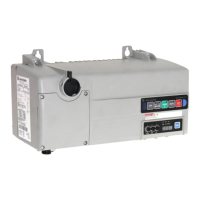
ArmorStart® LT Distributed Motor Controller
Catalog Numbers 290E, 291E, 294E
User Manual

Table of Contents

Questions and Answers

  • R
    Robert MillsAug 2, 2025
    How to troubleshoot Allen-Bradley ArmorStart 290E when PWR LED is off?
    • D
      Danny CookAug 2, 2025
      If the PWR LED on your Allen-Bradley Controller is not illuminated, verify that the power is connected and with the proper polarity.
  • J
    John DavisAug 7, 2025
    How to reset protection fault on Allen-Bradley Controller?
    • A
      Alicia HesterAug 7, 2025
      If a resettable protection fault exists on your Allen-Bradley Controller, verify the fault by reviewing [TripStatus] Parameter 16 and [TripLog0…4] Parameters 18…22. Correct the fault and press the blue reset button.
  • C
    Carla BentonAug 12, 2025
    What to do if Allen-Bradley ArmorStart 290E Controller shows 'Duplicate IP address detected'?
    • M
      Meagan EvansAug 12, 2025
      If your Allen-Bradley Controller detects a duplicate IP address, check for a node address conflict and resolve it.
  • A
    alison88Aug 17, 2025
    What to do if Allen-Bradley Controller shows 'No link established'?
    • M
      michaelochoaAug 17, 2025
      If no link is established on your Allen-Bradley Controller, verify the network connection.
  • R
    Rachel ThompsonAug 22, 2025
    What to do if RUN/FLT LED is not illuminated on Allen-Bradley ArmorStart 290E Controller?
    • F
      fhoffmanAug 22, 2025
      If the RUN/FLT LED is not illuminated when a Run command has been issued on your Allen-Bradley Controller: 1. Verify that the PLC is in Run mode. 2. Verify that the correct run bit is being controlled. 3. Verify that a stop condition does not exist.
  • R
    Randy HamiltonAug 27, 2025
    What to check if CIP connections are not established on Allen-Bradley Controller?
    • T
      twongAug 27, 2025
      If an IP address is configured, but no CIP connections are established, and an Exclusive Owner connection has not timed out on your Allen-Bradley Controller, check to make sure the product is properly wired and configured on the network.

Summary

Important User Information

Safety Information

Details on safety warnings, cautions, and important notes for product usage.

General Precautions

Software Requirements

Additional Resources

Rockwell Automation Support

Installation Assistance

Information on contacting support for initial help during product installation.

Summary of Changes

Preface

European Communities (EC) Directive Compliance

Information on product compliance with EU directives.

Chapter 1 Product Overview

Description

Details on the ArmorStart LT's features, capabilities, and integrated architecture.

Features

Lists the key features and benefits of the ArmorStart LT.

Network Options

Details on EtherNet/IP support, dual port switch, and Device Level Ring (DLR).

Catalog Number Explanation

Basic Operation

Control Circuit

Details on control circuit wiring and power supply options.

Overload Protection

Status LEDs and Reset

Fault Diagnostics

Protection Faults

Explanation of protection faults (trips) and their reporting formats.

Optional HOA Selector Keypad

Keypad Local Control

Describes keypad operation modes: maintained vs. momentary.

Chapter 2 Installation and Wiring

Installation Precautions

Essential statements to read and understand before installation.

Dimensions

Connection Locations

Branch Circuit Protection

ArmorConnect Media

Branch Circuit Protection Requirements for ArmorConnect Three-Phase Power Media

Fuse and circuit breaker requirements for ArmorConnect media.

Grounding

Grounding Safety Grounds

Ensuring all metalwork is at the same ground potential for safety.

Chapter 3 Product Commissioning

IP Address

Understanding IP addressing, classes, and formatting for network nodes.

Configuring EtherNet;IP Address

Manually Configure the Network Address Switches

Procedure for manually setting network address switches on the ECM.

Static Address Alternative

Using the Rockwell Automation BootP;DHCP Utility

Embedded Web Server

Parameter Configuration

E-mail Notification Configuration

Configuring e-mail alerts for warnings and trip messages.

How to Add a New Module Using the Add-On Profile

RSLogix 5000 Add-On Profile

Details on using AOPs for simplified configuration and tag generation.

User Configurable I;O

Auto-Generated Tags

Chapter 4 Bulletin 290 E;291 E;294 E Programmable Parameters

Basic Setup Parameters

Minimum configurations required for Bulletin 290E/291E or 294E without AOP.

Parameter Groups

ArmorStart LT EtherNet;IP Parameters

Introduction

Overview of the chapter describing programmable parameters.

Trip Status Group

Basic Configuration Group

FLASetting

Setting the motor's full load current rating.

Starter Protection Group

User I;O Configuration Group

IOPointConfigure

Determines if an I/O point is configured as an input or output.

Advanced Configuration

Chapter 5 Diagnostics

Status LEDs and Reset

Explanation of status LEDs and the reset button for diagnostics.

Fault Diagnostics

Protection Faults

Details on protection faults (trips) and their reporting formats.

Quick Reference Troubleshooting

LED Status Indication

Table correlating LED status with recommended actions.

Bulletin 294 E Faults

Auto Reset

Explanation of auto-reset capabilities for drive faults.

Chapter 6 Specifications

Bulletin 290 E;291 E

Electrical and mechanical specifications for Bulletin 290E/291E.

Input and Output Ratings

Input

Detailed ratings for digital and analog inputs.

Standards Compliance and Certifications

Communication Ratings

Specifications for EtherNet/IP, DeviceNet, web server, and network connections.

Motor Overload Trip Curves

Bulletin 294 E

Electrical Ratings

Detailed ratings for power circuit and variable frequency drive functions.

Appendix A Applying More Than One ArmorStart LT Motor Controller in a Single Branch Circuit on Industrial Machinery

Introduction

Explains how to use ArmorStart LT in multiple-motor branch circuits per NFPA 79.

ArmorStart LT Product Family

Maximum Fuse Ampere Rating According to 7.2.10.4(1) and 7.2.10.4(2)

Appendix B CIP Information

High Level Product Description

Overview of ArmorStart LT EtherNet/IP as an extension of DeviceNet.

CIP Object Requirements

Identity Object

Connection Manager Object

Class 1 Connections

Discrete Input Point Object

Analog Input Point Object

Parameter Object

DPI Fault Object

TCP;IP Interface Object

Ethernet Link Object

Trip and Warning Email Object

Appendix C Using DeviceLogix

Introduction

Overview of DeviceLogix as an embedded Boolean program within ArmorStart LT.

DeviceLogix Programming

DeviceLogix Programming Example

Step-by-step example of programming a simple start/stop logic routine.

ArmorStart LT Bulletin 294 E Example Configuration

Download the AOP

Use of the AOP in RSLogix 5000

Rockwell Automation Support

Installation Assistance

Contacting support for initial help during product installation.

Allen-Bradley ArmorStart 290E Specifications

General IconGeneral
BrandAllen-Bradley
ModelArmorStart 290E
CategoryController
LanguageEnglish

Related product manuals