EasyManua.ls Logo

Allen-Bradley ArmorStart 294E - User Manual

Allen-Bradley ArmorStart 294E
252 pages
Print Icon
To Next Page IconTo Next Page
Loading...
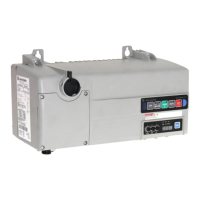
ArmorStart® LT Distributed Motor Controller
Catalog Numbers 290E, 291E, 294E
User Manual

Table of Contents

Questions and Answers

  • S
    singhrichardAug 7, 2025
    How to troubleshoot Allen-Bradley Controller when PWR LED is off?
    • D
      David HughesAug 7, 2025
      If the PWR LED on your Allen-Bradley Controller is not illuminated, verify that the power is connected and with the proper polarity.
  • J
    jeffrey85Aug 12, 2025
    How to reset protection fault on Allen-Bradley ArmorStart 294E?
    • H
      Harold JonesAug 12, 2025
      If a resettable protection fault exists on your Allen-Bradley Controller, verify the fault by reviewing [TripStatus] Parameter 16 and [TripLog0…4] Parameters 18…22. Correct the fault and press the blue reset button.
  • J
    Jesse LoweAug 17, 2025
    What to do if Allen-Bradley ArmorStart 294E shows 'Duplicate IP address detected'?
    • K
      Kevin ChandlerAug 17, 2025
      If your Allen-Bradley Controller detects a duplicate IP address, check for a node address conflict and resolve it.
  • J
    Jeffery GreenAug 22, 2025
    What to do if Allen-Bradley ArmorStart 294E shows 'No link established'?
    • A
      Alexandra MunozAug 22, 2025
      If no link is established on your Allen-Bradley Controller, verify the network connection.
  • T
    Tina CaldwellAug 27, 2025
    What to do if RUN/FLT LED is not illuminated on Allen-Bradley ArmorStart 294E?
    • A
      Alan HarrisAug 27, 2025
      If the RUN/FLT LED is not illuminated when a Run command has been issued on your Allen-Bradley Controller: 1. Verify that the PLC is in Run mode. 2. Verify that the correct run bit is being controlled. 3. Verify that a stop condition does not exist.
  • R
    Robert HumphreySep 1, 2025
    What to check if CIP connections are not established on Allen-Bradley ArmorStart 294E Controller?
    • J
      Jacob GonzalesSep 1, 2025
      If an IP address is configured, but no CIP connections are established, and an Exclusive Owner connection has not timed out on your Allen-Bradley Controller, check to make sure the product is properly wired and configured on the network.

Summary

Important User Information

Safety and Application Guidelines

Provides critical safety and application guidelines for users of the control equipment.

General Precautions

System Safety Statements

States general safety statements applicable to the system that must be read and understood.

Rockwell Automation Support

Chapter 1 Product Overview

Product Description and Features

Details the ArmorStart LT's availability, features, enclosure type, and external connections.

Network Options

Explains native EtherNet/IP support, embedded dual port switch, and Device Level Ring (DLR) topology.

Catalog Number Explanation

Provides a breakdown of the catalog number structure for product configuration.

Chapter 2 Installation and Wiring

Installation Precautions

Lists essential statements that must be read and understood before proceeding with installation.

Branch Circuit Protection

Explains requirements for selecting motor branch circuit protection devices according to codes.

Ethernet, DeviceNet, and I;O Connections

Details the pinouts and connections for Ethernet, DeviceNet, and I/O ports.

Chapter 3 Product Commissioning

IP Address Configuration

Explains the role and format of IP addresses in network identification.

Configuring EtherNet;IP Address

Details methods for setting the IP address, subnet mask, and gateway for EtherNet/IP.

Using the Rockwell Automation BootP;DHCP Utility

Guides the user through using the BootP/DHCP utility for IP address configuration.

Embedded Web Server Access

Describes accessing configuration and status data via the embedded web server.

Parameter Configuration

Explains how to view and modify device configuration using the embedded web server.

How to Add a New Module Using the Add-On Profile

Provides step-by-step instructions for integrating the ArmorStart LT into RSLogix 5000.

Chapter 5 Diagnostics

Status LEDs and Reset

Explains the meaning of status and diagnostic LEDs and the reset button function.

Fault Diagnostics

Details fault diagnostics capabilities for troubleshooting and quick restarting.

Quick Reference Troubleshooting

Provides a guide to LED status indications for troubleshooting device and network health.

Chapter 6 Specifications

Appendix C Using DeviceLogix

DeviceLogix Programming

Details programming DeviceLogix using simple Boolean math operators, timers, and I/O.

Use of the AOP in RSLogix 5000

Guides users on starting RSLogix 5000, creating a project, and configuring modules.

Appendix A Multiple Motor Branch Circuit Application

Appendix B CIP Information

Allen-Bradley ArmorStart 294E Specifications

General IconGeneral
BrandAllen-Bradley
ModelArmorStart 294E
CategoryController
LanguageEnglish

Related product manuals