EasyManua.ls Logo

Allen-Bradley Bulletin 1609 - User Manual

Allen-Bradley Bulletin 1609
34 pages
Print Icon
To Next Page IconTo Next Page
Loading...
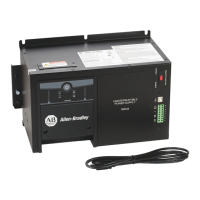
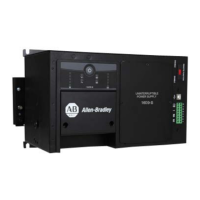
Bulletin 1609 Uninterruptible Power Supply
Catalog Numbers 1609-D and 1609-B
User Manual

Questions and Answers

  • A
    Anthony LeeSep 8, 2025
    What causes over voltage from the output of AVR in Allen-Bradley UPS?
    • C
      Cynthia PattersonSep 8, 2025
      If your Allen-Bradley UPS detects an over voltage on the output of AVR and disables its output, have qualified electrician verify that the quality of the output voltage and the input utility voltage are within its specification. To clear fault, follow the General Clear Fault Procedure described above.
  • T
    Tammy RichardsAug 23, 2025
    What to do if the input line utility power circuit breaker trips on my Allen-Bradley Bulletin 1609 UPS?
    • B
      Barbara MillerAug 23, 2025
      If the input line utility power circuit breaker trips for your Allen-Bradley UPS, it could be due to an overload. First, verify that the circuit breaker is sized properly. Then, check the load connected to the UPS output to ensure it doesn't exceed the UPS output rating.
  • M
    Mrs. Jeanne Smith MDAug 25, 2025
    How to fix no UPS output on an Allen-Bradley UPS?
    • T
      Tyler GeorgeAug 25, 2025
      If your Allen-Bradley UPS has no output, it might not be enabled. Here's how to enable it: * **Manually Enable:** Ensure the Remote Function selector switch is in the Disable position. Press and hold the UPS Power button until you hear one beep, then release immediately. * **Remotely Enable:** Ensure the Remote Function selector switch is in the Enable position and verify a solid connection to the remote on/off dry I/O connection (terminals 7 & 8).
  • K
    Kathy PowellAug 27, 2025
    Why does Allen-Bradley UPS operate on battery when input utility voltage exists?
    • D
      David AlvaradoAug 27, 2025
      If your Allen-Bradley UPS operates on battery even when input utility voltage is present, the system might be experiencing high, low, or distorted input utility voltage. Try reducing the UPS sensitivity using the 1609 UPS Management software. If the issue continues, consider moving or connecting the UPS to a known good quality utility power source.
  • A
    Amy SawyerAug 27, 2025
    What to do if my Allen-Bradley Bulletin 1609 UPS has an output overload?
    • B
      brianandrewsAug 27, 2025
      If your Allen-Bradley UPS detects an output overload and disables its output, verify the load connected to the output of the UPS. Ensure that the load does not exceed the output rating of the UPS. If it does, remove the excess load or select a UPS with an appropriate size. To clear fault, follow the General Clear Fault Procedure described above.
  • K
    Kristin LyonsSep 22, 2025
    What to do if no LED illuminates and there is no alarm on my Allen-Bradley Bulletin 1609 UPS?
    • L
      Lauren JonesSep 22, 2025
      If no LED illuminates and there is no alarm on your Allen-Bradley UPS, it could be that the UPS output is disabled or input utility power is not present. Have a qualified electrician troubleshoot the input utility power system and make the necessary corrections.
  • A
    April BellSep 16, 2025
    What to do if there is a fan failure in my Allen-Bradley UPS?
    • J
      Jeffrey PriceSep 16, 2025
      If your Allen-Bradley UPS detects that the fan has failed and disables its output, follow the General Clear Fault Procedure described above.
  • L
    Lance BradfordSep 18, 2025
    What to do if the ONLINE LED illuminates, but no UPS output is available on my Allen-Bradley UPS?
    • C
      Courtney WilliamsSep 18, 2025
      If the ONLINE LED is illuminated on your Allen-Bradley UPS, but there's no UPS output, the UPS output connection may not be connected properly. Disable the UPS output and have a qualified electrician troubleshoot the output connection system and make the necessary corrections.
  • E
    evelyn48Sep 7, 2025
    What causes under voltage from the inverter in Allen-Bradley Bulletin 1609?
    • L
      latoya25Sep 7, 2025
      If your Allen-Bradley UPS detects low voltage on the inverter and disables its output, have a qualified electrician verify that the quality of utility voltage is within specification. To clear fault, follow the General Clear Fault Procedure described above.
  • J
    Jennifer BanksSep 4, 2025
    What causes over voltage from the DC/DC converter of inverter in Allen-Bradley UPS?
    • M
      Meredith FullerSep 4, 2025
      If your Allen-Bradley UPS detects an over voltage from the DC/DC Converter and disables its output, have a qualified electrician verify that the quality of utility voltage is within specification. To clear the fault, follow the General Clear Fault Procedure described above.

Summary

Bulletin 1609 Uninterruptible Power Supply

Important User Information

Preface

Additional Resources

Lists related documents and provides links for viewing or downloading.

Bul. 1609-D Installation Instructions

Battery Wiring and Installation

Detailed steps for connecting batteries to the 1609-D UPS.

Mount the UPS

Guidance on mounting the 1609-D UPS unit.

Hardwire UPS

Instructions for hardwiring the UPS unit.

Selection of Cables

Specifications for selecting appropriate wiring cables.

Connect Power and Equipment to the UPS

Procedure for connecting power and equipment to the UPS.

1609-D Block Figure

Diagram illustrating the block structure of the 1609-D UPS.

Bul. 1609-B Installation Instructions

Battery Wiring and Installation

Steps for installing batteries in the 1609-B UPS.

Mount the UPS

Guidance on mounting the 1609-B UPS unit.

Hardwire UPS

Instructions for hardwiring the UPS unit.

Selection of Cables

Specifications for selecting appropriate wiring cables.

Connect Power and Equipment to the UPS

Procedure for connecting power and equipment to the UPS.

1609-B Block Figure

Diagram illustrating the block structure of the 1609-B UPS.

Bul. 1609-EXBAT Installation Instructions

Battery Wiring and Installation

Steps for installing batteries in the 1609-EXBAT unit.

Mount the 1609-EXBAT

Guidance on mounting the 1609-EXBAT unit.

Selection of Cables

Specifications for selecting appropriate wiring cables.

Connect 1609-EXBAT to the UPS

Procedure for connecting the 1609-EXBAT to the UPS.

General Information 1609-D and 1609-B

Recommended Battery for Use with the UPS and 1609-EXBAT

Lists compatible battery manufacturers and models for the UPS units.

Dry I;O Contacts

Details on the UPS's dry input/output contacts and their functions.

USB Communication Port

Information on connecting and using the UPS via USB port.

Manual or Remote Enable;Disable of UPS Output Selection

How to enable or disable UPS output manually or remotely.

Manual Enable;Disable;Self-test

Using the power button for manual UPS control and self-testing.

Remote Enable;Disable

Using dry I/O terminals for remote UPS output control.

Display LED Indicators

Explanation of the various LED indicators on the UPS.

Troubleshooting

UPS LED Fault Indicators

Lists UPS LED fault indicators and their corresponding descriptions and solutions.

General Clear Fault Procedure

Procedure for clearing faults on the UPS system.

Bulletin 1609 UPS Network Management Card Troubleshooting

Bul. 1609-D Specifications

Bul. 1609-B Specifications

1609 UPS Dimensions

1609-D UPS Dimensions

Detailed dimensions for the 1609-D UPS unit.

1609-B UPS Dimensions

Detailed dimensions for the 1609-B UPS unit.

1609-EXBAT Unit Dimensions

Detailed dimensions for the 1609-EXBAT unit.

1609-BRK Dimensions

1609-BRK Dimensions (1609-D orientation)

Dimensions for the 1609-BRK mounting bracket in 1609-D orientation.

1609-BRK Dimensions (1609-B orientation)

Dimensions for the 1609-BRK mounting bracket in 1609-B orientation.

Service Instructions

Rockwell Automation Support

Installation Assistance

Contact information for initial installation problems.

New Product Satisfaction Return

Procedures for returning products that are not functioning.

Documentation Feedback

Information on how to provide feedback on the documentation.

Allen-Bradley Bulletin 1609 Specifications

General IconGeneral
Frequency50/60 Hz
DimensionsVaries by model
WeightVaries by model
Operating Temperature0°C to 40°C
Storage Temperature-15°C to 45°C
Humidity0-95% non-condensing

Related product manuals