EasyManua.ls Logo

Allen-Bradley 1606-XLS240-UPSC - User Manual

Allen-Bradley 1606-XLS240-UPSC
34 pages
Print Icon
To Next Page IconTo Next Page
Loading...
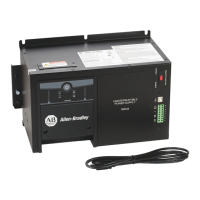
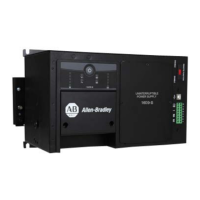
DC-UPS with Integrated Battery - 24V, 10 A
Catalog Number 1606-XLS240-UPSC
Reference Manual
Original Instructions

Questions and Answers

  • J
    jgreeneAug 4, 2025
    Why does my Allen-Bradley 1606-XLS240-UPSC constantly switch between normal and buffer mode?
    • M
      Melissa FullerAug 5, 2025
      If your Allen-Bradley UPS constantly switches between Normal mode and Buffer mode, it could be due to the supplying source on the input being too small to deliver sufficient current. Try using a more powerful power supply or reducing the output load. Alternatively, the input voltage might be the same as the transfer threshold, in that case you should increase the input voltage.
  • E
    Erin HickmanAug 10, 2025
    What to do if the Allen-Bradley UPS output has shut down?
    • J
      John DavenportAug 10, 2025
      If the output of your Allen-Bradley UPS has shut down, cycle the input power to reset the DC-UPS. Also, over temperature protection might have triggered, so allow the DC-UPS to cool down.
  • M
    Michele PerezAug 16, 2025
    Why did my Allen-Bradley 1606-XLS240-UPSC UPS stop buffering?
    • A
      Alicia LevyAug 16, 2025
      If your Allen-Bradley UPS stops buffering, it could be due to the buffer time limiter stopping the buffering. In this case, set the buffer time limiter to a higher value. Another reason could be deep discharge protection; allow sufficient time for charging the battery. Finally, the output may have been overloaded or short-circuited, so reduce the load.
  • M
    Mrs. Connie RiddleAug 22, 2025
    How to fix illuminated Checking Wiring LED on Allen-Bradley 1606-XLS240-UPSC UPS?
    • C
      Christina RodriguezAug 22, 2025
      If the Checking Wiring LED is illuminated on your Allen-Bradley UPS, check the wiring between the battery and the DC-UPS. Verify that the battery fuse is properly inserted and not blown. Also, check the battery voltage (typically between 7.4V…15.1V), the input voltage (typically between 22.8V…30V), and the battery polarity.
  • J
    Joy KelleyAug 29, 2025
    Why Allen-Bradley DC-UPS did not buffer?
    • J
      Joshua EatonAug 29, 2025
      If the Allen-Bradley DC-UPS did not buffer, it could be due to inhibit input being set or the battery not having enough time to charge and is still below the deep discharge protection limit.

Summary

Important User Information

Additional Resources

Terminology and Abbreviations

Product Overview

DC-UPS Input Specifications

Output Operation in Normal Mode

Output Operation in Buffer Mode

Integrated Battery Specifications

Battery Buffer Time

DC-UPS Efficiency and Power Loss

DC-UPS Functional Diagram

Wiring and Battery Quality Tests

Battery State of Health (SOH) Test

Relay Contacts and Inhibit Input Signals

DC-UPS Relay Contact Specifications

Specifies the states and ratings for the Ready, Buffering, and Replace Battery relay contacts.

DC-UPS Inhibit Input Signal

Details the inhibit input functionality, voltage, and current requirements for control.

Hazardous Location Wiring Control

Front Panel User Interface Elements

DC-UPS Terminals and Wiring Guide

DC-UPS Lifetime Expectancy and MTBF

Electromagnetic Compatibility (EMC) Information

Operating Environment Specifications

DC-UPS Protection Features

DC-UPS Safety Features

Compliance and Approvals

Dimensions and Weight

General Installation Notes

Installing the DC-UPS Power Supply

Replacing the Integrated Battery

Battery Disposal Guidelines

Replacement Battery Requirements

Battery Replacement Intervals

Battery Life Effect of Temperature

Explains how ambient temperature impacts battery service life and capacity.

Battery Life Effect of Discharging Cycles

Describes how the number and depth of discharge cycles affect battery lifespan.

Other Factors Affecting Battery Service Life

Tips for Prolonging Battery Service Life

Calculating Battery Service Life

Optional Accessories

Application Notes and Usage

Parallel and Serial Unit Configuration

Advises on limitations and possibilities for paralleling or connecting units in series.

Using the Inhibit Input Function

Explains the function of the inhibit input for disabling buffering and its use with service switches.

Troubleshooting DC-UPS Issues

Allen-Bradley 1606-XLS240-UPSC Specifications

General IconGeneral
Input Frequency50/60 Hz
Output Voltage24 VDC
Output Current10 A
Power Rating240 W
Input Voltage100-240 VAC
Efficiency90%
Storage Temperature-40 to 85 °C
ProtectionOverload, Short Circuit
CertificationsUL, CE, cUL

Related product manuals