AM81687-A
Original Instructions – English
10
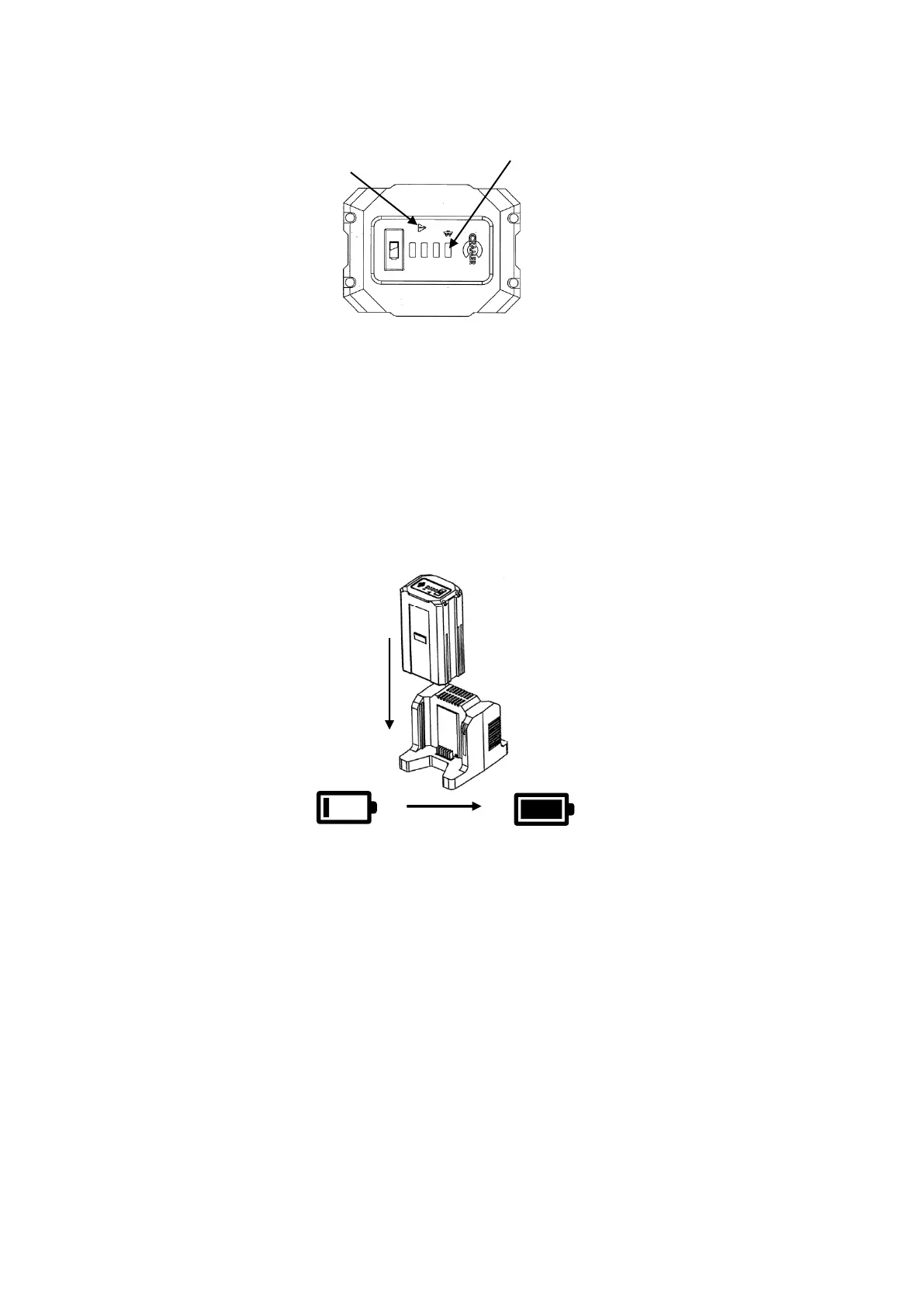
Battery features
The RED fault LED will illuminate and flash if the battery is over or under temperature. The battery
will not work until the temperature returns to normal. Move the battery pack to a position where
the air temperature is above 5°C or below 52°C.
To activate the Bluetooth press the battery capacity indicator button. The Bluetooth LED will flash
when the Bluetooth function is activated. When the Bluetooth function is connected to the phone
APP the Bluetooth LED will remain on. For more details on how to download the phone APP see the
battery manual.
Charging the battery
NOTE: The battery is not shipped fully charged. It is recommended to fully charge before use to
ensure that maximum run time can be achieved. This lithium-ion battery will not develop a memory
and may be charged at any time. In normal conditions a 6Ah battery can be fully charged in
90minutes. To achieve the 90minute charge the battery charger contains a cooling fan which can be
heard when the charger is in operation. To charge a battery proceed as follows:
1. Plug the charger into a Mains AC power outlet.
2. Insert 1 or 2 batteries into the charger.
3. When the battery is fully charged, the green LED will illuminate, unplug the charger.
When charging 2 battery packs the 2 batteries are charged separately. The charger will charge one
battery first. After one battery is fully charged, it will charge the other battery.






 To Next Page