50 36198
24. Warm Rinse “rrn”
This option allows the user to have a warm rinse
during the wash cycle. The default is set for a cold
rinse with all cycles and temperatures.
How to Program Warm Rinse
1. Control must be in Special Mode. Refer to Section
VII.
2. While pressing and holding the PERM PRESS
keypad with one hand, press the COLD keypad
with the other hand. Programmable option number
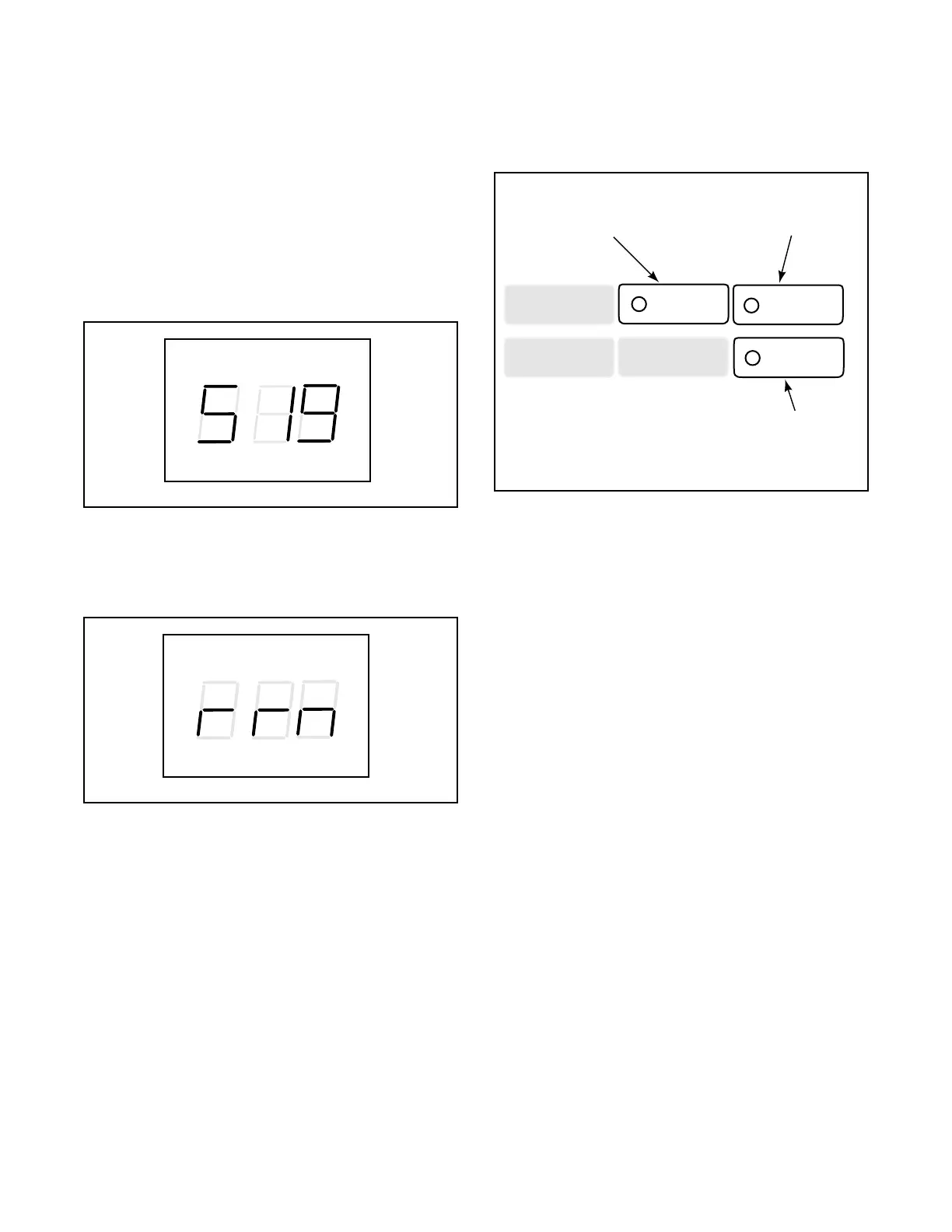
one, “SIg”, will appear in the VFD. See Figure 73.
3. Press the DELICATES (+) pad or the COLD (-)
pad to scroll through the programmable options
until “rrn” appears in the VFD. See Figure 74.
4. When “rrn” appears in the VFD, press the PERM
PRESS pad. The current warm rinse selection
number will appear in the VFD.
NOTE: If the VFD displays “000”, the Warm Rinse
option is OFF. If the VFD displays “128”, the
Warm Rinse option is ON.
5. Press the DELICATES (+) or the COLD (-) keypad
to increase or decrease the current three digit
number to the desired three digit number selected
from NOTE above. See Figure 75.
6. Press the PERM PRESS (enter) keypad when the
correct number appears in the VFD. The next
option, “CFg”, will appear in the VFD.
NOTE: To program “CFg” (Control
Configuration), see option 25. To program other
options, refer to the appropriate section.
How to Exit Programming Feature
1. Be sure service door has been opened and closed.
Refer to Section VI.
2. Be sure the control shows a programmable option,
not a value.
3. While pressing and holding the PERM PRESS
keypad with one hand; press the COLD keypad
with the other hand. The control will revert back to
the “Ready” mode. See Figure 2.
Figure 73
Figure 74
WASH
RINSE SOAK
SPIN
PRICE TIME REMAINING
INSERT COINS UNBALANCE
C105IE1A
WASH
RINSE SOAK
SPIN
PRICE TIME REMAINING
INSERT COINS UNBALANCE
C129IE1A
Figure 75
NORMAL
HOT
DELICATES
COLD
PERM
PRESS
WARM
Press this pad (enter)
to choose a selected
value or option
Press this pad (+)
to scroll forward or
increase a value
Press this pad (-)
to scroll back or
decrease a value
C106IE1A




 To Next Page