508067-01Issue 2016Page 50 of 75
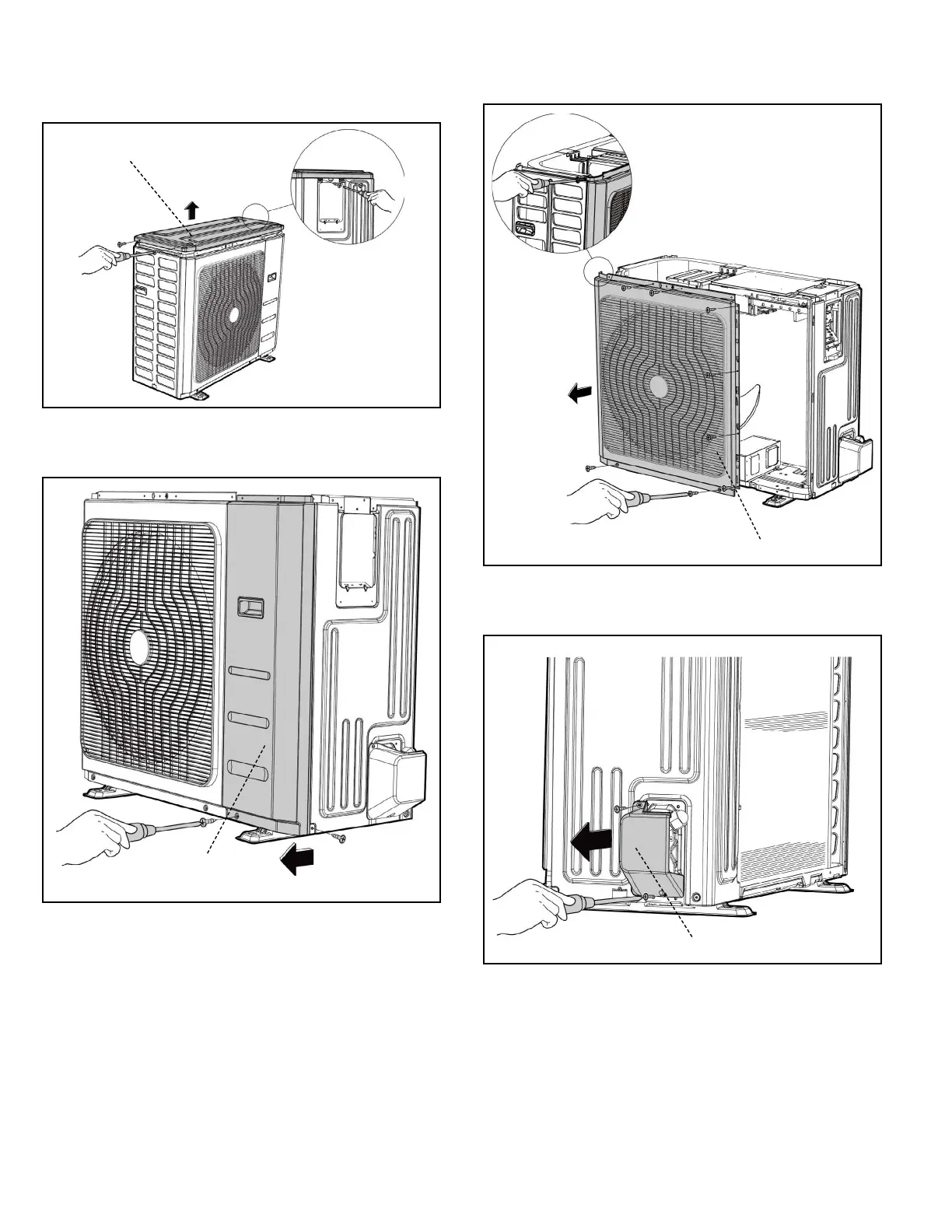
3. Remove the screws of the top cover and then remove
the top cover (4 screws). Two of the screws is located
underneath the big handle.
Top Cover
4. Remove the screws of the front right panel and then
remove the front right panel (2 screws).
Front
Right Panel
5. Remove the screws of the front panel and then remove
the front panel (9 screws).
Front Panel
6. Remove the screws of water collecting cover and then
remove the water collecting cover (2 screws).
Water Collecting Cover


 To Next Page