Wireless-N Broadband Router User Guide
Wireless Screen
The Wireless-N Broadband Router's settings must match the other Wireless stations.
Note that the Wireless-N Broadband Router will automatically accept both 802.11b and
802.11g connections, and no configuration is required for this feature.
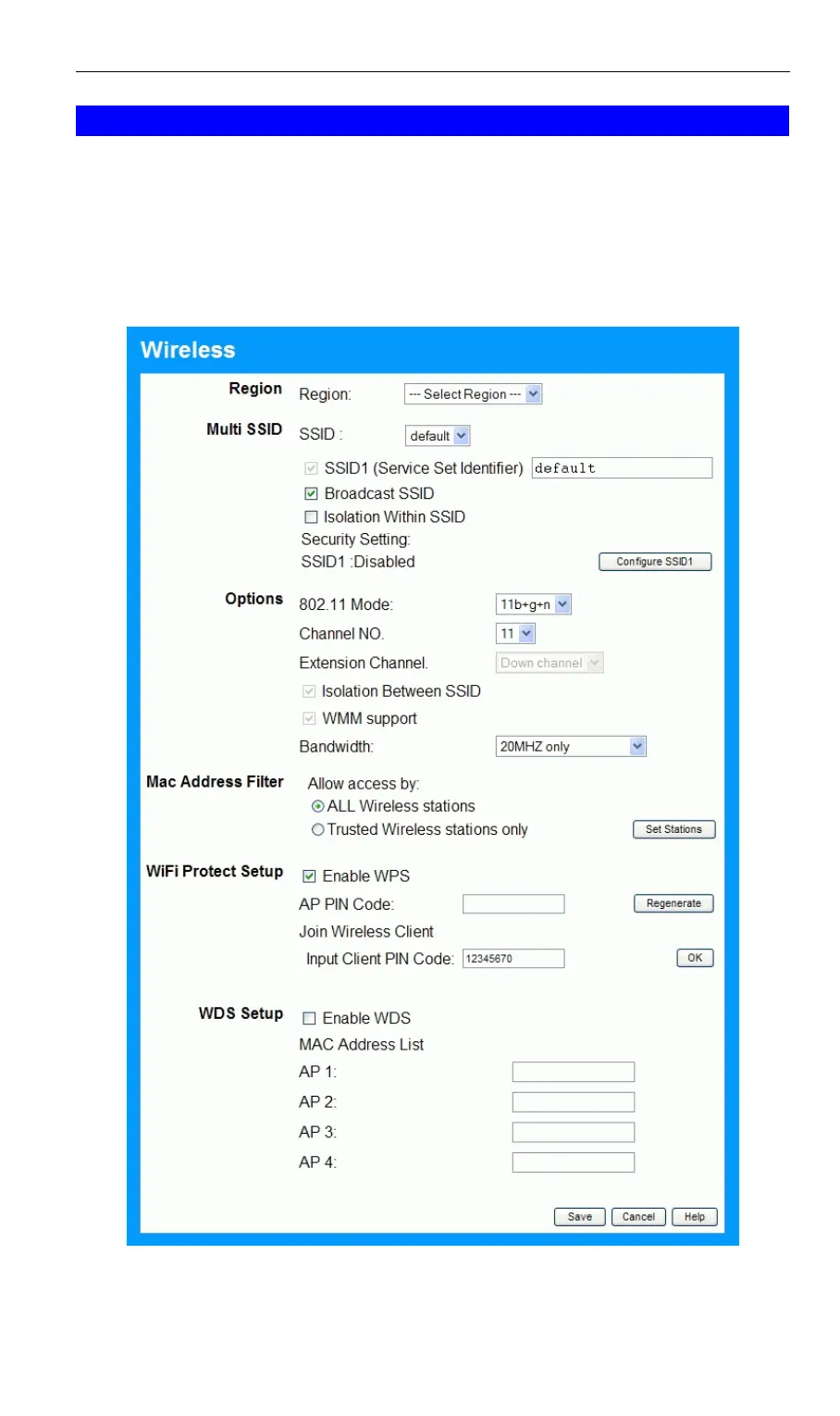
To change the Wireless-N Broadband Router's default settings for the Wireless Access Point
feature, use the Wireless link on the main menu to reach the Wireless screen. An example
screen is shown below.
Figure 8: Wireless Screen
18



 To Next Page