PC Configuration
Wireless Station Configuration
This section applies to all Wireless stations wishing to use the Wireless-N Broadband Router's
Access Point, regardless of the operating system which is used on the client.
To use the Wireless Access Point in the Wireless-N Broadband Router, each Wireless Station
must have compatible settings, as follows:
Mode
The mode must be set to Infrastructure (rather than Ad-hoc)
Access points only operate in Infrastructure mode.
SSID (ESSID)
This must match the value used on the Wireless-N Broadband Router.
Note! The SSID is case sensitive.
Wireless
Security
By default, Wireless security on the Wireless-N Broadband Router is
disabled.
• If Wireless security remains disabled on the Wireless-N Broadband
Router, all stations must have wireless security disabled.
• If Wireless security is enabled on the Wireless-N Broadband
Router, each station must use the same settings as the Wireless-N
Broadband Router.
Wireless Configuration on Windows XP
If using Windows XP to configure the Wireless interface on your PC, the configuration proce-
dure is as follows:
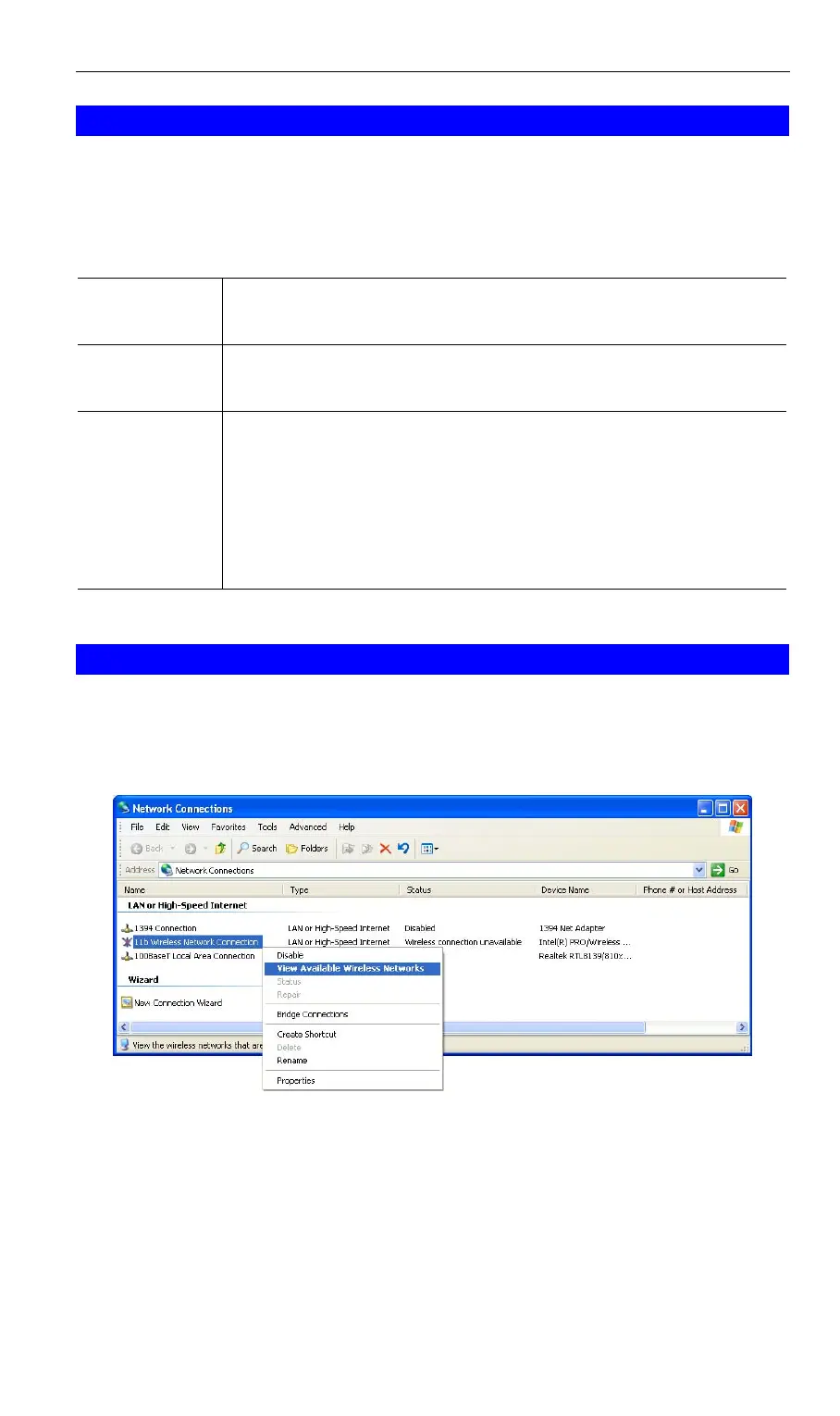
1. Open the Network Connections folder. (Start - Settings - Network Connections).
Figure 26: Network Connections (Windows XP)
2. Right-click the Wireless Network Connection, check that it is enabled (menu option says
Disable, rather than Enable) and then select View Available Wireless Networks.
3. You will then see a list of wireless networks.
41



 To Next Page