Wireless-N Broadband Router User Guide
If using WPA-PSK Data Encryption
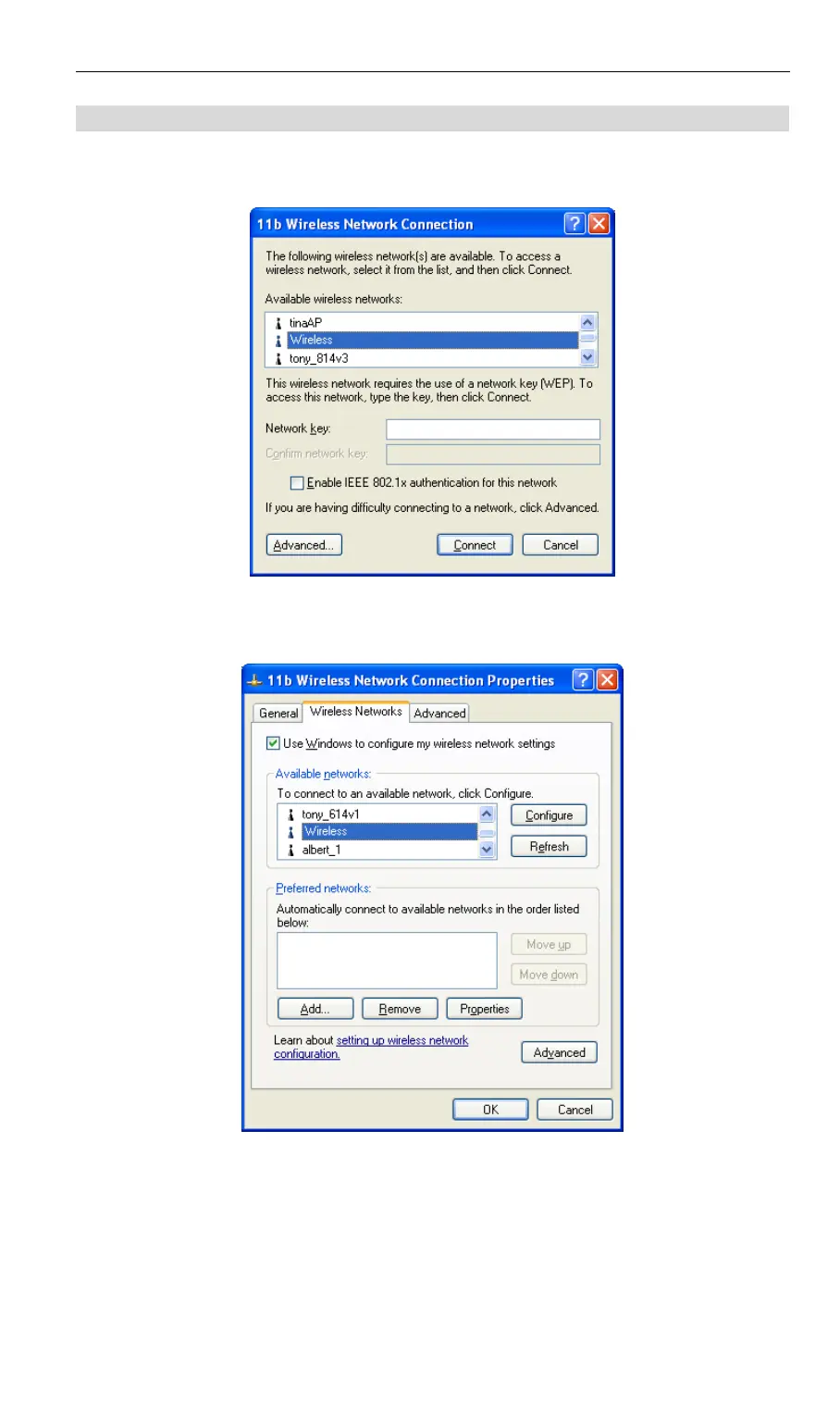
If WPA-PSK data encryption has been enabled on the Wireless-N Broadband Router, it does
not matter which network is selected on the screen below. Just click the Advanced button.
Figure 33: Wireless Networks (Windows XP)
You will then see a screen like the example below.
Figure 34: Advanced - Wireless Networks
Select the SSID for the Wireless-N Broadband Router, and click Configure, to see a screen like
the following:
46



 To Next Page