Wireless-N Broadband Router User Guide
Local Router
The local router is the Router installed on the same LAN segment as the Wireless-N Broad-
band Router. This router requires that the Default Route is the Wireless-N Broadband Router
itself. Typically, routers have a special entry for the Default Route. It should be configured as
follows.
Destination IP Address
Normally 0.0.0.0, but check your router documentation.
Network Mask
Normally 0.0.0.0, but check your router documentation.
Gateway IP Address
The IP Address of the Wireless-N Broadband Router.
Metric
1
Other Routers on the Local LAN
Other routers on the local LAN must use the Wireless-N Broadband Router's Local Router as
the Default Route. The entries will be the same as the Wireless-N Broadband Router's local
router, with the exception of the Gateway IP Address.
• For a router with a direct connection to the Wireless-N Broadband Router's local Router,
the Gateway IP Address is the address of the Wireless-N Broadband Router's local router.
• For routers which must forward packets to another router before reaching the Wireless-N
Broadband Router's local router, the Gateway IP Address is the address of the intermedi-
ate router.
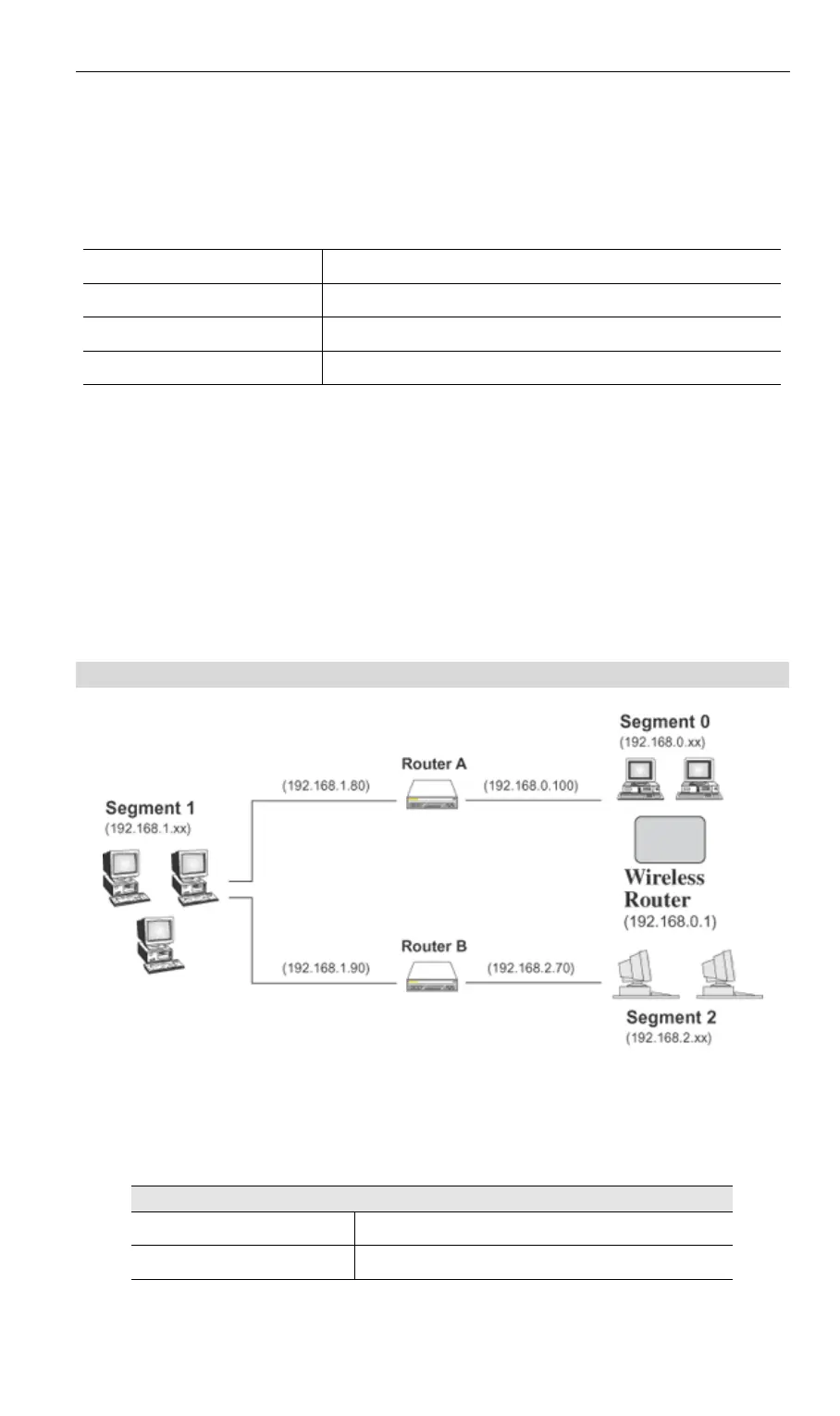
Static Routing - Example
Figure 64: Routing Example
For the Wireless-N Broadband Router's Routing Table
For the LAN shown above, with 2 routers and 3 LAN segments, the Wireless-N Broadband
Router requires 2 entries as follows.
Entry 1 (Segment 1)
Destination IP Address 192.168.1.0
Network Mask 255.255.255.0 (Standard Class C)
88



 To Next Page