Allworx Phone Model 9212/9212L User Guide
+1 866 ALLWORX * +1 585 421 3850 Page 27
www.allworx.com
Version: J Revised: March 2, 2017
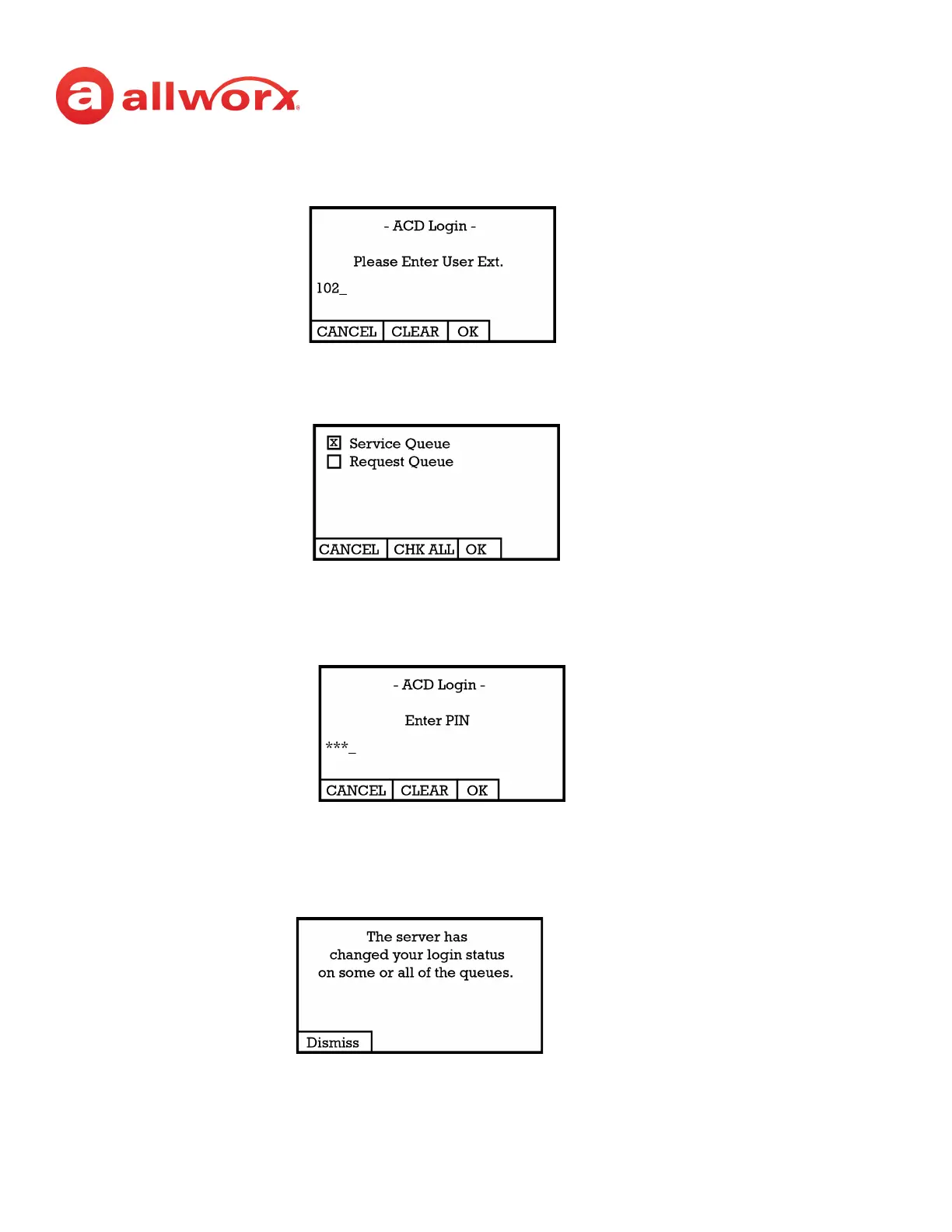
2. Enter agent’s extension - if the phone has an assigned user, the user’s extension displays. Use
the dial pad and soft key buttons to enter and edit the extension, as needed.
3. Select the ACD queue - skip this step if there is only one ACD queue assigned to the agent. Use
the phone’s select, scroll, and soft key buttons to select queue(s).
4. Enter the assigned Allworx PIN. Use the dial pad and soft key buttons to enter and edit the PIN.
The ACD Appearance PFK LED turns off when the logged in agent is ready to receive calls. The
PFK is amber when the queue is idle and the logged in agent is the only available agent.
If an agents logs onto a second phone, then the Allworx system logs the agent off the first
phone, and this screen displays:



 To Next Page