Phone Guide – 9224
300 Main Street • East Rochester, NY 14445 • Toll Free 1-866-ALLWORX • 585-421-3850 • www.allworx.com
© 2008 Allworx. All rights reserved
Version 1. Revised: September 9, 2008
Page 22
8 Additional Information
Your business directory, company phone list, conference scheduling page, distribution lists, phone features
chart, and shared folders are available on the server. Open a web browser and enter
http://ServersLANSideAddress into the address field.
• ServersLANSideAddress is the IP address of your server on your local area network or the host name of
the server.
• Your System Administrator can give you this address. It is also included on your Allworx welcome sheet.
9 Wall Mounting (Optional)
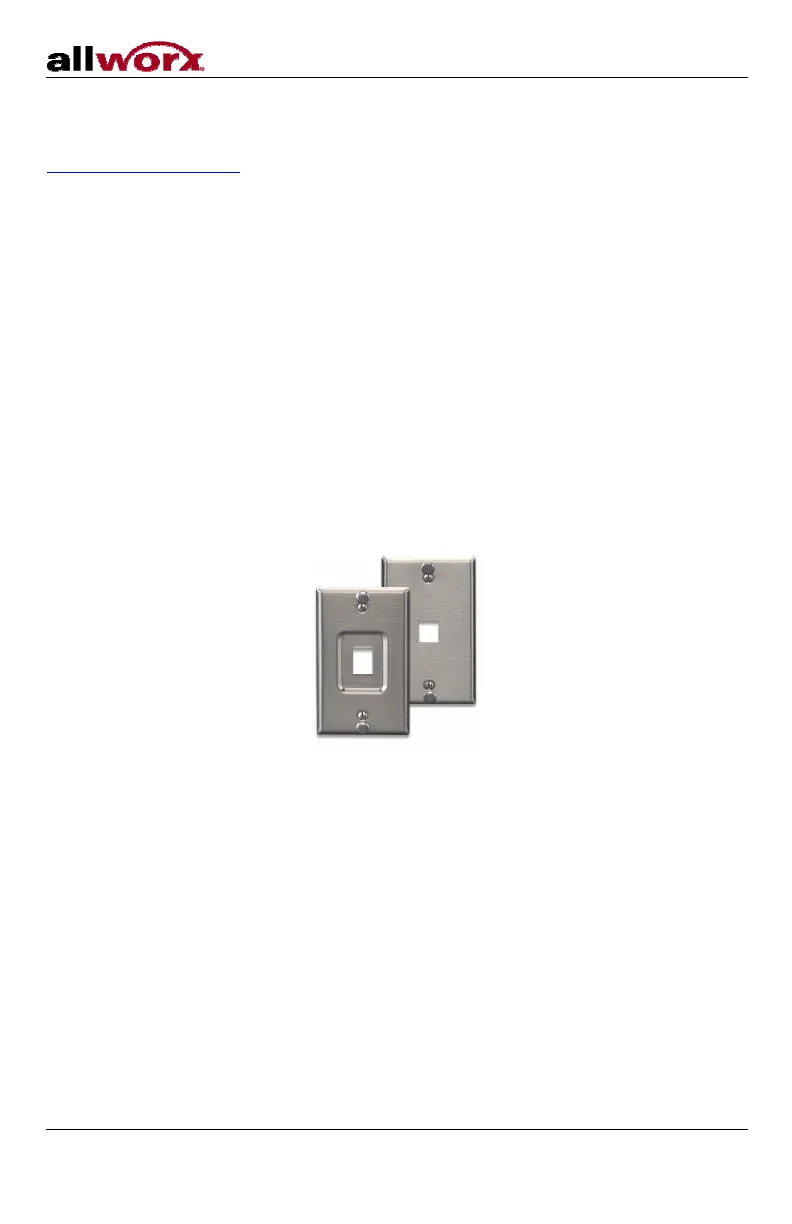
The Allworx 9224 can be mounted on a wall. This requires a wall mounting plate. Mounting plates should meet
the requirements of standard TIA-570-B, Section 5. The mounting plates are available from your local
telephone company or your local retailer.
Caution: If using a standard telephone wall mounting plate, DO NOT make any connection to the RJ11
jack. This connection is intended for an analog phone and may cause damage to the Allworx
phone, voiding your warranty.
The mounting plate, similar to those shown below, has mounting studs to receive the phone base and is
positioned to secure the phone flush to the wall surface.
Remove the phone base and mount the phone over the mounting plate studs. The back side of the phone
provides wire channels for power and network (RJ45) cables.
Leviton 4108W-0SP



 To Next Page