Shaw Almex Industries | 1.800.461.4351 | www.almex.com
8
Revised - April 2014 49900-038
From the SG1 menu, users can enable alarms to monitor vari-
ous parameters and fault conditions. Alarms will sound for the
five following reasons. (SEE FIGURE 19)
4.3.1. MAXIMUM PRESSURE
- An alarm will sound if the maximum pressure threshold is sur-
passed. The maximum pressure threshold, set by the operator
may be set anywhere from 0 PSI - 249 PSI. (SEE FIGURE 19)
4.3.2. TEMPERATURE RANGE
- In the “To Dwell” or “To Cure” phase, an alarm will sound if
the actual temperature rises above the target temperature by
more than the range indicated.
- In the “Dwell” or “Cure” phase, an alarm will sound if the
actual temperature drops below or rises above the target tem
-
perature by more than the range indicated. (SEE FIGURE 19)
If a given platen connection consistently reads an incorrect tem
-
perature due to degridation of the platen or platen cable, a
temperature offset may be applied to compensate. This process
may be performed on each sensor reading with a range of +/-
100°F or +/- 50°C. (SEE FIGURE 18)
4.3. ALARM SETTINGS
4. Settings
Settings for the SG1 can be selected on the LCD User Interface
(SEE FIGURES 3 & 16). When the SG1 is powered up, the SPLICE
INFO SUB MENU appears. To get to the Home Screen, press the
MENU button.
The auto-tuning method improves temperature rise-time and
decreases temperature overshoot. (SEE FIGURE 17)
1. Navigate to the“Control Settings” Menu.
2. Select the“Auto-tune”option.
3. Input the temperature that you want the auto-tuning to take
place at. It is recommended that you auto-tune close to your
application’s cure temperature.
4. Select “Start Auto-tuning”. The auto-tuning process will com-
mence. During this time the auto-tuning can be canceled by se-
lecting the “cancel auto-tune”option. If auto-tuning is canceled
the new PID constants will not be changed.
5. During the auto-tuning phase. The set point indicator will display
the target temperature and all connected platens will heat to the
target temperature. The platens will then fluctuate around the
target temperature as the new PID constants are calculated.
The SG1 will auto-tune output based only on the connected plat
-
ens. Circuits that are not connected will not have their PID constants
changed. Each output may have its own PID to take into account
differences between connected platen sets.
SG1 OPTIONAL ACCESSORIES CONTINUED
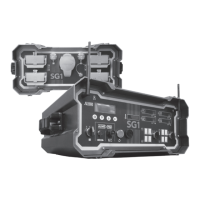
3.25. NETWORKING
CABLE
FIGURE 15
4.1. NETWORK SETTINGS
An SG1 can be networked with up to three other SG1 Switch-
gear Boxes for the purpose of performing a large splice. (SEE
SECTION 8).
4.2. CONTROL SETTINGS
4.2.1. AUTO-TUNING SUPPORT
6.
Wait until the display indicates that auto-tuning is complete.
The SG1 is now configured with the new PID constants. These
PID constants will remain until the next time the auto-tuning
procedure is run.
4.2.2. TEMPERATURE OFFSET
FIGURE 19 - ALARM SETTINGS
ENTER
FIGURE 17 - AUTO TUNING
MENU ENTERMENU ENTER
FIGURE 18 - TEMPERATURE OFFSET
MENU ENTERMENU ENTER
FIGURE 16 - NAVIGATING TO SETTINGS SCREEN
MENU ENTERMENU ENTER


 To Next Page