18
SMILE B3 PLUS
6. System Monitoring
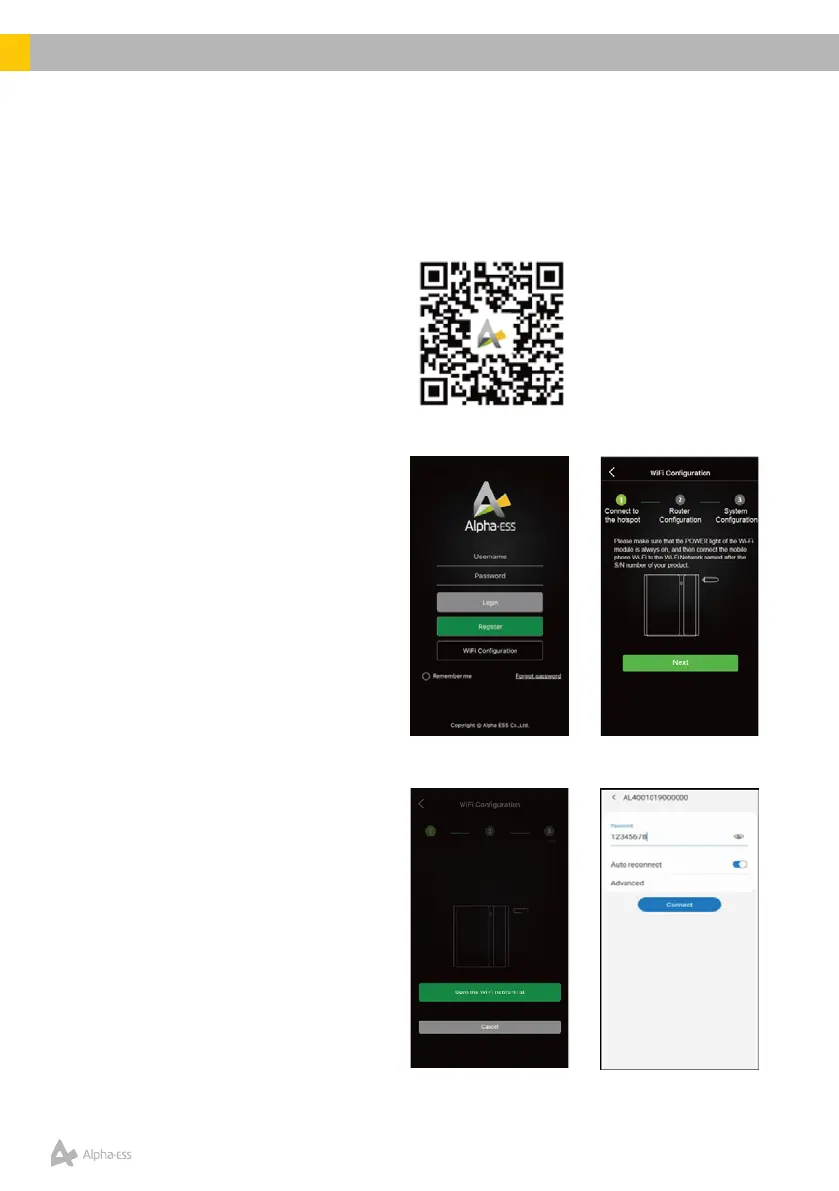
Download and install the Alpha ESS App via the QR Code or search;
• iOS – Alpha-ESS on the App Store (apple.com)
• Android – Alpha ESS – Apps on Google Play
6.1 Wi-Ficonguration
• Launch the APP, click Wi-Fi
congurationandfollowthe
prompts to connect the WiFi
module.
• Link the SMILE B3 PLUS Wi-Fi
module (named after the product
S/N format AL-xxxxx) to your
home Wi-Fi network. When
prompted, enter the password
12345678 & select Connect.













 To Next Page