Product Introduction and Application Scenarios
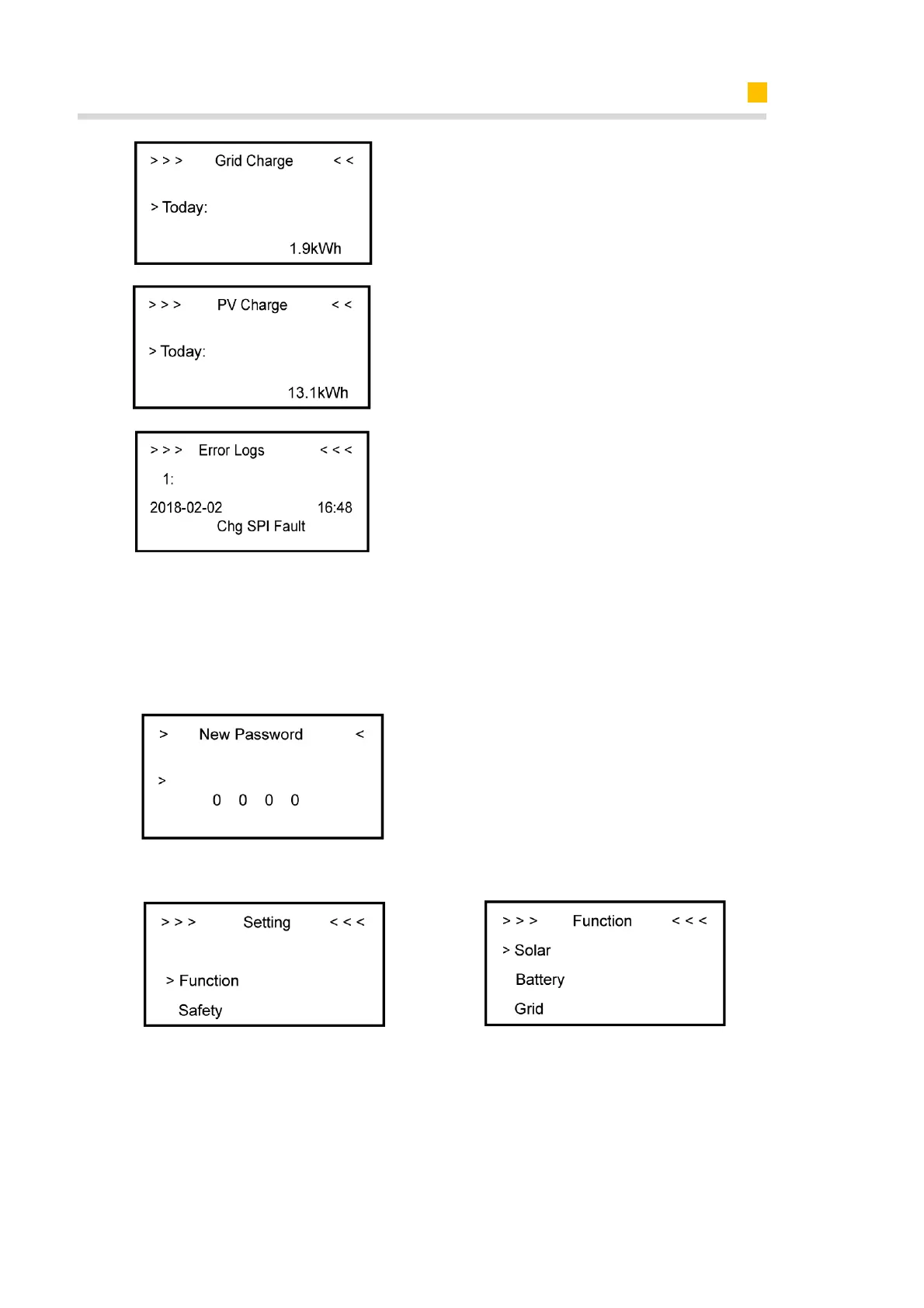
Grid Charge interface displays today’s
or total electricity quantity battery
charging from the grid.
PV Charge interface displays today’s or
total electricity quantity battery
charging from the PV-panels.
Error Logs interface displays the 10
latest fault records of this device,
including the name of the fault and
time of error.
3.2.2.4 Display Content of Sub-Menu Setting Item
General Setting
Step1: Click setting and enter the
password.
The installation's password is a four-
digits password: 1111, after four-
digits password was correctly input,
you can enter into the main Setting
interface (administrator permissions).
Step2: Click Function to enter function
setting.
Step3: Click Solar to set the Solar
relevant information.













 To Next Page