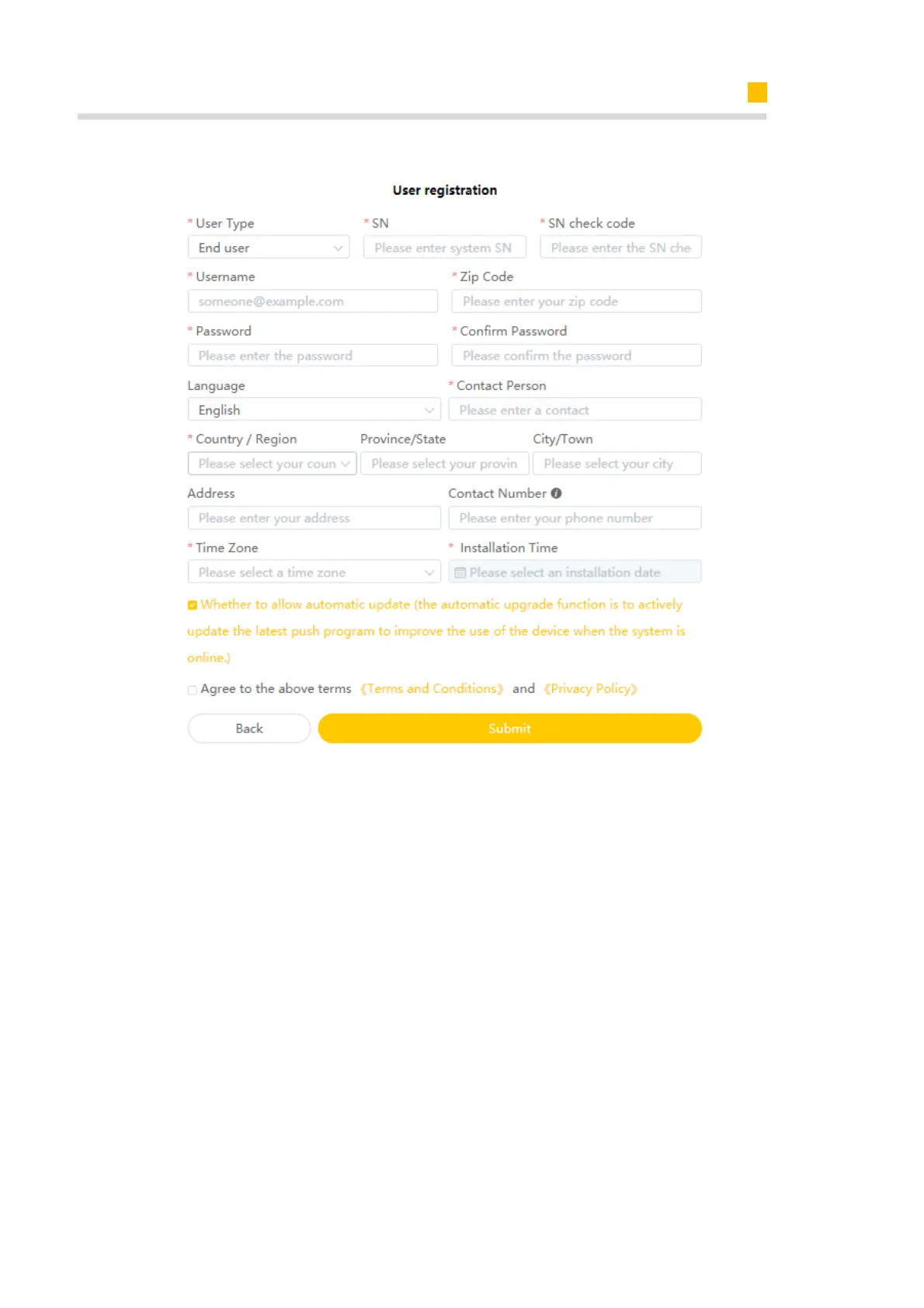
Installer Account Register and Install New System
In this form, all fields with a red star are compulsory, and you can select the finally users
or installation procedures.
*Serial number: EMS serial number (please see the nameplate of the inverter)
*Username: 5-15 letters / numbers
*Password: 5-15 letters / numbers / characters
More details are available in the Online Monitoring Web Sever Installers User Manual,
which can be downloaded from AlphaESS homepage.
7.2.2. Install New System
Installers who haven't yet registered need to click “Register” to visit the registration
page. Please refer to “AlphaCloud Online Monitoring Webserver Installers User Man-
ual”, which you can get from AlphaESS sales and get license number from relevant sales
from Alpha ESS.













 To Next Page