Product Introduction and Application Scenarios
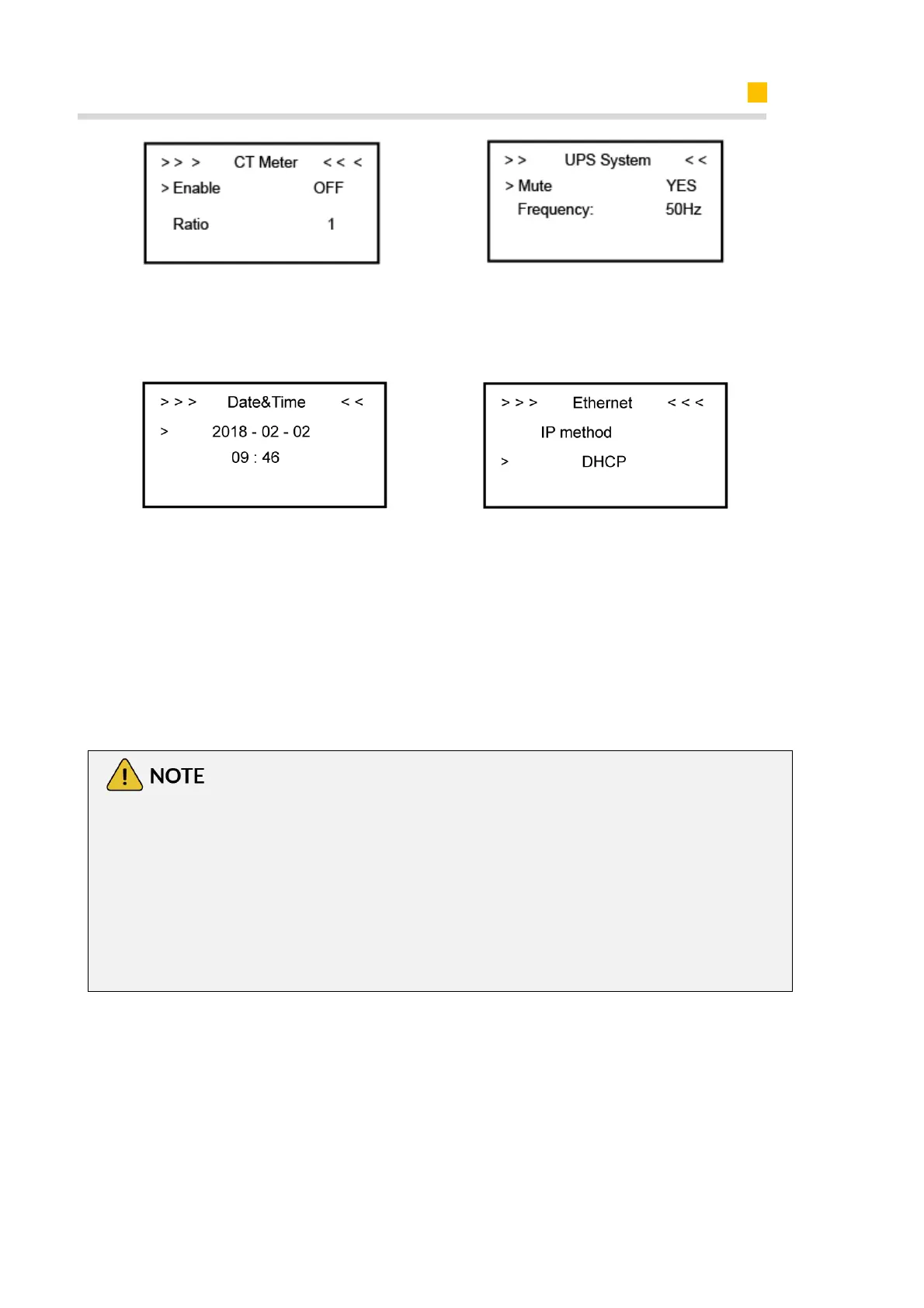
Step12: If you use CT meter, please set
CT meter enable and the relevant ration
Step13: If you use UPS function,
please set the mute as YES in UPS
System interface and the relevant
Frequency.
Step14: Click System in the setting
menu. Click Date &Time and set up the
date and time.
Step15: Click Ethernet to set the IP
address. DHCP mode means that
setup IP address is set up
automatically.
If you want to set up the IP address
manually, please choose manual
mode.
It is needed to set the following 3 parameters for manual mode:
IP Address: IP address;
Subnet Mask: Subnet mask;
Default Gateway: Default gateway;
Automatic display one parameter:
MAC Address: display MAC Address.













 To Next Page