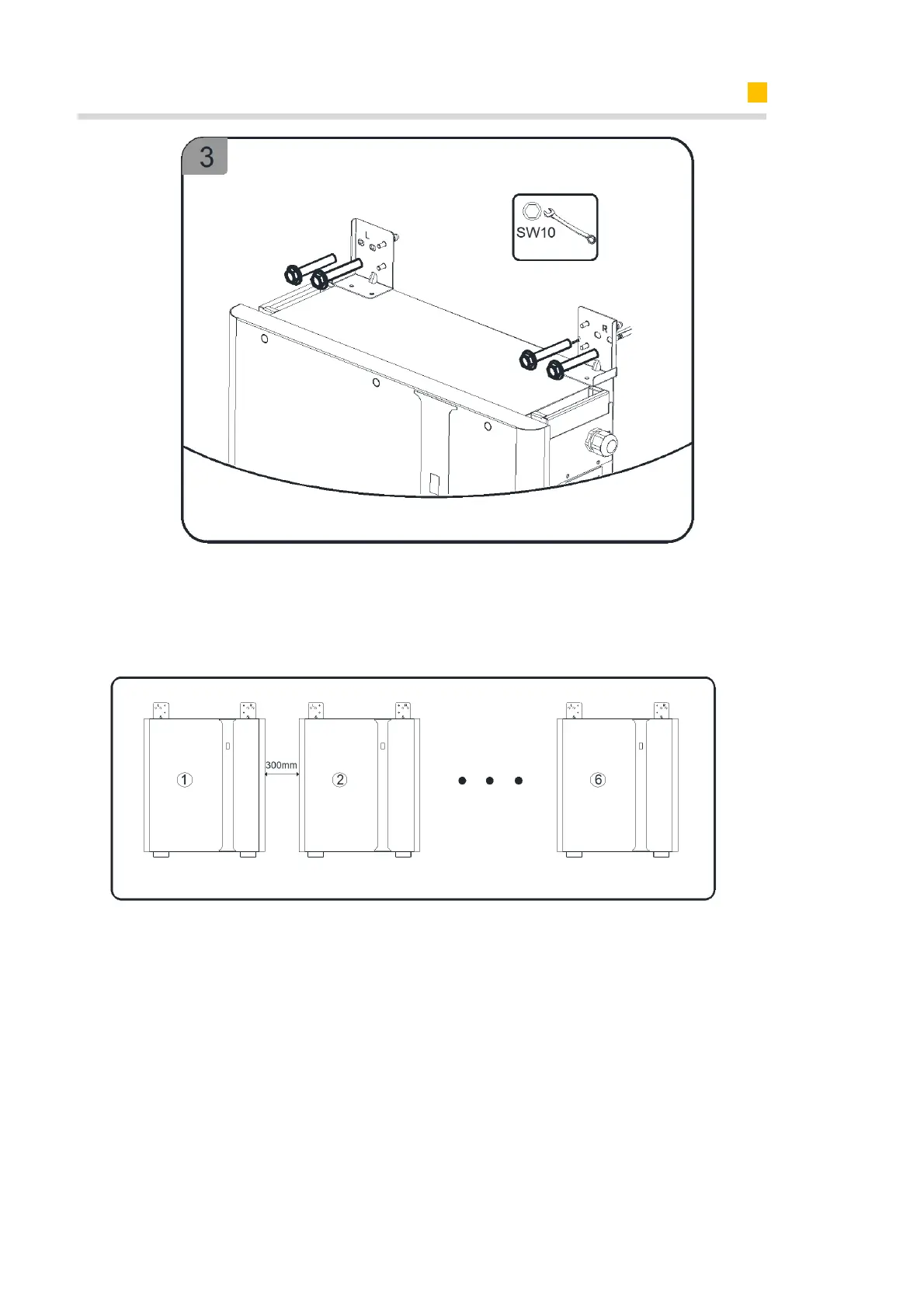
For mounting multiple batteries, please follow as above steps.
If you will install extra batteries by side, please keep the distance between two batteries
greater than 300mm. You can install extra batteries up to 6 batteries in a system.
2)for battery M4856-P
a.Take out the battery from the carton, transport it to the installation site.
b.Remove the front cover by pulling forward and disassemble wall bracket with tool
T20 screwdriver.
c. Align the wall bracket horizontally on the wall and mark the drill positions.
d. Set the wall bracket aside and drill the marked holes with drill Φ10.
e. Insert screw anchors into the drill holes, secure the wall bracket horizontally using
the provided screws.












 To Next Page