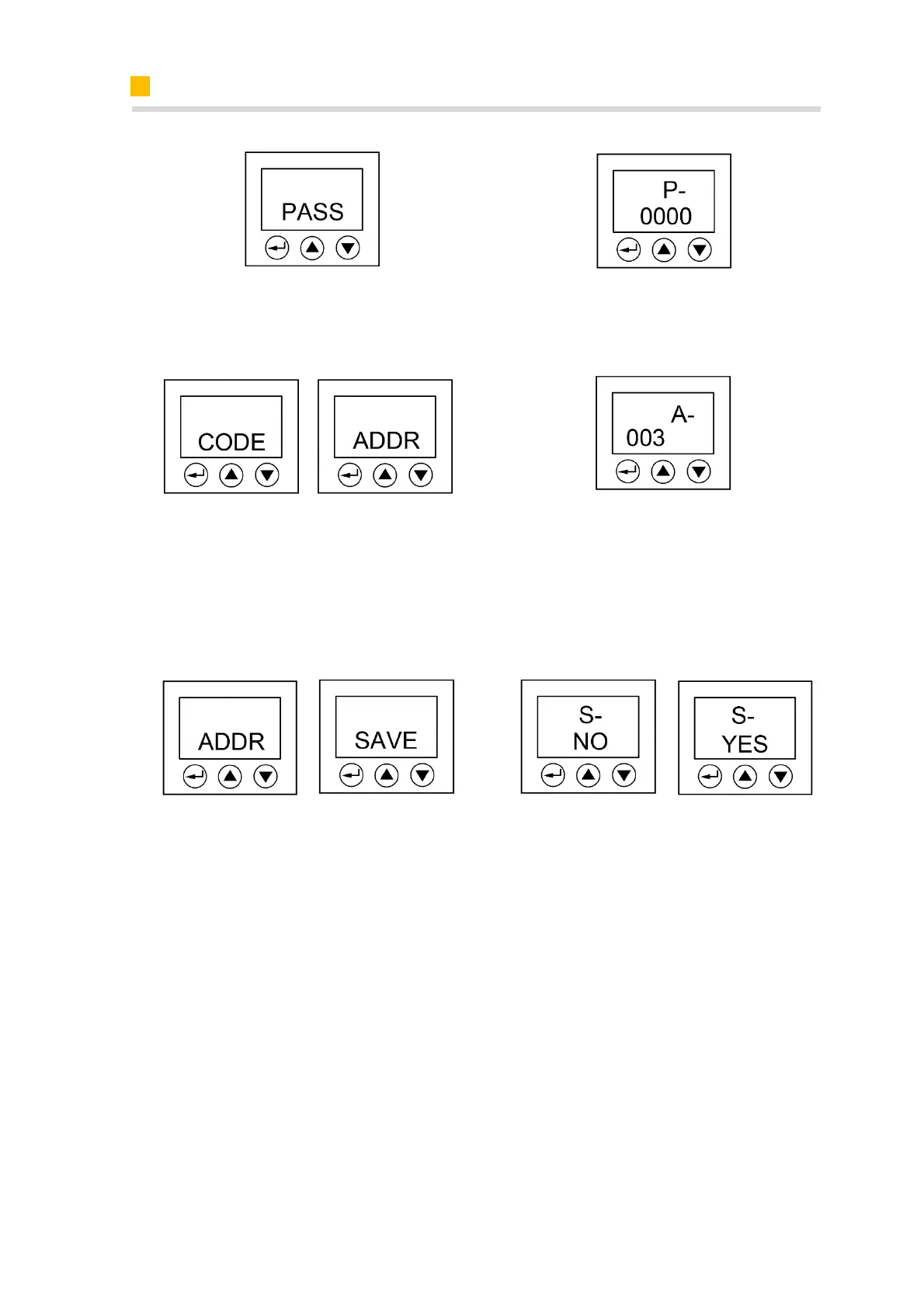
Step 1: Click the “Enter” button to enter
the menu interface.
Step 2: Click the “Enter” button to input
the password. The initial password is
0000. Then click the “Enter” button.
Step 3: You will get into the code inter-
face. Then click the “Shift” button to en-
ter the adress interface.
Step 4: Please set the meter address by
using the “Value adjustion” button, the
Grid meter (DC, AC and Hybrid system)
address is set to 003, and the PV meter
(AC and Hybrid system) address is set to
004.
Step 5: Click the “Enter” button to get
back to the menu interface. Then click
the “Shift” button 5 times to enter the
save interface.
Step 6: Click the “Shift” button to save
the setting.













 To Next Page