Australian Installer
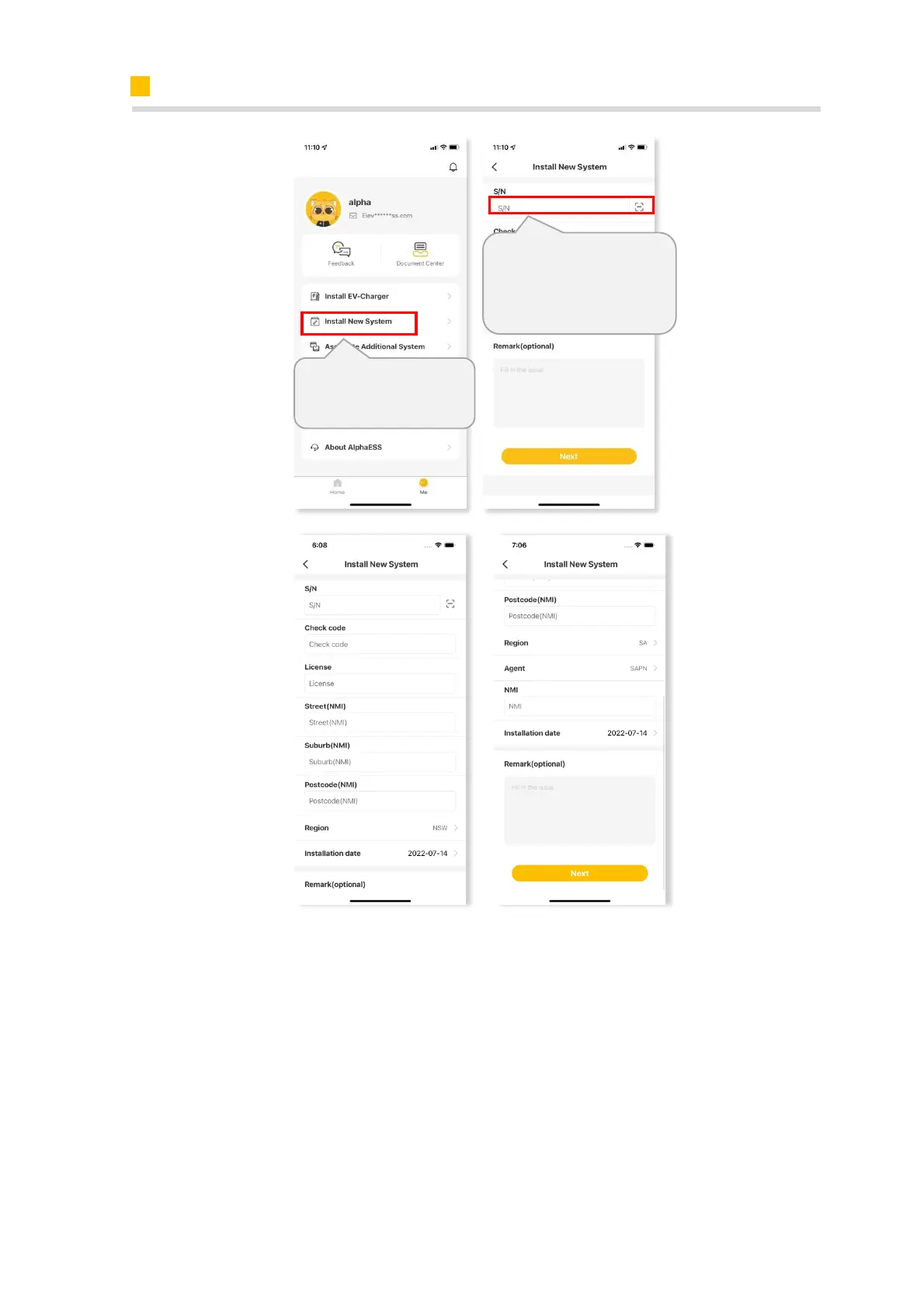
Please enter your installer account and click “Install New System” to bind the system to
your account and set the system.
Enter S/N, check code, license, create time, customer full name, contact number,
address, and click the save button. If you are an Australian installer, you will need to
fill in the Street (NMI), Suburb (NMI) and Postcode (NMI) fields and add a new Region
After login, click “Install
new system”
check code on the label of
the Battery with EMS.













 To Next Page